-
Newbie can't burn CD help.
Hi I am a Knoppix/linux virgin of less then 24 hours and need some help.Please excuse my non technical language.I want to burn a CD in Knoppix I get as far as being able to compile a list of files for burning.My CDRW (lite-on 48x12x4 is recognised by the burning program but when I go to burn I get this message or something like it "No cdrdao driver found. Please select manually....current drivers include ...generic-mmc...IO error" I guess I need to go "somewhere" and specify the driver for my CDRW.I seem to remember it mentions something like go to device settings but I can't locate for CD.If you can help please give me "no brainer" instructions as I have a "windows" track mind and all this is new to me.
Thanks for your help
-
Some more info. What I am trying to do is burn a selection of .wav files from my windows HD using knoppix, in order to make a CD that will play on any CD player using KB3.Can this program do this? I have found out that I can burn .avi files and I presume all other data files . But I am unable to play an ordinary CD from this drive. (can play mp3's on a CD disc in this drive). Is it the nature of this system that it cannot burn .wav files or read them from an external source ie CD. I can play .wav files from the hard drive.
On using the KB3 set up I get this message
creating fstab entry for /dev/scd0
error could not make mount point /mnt/auto/cdrom
Is this relevant? for my other CD rom it was able to make a mount point!
-
Senior Member
registered user
Could you post the contents of fdisk -l and of your /etc/fstab and are you running from HD or CD? K3b can do what you want it to it just has to have the proper entries in the fstab.
-
Hi Stephen thank you for your time. I am running knoppix from the CD (in order to give linux a try)! I am sorry to be a dunce but can you give me some more pointers like where do I look for fdisk -1 and /etc/fstab.I am totally new to this , sorry to be a pain....but we were all new once right?
-
Perhaps this will help --
To display contents of /etc/fstab:
Go into console and enter cat /etc/fstab
To do the fdisk -l just enter that on the console.
If you are running from the knoppix cd, I found that fdisk -l would not open the files with fdisk since you are not in root. (I believe the -l is a lower-case letter l)
Similar Threads
-
By keeris in forum General Support
Replies: 3
Last Post: 09-13-2004, 09:53 PM
-
By tup34 in forum The Lounge
Replies: 3
Last Post: 05-01-2004, 06:23 PM
-
By jrcf in forum General Support
Replies: 5
Last Post: 03-25-2004, 06:39 AM
-
By Exthero in forum Hardware & Booting
Replies: 4
Last Post: 03-20-2004, 10:09 PM
-
By medwards67 in forum Customising & Remastering
Replies: 2
Last Post: 08-14-2003, 03:50 PM
 Posting Permissions
- You may not post new threads
- You may not post replies
- You may not post attachments
- You may not edit your posts
-
Forum Rules


Genuine OEM Apple MagSafe 2 45W AC Adapter Charger for Macbook Air 2015 11" 13"
$14.24

OEM Apple Data Migration Toolkit for A1706 A1707 MacBook Pro PN 076-00236
$549.99

Genuine Apple Power Adapter Extension Cable 6FT White OEM MacBook MK122LL/A
$10.99

Genuine Apple OEM A2164 30W USB-C AC Power Adapter with USB-C Cable, Very Good
$21.05

OEM 45w T-Tip Power Adapter charger for Apple macbook air 2012-2017 A1436 A1466
$19.99

OEM Apple 45W A1436 Power Charger AC Adapter for MacBook Air MagSafe 2
$12.99
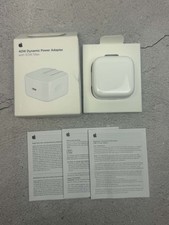
Apple 40W Dynamic Power Adapter 60W Max for iPhone/iPad/AirPods/MacBooks OEM
$17.99
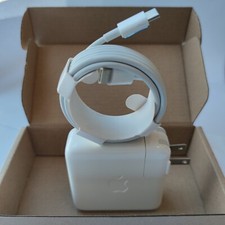
Genuine OEM 61W USB-C Power Adapter Charger For Apple MacBook PRO 13 inch A1718
$22.00

apple oem cube 5w charger
$6.99
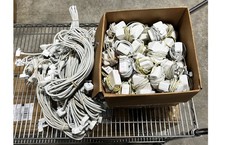
Lot of 100 OEM Apple Magsafe 2 45W AC Adapter A1436 with Power Cable - Grade D
$339.99



 Reply With Quote