-
Administrator
Site Admin-

Originally Posted by
Kustard
I redownloaded it via the torrent - loaded it up, worked first time with no problems!
Thanks a lot for the help - hopefully it should be fine now!
EDIT: Okay this part is probably painfully obvious - but when trying to copy files I am told 'you can not drop any items in a directory in which you do not have permission'. Is there any way of fixing this?
You talk of redownloading by a BitTorrent client and that things now work. Yet you never respond at all to my suggestions that you check the ISO that you originally downloaded with a simple md5 test. I suspect that you have never done a md5 test, and so you are just ignoring this. If that's the case and you're just going to ignore stuff that you have not done before or that you don't understand, then I suggest that Linux is not for you and you should just go back to Windows. If you are willing to learn something new then I think it would be important to know if the original ISO was good or not. The fact that it booted once, although in German and in failsafe mode, implies that it was good, but some of the errors that you had raises doubt. The downloading faq explains in pretty good detail about the md5 chechsum and gives you references to several different programs that will calculate the md5 sum, so I'm hard pressed to understand what the problem was here. And if you did check the original ISO (as well as the last one you downloaded) with an MD5 test, what did you learn? Don't leave us to draw implications from the clues that you did say.
I have been able to transfer files just fine to an external USB flash drive. I don't know what you are trying to transfer files to, but I previously suggested that if it is NTFS partitioned then you will have problems with it. Worst case is that you might even destroy the partition and anything already on it by trying to write to it. I suggested an alternative. I'm really starting to feel that this is another case of "I've never done that before so I'll just ignore the advice". I sure hope I'm wrong about that.
-
Right, maybe I should have been more clear about my motives for redownloading it. I checked it up, and discovered that, as well as having downloaded the German version, I had also downloaded an out of date version. I redownloaded the newest one using bittorrent - and when I tried to boot it up on my laptop it worked perfectly - none of the error messages I had previously mentioned came up.
Now maybe I'm wrong for thinking like this, but, seeing as I now have the newest version, which works fine, I don't really see the point in seeing what was wrong with the older version. Either way, the sarcasm was a little unnecessary.
Right, I'm working this out now finally. My problem with your FTP suggestion is that I have no idea how I would go about networking the computers. Despite what you seem to think, I have no problem learning new things - I just want to get the important files off my laptop as quickly and painlessly as possible. My problem is that I have a large amount of stuff on there which I'd much rather not lose - I'm able to access them, but not copy them as my external harddrive is, as you said, NTFS. This is not a topic I know much about - I only discovered that it was NTSC through trying to mount it without the read-only option.
If you can recommend a tutorial or similar on how to network the computers then that would be much appreciated. I assume there's no (plausible) method of using NTFS volumes with Knoppix?
-
Administrator
Site Admin-
Some people seem to think that the newest version of Knoppix can safely write to NTFS partitions. From what I have observed in these forums, I do not. I'm not going to lead anyone down what seems to me a path to disaster. If you really want to use that external USB drive, you should be able to reformat it as FAT32. There would be one small restriction in doing that; it couldn't hold any files that were 4 gig or larger in size (including the Knoppix DVD ISO itself) but in theory you should be able to back up all of your normal size files just fine.
As to networking systems, it does depend on what hardware you have. You are apparently connected to the Internet, and that you downoaded a new version of the Knoppix ISO (perhaps even the newest DVD version) you likely have a high speed connection. If you are using a router then you likely have everything that you need to network you computers. If you are not using a router than I'm guessing that I know how your Windows system got infected and destroyed. You seem to hold back a lot of information, rather than my writing a long post that covers all likely configurations that you might have, it would be helpful if you told us about your system. If your hardware doesn't include a router or at least a NAT firewall in a DSL or cable modem (your computers address will not be a public IP address, most likely one that begins with 192.168.xxx.xxx if it does), then I strongly suggest getting a router before you run Windows again, and do several different virus scans and root kit tests on any other computer that you have used on the Internet connection.
As to the sarcasm, it gets very frustrating when one keeps suggesting something as simple as the md5 test and the other party just keeps ignoring the suggestion. I guess I could just go with my first impulse, quite wasting my precious time on someone who is ignoring things and not posting much good information, but in this case I didn't do that. I assure you that I have learned from this exchange, from now on when I suggest to someone that they make a simple md5 test and point them to the faq that explains the md5 test, I will not respond to them again if they exhibit the all too common behavior of ignoring the md5 test because they have never done one before.
Similar Threads
-
By Dai777 in forum General Support
Replies: 7
Last Post: 10-31-2008, 01:12 PM
-
By sloanezilla in forum Hardware & Booting
Replies: 1
Last Post: 02-22-2008, 09:41 PM
-
By sakiZ in forum Networking
Replies: 2
Last Post: 05-12-2005, 02:28 AM
-
By Xeogears13 in forum General Support
Replies: 0
Last Post: 11-03-2003, 02:27 AM
-
By rdorsch in forum Hdd Install / Debian / Apt
Replies: 5
Last Post: 08-14-2003, 04:49 PM
 Posting Permissions
- You may not post new threads
- You may not post replies
- You may not post attachments
- You may not edit your posts
-
Forum Rules

Apple iBook G3 Clamshell 300MHz 160MB 3GB CD Tangerine Vintage Mac w/ Box
$643.08
Apple iBook G4 A1054 1.07GHz PowerPC G4 256MB RAM Mac OS X 10.4.11
$52.47
Apple Mac OS X Snow Leopard 10.6.3 Operating System Software DVD Disc, vintage
$120.00
Vintage Apple Macintosh SE/30 Custom Blue Case Housing & CRT Monitor Only - Mode
$230.00
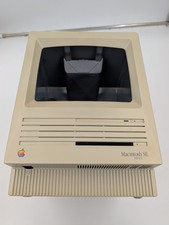
Apple Macintosh SE FDHD Vintage Mac Computer Shell Front/Back Only (260204)
$29.99
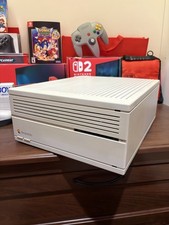
Apple Macintosh IIci Vintage Desktop Computer, Serviced And Recapped, Read
$549.99
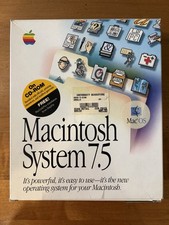
Apple Macintosh System 7.5 Vintage 1994 Mac OS 2 Original CDs Box Manual
$70.00

Vintage 1998 iMac G3 M4984 Mac OS + Keyboard Working but Needs Some Repair Read
$295.00

Apple Macintosh DuoDock Duo Dock M7779 & Powerbook 230 Vintage Mac RARE Vintage
$224.10
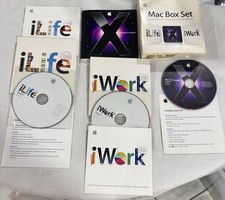
Vintage Apple Mac Box Set – Mac OS X Leopard, iLife
$22.65



 Reply With Quote