-
Windows cant detect Network card after Knoppix
Just tried Knoppix LiveCD. It worked great. I even browsed the net with it. After shutting off Knoppix and returning to Windows XP. I notice Windows doesnt detect my network card anymore. When i check in Device Manager, there is totally nothing, as if there is network card at all. What could be the problem? Did Knoppix changed any settings for my network card?
Thanks! 
-
Administrator
Site Admin-
I doubt very much if Knoppix changed any XP setting, it can't even write to an NTFS partition. And I can't understand why the NIC would no longer show up in device manager (although we have seen a few rare cases of IP address lease problems when the lease is not returned properly, but that is very different from a NIC missing from device manager).
My best suggestion at this point would be to be sure that you completely shut down the computer that was running Knoppix (don't just do a warm reboot). If that doesn't do it I would also try cycling power on the router (although, again, any problem there would not explain a NIC not being in the device manager). Beyond that we need more information, including both the NIC and the network configuration. Also confirm that Knoppix can still see the NIC if you boot back into the Live CD/DVD.
---
Verifying of md5 checksum and burning a CD at slow speed are important.
-
Thanks for the reply Harry.
Even Knoppix cannot detect my NIC. It's actually built-in the mother board. I tried all sorts of stuff, nothing doing so i just installed a network card. It works but i am yet to test it with Knoppix. Lemme test it out now.
-
Administrator
Site Admin-

Originally Posted by
darkcurves
...Even Knoppix cannot detect my NIC. It's actually built-in the mother board. ....
That's very strange. Even if the NIC somehow was failing one would expect most failures to still allow one to see the NIC, not have it completely vanish. However, knowing that it is on the motherboard, I would look in the BIOS and see if there isn't some setting that lets you enable or disable the on-board NIC. Check to see it it somehow got disabled (and check your other BIOS settings too, if the NIC somehow got disabled who know what else happened). And even if the NIC is showing as still enabled in the BIOS, I would take the extra step of disabling it in the BIOS, restart the system, and then enable the on-board NIC again and see if that makes it show up in Windows and Knoppix. There may also be a BIOS setting that restores systems defaults, which might help. BIOS changes are certainly not typical of Knoppix either, but I could believe that something (maybe Knoppix, maybe something else) somehow changed the BIOS setting that says the NIC should be seen more than I could believe that the Windows configuration was changed (and it obviously was not if Knoppix can't see the NIC now either).
-
Senior Member
registered user
Very strange indeed. In addition to what HK suggests, I might completely remove power from the machine, unplug it. Try removing the battery from the mobo as well, which will erase any changes made to the bios and reset it to factory.
What is the make/model of the board?
-
Well, i tried all sorts of stuff, nothing works, i gave up. Anyway, the network card i installed works great with Knoppix and Windows. Knoppix comes handy when i would like to backup files.
Thanks for all the help guys, appreciate it.
Similar Threads
-
By zilched001 in forum Networking
Replies: 0
Last Post: 05-27-2008, 01:46 AM
-
By minghai in forum Networking
Replies: 17
Last Post: 02-08-2005, 05:17 AM
-
By arcticice in forum Networking
Replies: 0
Last Post: 01-07-2005, 07:24 AM
-
By javyn in forum Networking
Replies: 17
Last Post: 07-17-2004, 01:15 PM
-
By gill1109 in forum Networking
Replies: 2
Last Post: 07-28-2003, 05:20 AM
 Posting Permissions
- You may not post new threads
- You may not post replies
- You may not post attachments
- You may not edit your posts
-
Forum Rules

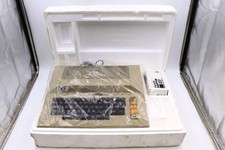
Atari 800 Home Computer Later Variant In Original Styro W/ BASIC CLEAN Untested
$224.99

ATARI XF551 DISK DRIVE WITH AC POWER ADAPTER AND PARALLEL PORT ADAPTER, UNTESTED
$250.00
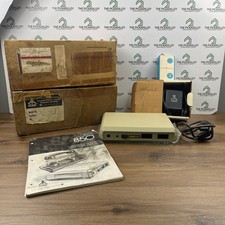
Atari 850 Interface Module Vintage 8-Bit Computer Expansion Serial Parallel Box
$159.95
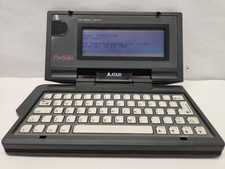
Vintage Atari Portfolio
$89.99

Fujinet 1.7.1 Atari 400 800 800XL 130XE 65XE XEGS Assembled, Tested, Working
$99.99
Atari 800 XL 8-Bit Computer W/ Blue LED And S Video A/V Cable
$155.00

A8PicoCart Multicart for Atari 800xl /65xe / 130xe / XEGS
$16.95
Atari 800XL/1200XL 256k Memory Upgrade Kit
$48.00

Happy 1050 Upgrade for Atari 1050 Disk Drive - Solderless Installation - HS/DD
$49.97
Atari 1050 Floppy Disk Drive Tested With All Cables Power And Data SIO In Box
$200.00



 Reply With Quote