-
usb drive not recognized
I worked on getting some files off a bad drive on my laptop with Knoppix. I was able to create an img file on my usb drive after formatting it via knoppix - mkfs.ext3, and then I executed a dd to the image file.
When I connect the usb drive to any other system (WinXP or Vista), the drive is not recognized. The system says it wants to format the disk.
Any suggestions?
Thanx.
-
Administrator
Site Admin-
Windows will not read Linux based partitions such as ext3, so this partition would only be useful if you wanted to transfer the files to another Linux system.
I can suggest 2 solutions: If you insist on doing this by an external drive, format it as FAT32. One restriction that this will impose is that file sizes of 4 gig or greater will not be allowed. I have always be able to save files to external USB devices, but some people do seem to have problems with it. For backing up or data recovery, see the alternative below.
Alternately, I suggest networking two systems together and transferring the files by FTP across the network. See this post for more detailed steps to do so.
-
Well, I had to create the img file via dd, because normal methods, such as copying the files over the network, won't work. Now, you've got me thinking can I connect the laptop to the network with the usb drive attached, and then copy the image file to another machine.
-
Administrator
Site Admin-
I have had very good results transferring files across a network. I use FTP rather than Windows networking because Windows networking can be problematic and because it is much slower, and in some cases it might impose additional file size restrictions. I'm not clear why you have an image file made with dd, but as long as that's what you want and you know what you are doing, I don't see any problem with that.
---
Verifying of md5 checksum and burning a CD at slow speed are important.
-
Oh, I have no problem, with transferring files, it's just that even with Knoppix, it won't mount the drive, so I can't get to the files, which is why I chose to go with DD to see if I could get to them by creating the img file. Now comes the task of getting them from the img file I created.
-
Administrator
Site Admin-
Good luck with that. If you have success please report back just how you did it. I have a few Windows drives that I can't recover files from either, and there are some files out there that I would like to get back.
---
Verifying of md5 checksum and burning a CD at slow speed are important.
Similar Threads
-
By Tangle Eye in forum Hardware & Booting
Replies: 0
Last Post: 02-23-2008, 07:27 AM
-
By The Rockologist in forum Hardware & Booting
Replies: 0
Last Post: 10-13-2005, 02:04 AM
-
By JugglingSuns120 in forum Hardware & Booting
Replies: 0
Last Post: 05-08-2004, 01:08 AM
-
By m_yates in forum Hardware & Booting
Replies: 2
Last Post: 09-22-2003, 02:11 AM
-
By jmassengill in forum General Support
Replies: 5
Last Post: 12-11-2002, 09:09 PM
 Posting Permissions
- You may not post new threads
- You may not post replies
- You may not post attachments
- You may not edit your posts
-
Forum Rules


Dell EMC PowerEdge R740 8 Bay Server w/ 32GB RAM 2x GOLD 6132 2x 1600W PSU H730p
$499.88

Dell EMC PowerEdge R440 Xeon silver 4215 2.5GHz 16 GB ram 2x 550W PSU No HDD
$275.00

Dell Poweredge R630 2x Xeon E5-2680 v3 2.5ghz 24-Cores / 64gb / Raid / 2x 1Tb
$374.99

8W81F Dell PowerEdge R840 24x SFF 4x Xeon Gold 6252 H730P 2x 1100W PSU
$1100.00

Dell PowerEdge R730XD 28 Core Server 2X Xeon E5-2680 V4 H730 32GB RAM No HDD
$378.93

Dell Poweredge R810 4x Xeon X7560 2.26ghz 32-Cores | 256GB | 3x Trays | H700
$289.99

Dell PowerEdge C4130 1U AI GPU Server | 2x E5-2680 v3 | 32gb Ram | 2x 1600W
$409.99

Dell Poweredge R730xd 12LFF 2*2660v4 4*1Gbe h730 2x 750W Server CTO
$248.00
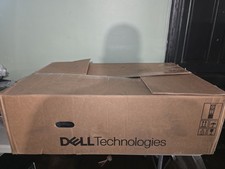
Dell PowerEdge R740 E38S001 Server E38S
$660.00
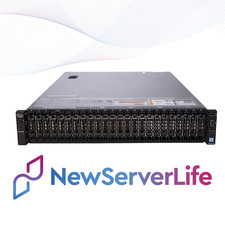
DELL PowerEdge R730XD Server 2x E5-2690v4 2.6GHz =28 Cores 64GB H730 4xRJ45
$653.00



 Reply With Quote