-
Auto mount persistant image on boot
Hi, thought i would bring up a old topic from 2 years ago.
I have a Knoppix booting off a sd card for a media server which i have built.
I want to automatically mount the persistent disk image as i will be administering the system remotely and wont have a keyboard connected to the machine on boot to select OK for loading my home directory.
I understand that there were issues with security, but it is a real pain either with my situation or whether you just miss the selection on boot.
The old post is here: http://www.knoppix.net/forum/viewtopic.php?t=27854
Looks like they found a answer but you need to remaster the disk image. I am not so versed in Linux to get this done but can try.
Would like help on the re-mastering process regarding my question the smoothest way to do it. Or any other ideas would be appreciated.
I am sure there are other people that would like this function 
-
Administrator
Site Admin-
I have not had good luck with persistent configurations and I asked for a persistent feature four years ago and don't really buy the response that there is any valid fear of some evil doer leaving a USB device in your system to corrupt a Knoppix CD boot.
One thing that might work for some users without having to remaster is to use a boot manager. I've used XOSL in the past for several things, and one of the nice features of XOSL is that it can feed in keystrokes at boot time for any operating system that it boots. This should allow you to load a persistent image (assuming that you can make that work when you type in boot options) as well as use other cheat codes, such as selecting the desktop of your choice or particular hardware configurations. XOSL seems to no longer be in development or supported, but it is still available. I don't know if it will support Vista or even XP, but it boots Linux quite well. I don't know if it would support SD booting (it is too old to know about SD cards or even support USB flash booting), but if your SD looks like a hard disk or if you can boot something from hard disk and then have that boot the SD system you might be in business. It could certainly boot Knoppix from CD and pass it the desired boot parameters.
-
Hmmm, will have a look at this XOSL. i will post anymore information that i can get about this.
might get some problems i am using grub dont know if they support it, i know lilo is support i guess its not to major to switch.
it looks like any way i go it will require coffee, eye clamps, gandhi like patience.
Also trying to download a remastered copy of knoppix with all of the required fixes. if possible?
Similar Threads
-
By Zagorax in forum Hdd Install / Debian / Apt
Replies: 0
Last Post: 06-17-2009, 03:20 PM
-
By unclecameron in forum Customising & Remastering
Replies: 7
Last Post: 12-03-2008, 06:29 PM
-
By omaha64 in forum General Support
Replies: 8
Last Post: 02-16-2008, 10:58 AM
-
By yuu_shi in forum General Support
Replies: 0
Last Post: 01-29-2004, 01:39 AM
-
By audioaficionado in forum Customising & Remastering
Replies: 0
Last Post: 03-29-2003, 06:50 AM
 Posting Permissions
- You may not post new threads
- You may not post replies
- You may not post attachments
- You may not edit your posts
-
Forum Rules


Dell T7910 Workstation Tower Homelab AI Server PC - Xeon CPU - NO HDD/RAM/GPU
$279.99

Lenovo ThinkStation P520c Intel Xeon W-2133 6-Core 3.60GHz -NO RAM/ HDD/ GPU/ OS
$127.54

Dell Precision T1700 Workstation Intel Xeon 16G Ram 256GG SSD Nvidia 600 Win 10
$109.99

Dell EMC PowerEdge R440 Xeon silver 4215 2.5GHz 16 GB ram 2x 550W PSU No HDD
$275.00

Intel Xeon E5-2699 V4 2.20GHz 55M 22-CORES LGA2011-3 Server Processor 145W SR2JS
$84.49

Dell Precision T5820 Workstation 3.70GHz W-2135 No RAM/ GPU/ HDD/ OS
$179.98

Intel Xeon E5-2680 V2 2.8GHz 10-Core 25MB 8GT/s SR1A6 LGA2011 B Grade Server CPU
$7.95
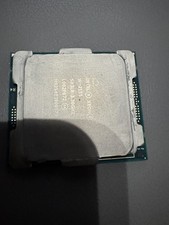
Intel Xeon W-2155 SR3LR 3.30GHz, 10 Cores Processor.
$99.00

Intel Xeon Phi 5110P 60-Core 1.053GHz Coprocessor
$50.00
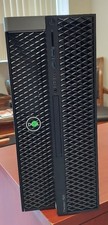
Dell Precision T7820 Dual Xeon 4214R 48GB RAM 512GB + 1TB Quadro P400 Win 11
$699.00



 Reply With Quote