-
Senior Member
registered user
bigspanner
You can READ the files from an NTFS partition when using a live disk, since it is usually not required to write to the disk. I would recommend not WRITING to an NTFS partition using Linux. So copying and pasting to NTFS is risky. I sometimes use an external drive formatted to FAT32 when I need to save files to disk. Even a thumb drive can work if your needs are small. You certainly don't need to have a FAT32 partition or separate drive in order to run Linux. There is a section in the poor man's install notes that even details how to run it from an NTFS partition. Setting aside a drive or a "partition" for Linux is an option. It can be formatted to whatever file system you desire that is Linux compatible. For a system that also has Windows, formatting to FAT32 will allow both operating systems the ability to read and write to that section. There are some limitations in Windows with the FAT32 file system. Microsoft has limited the size of a FAT32 partition to about 32 Gig in Windows 2000, XP, etc. Windows seems to be able to read and write to a larger FAT32 partition, but the newer versions cannot create one.
I just like the idea that Knoppix can run from the DVD and not require the hard drive or an actual installation to run. If installing Linux, Debian and a few others have worked well for me. A dual boot configuration can be done if you set aside a partition for each operating system. They can coexist on a FAT32 partition, but Windows would be limited by that option and runs best under NTFS. I have done a lot of experimentation with installations and such, but leave my primary PC alone. I'll beat up on older hardware that is not essential. I have fewer heartaches that way. I also have some NAS set up for data backups. Just simple servers with LARGE hard drives. I backup anything that I don't want to lose in several different ways and don't experiment with any of those machines.
Similar Threads
-
By wordpaw in forum Hardware & Booting
Replies: 7
Last Post: 11-11-2007, 02:18 PM
-
By irfankaisar in forum Hardware & Booting
Replies: 0
Last Post: 08-19-2007, 08:26 AM
-
By Mercenary(FH) in forum General Support
Replies: 5
Last Post: 06-27-2007, 10:27 PM
-
By sala94 in forum General Support
Replies: 2
Last Post: 12-21-2004, 04:20 PM
-
By mensch - maschine in forum General Support
Replies: 1
Last Post: 09-22-2003, 12:39 AM
 Posting Permissions
- You may not post new threads
- You may not post replies
- You may not post attachments
- You may not edit your posts
-
Forum Rules


HP ProLiant MicroServer Gen8 G1610T @2.3 GHz, 16GB, 712317-001 NO HDD/OS
$199.00

Supermicro 505-2 Server
$280.00

Supermicro 1U Network Server Appliance 16GB RAM 800GB SSD 6 LAN Ports Powers On
$450.00

Nasuni NF-50 Supermicro Server, Atom CPU C2558, @ 2.40GHz, 8GB RAM-No HDD/OS/AC
$250.00
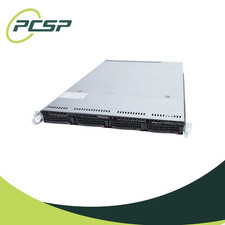
Supermicro CSE-815-5 4B LFF Xeon E3-1245v6 16GB DDR4 1x 9361-8i 4x 1TB SATA HDD
$483.99
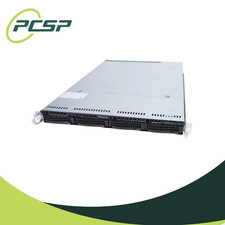
Supermicro CSE-815-5 4B LFF Xeon E3-1220v5 16GB DDR4 1x 9361-8i 4x 1TB SATA HDD
$477.00
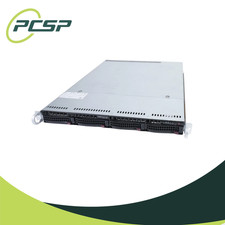
Supermicro CSE-815-5 4B LFF Xeon E3-1240v5 16GB DDR4 1x 9361-8i 4x 1TB SATA HDD
$484.00

HP PROLIANT MICROSERVER GEN8 E3-1220LV2 @ 2.30GHz, 8GB RAM, NO HDD/OS
$164.97

Supermicro CSE-937 3U Storage Chassis No CPU No HDD No Ram Tested & Reset
$129.99

Supermicro CSE-937 3U Storage Chassis No CPU No HDD No Ram Tested & Reset
$129.99



 Reply With Quote