

 Reply With Quote
One additional point: I saw a user with a similar problem that was fixed by using Knoppix ver. 5.3.1. The latest I can find on any mirror is 5.3. Knopper.net lists 5.3 but I can't find it.
Kirk


I saw a thread similar to this, but have additional questions...I am new to this forum. Some background: The first time I ran Knoppix Live CD everything worked like a charm, and I was able to recover some data from a non-booting WinXP system. I needed to step away from the system and so I shut everything down. When I returned, it boots into the Knoppix desktop just fine, but does not show either of the hard drives on the desktop.
When it goes through the Knoppix boot process, it finds the drives just fine, lists them by name and so on. It lists the drives as hdc and hdd (in the command line-like boot process), and also lists the two DVD drives on the system (hda and hdb). But I can't see them on the DESKTOP. I can see a USB external drive on the desktop and the Knoppix CD. I did not change anything - permissions, ownership, nothing - when I booted either time.
Can anyone suggest possible solutions? In reading other posts, users mentioned including a log to help troubleshoot. If that would help, please give me specific instructions on how to find the log.
Many thanks,
Kirk-out
One additional point: I saw a user with a similar problem that was fixed by using Knoppix ver. 5.3.1. The latest I can find on any mirror is 5.3. Knopper.net lists 5.3 but I can't find it.
Kirk
I don't know the answer to your original problem. You didn't try to write to that hard drive, did you? As long as you didn't there is no good reason that I know that you would no longer get the partitions. i would try again after a complete power down. I also wonder why the hard drive is on the secondary IDE controller and the optical drive is on the primary, this is backwards from the normal way systems are usually set up. I don't have a good reason why you should change your configuration but then again I don't know why it's not working, so you might want to join the rest of us who put the hard drives on the primary IDE controller and see if that makes a difference.
As to 5.3 and 5.3.1 , 5.3 was never officially released on the Internet, only 5.3.1. I never use the mirrors any longer, and I can't say what you'll find there. But I very strongly advise that if you download 5.3.1 that you get it with BitTorrent, not from a mirror. I've seen way too many bad mirror downloads with Knoppix (nothing else gives me a problem, but Knoppix mirrors mess up about 50% of the time). BitTorrent is highly reliable and much faster than the mirrors when properly configured. See the Get Knoppix link near the top of this page for details. But one more thing, you mentioned that you have the 5.1.x CD. There is no official CD version of 5.3.x released, just a DVD version. So if you can't use a DVD version, stick with 5.1.1.
 Posting Permissions

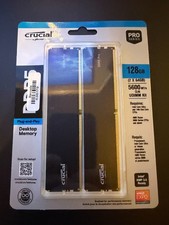
128GB (2x64GB) NEW Crucial Micron DDR5 5600 Desktop RAM UDIMM (CP2K64G56C46U5)
$2085.00

Netac DDR4 32GB 16GB DDR4 3200MHz UDIMM C16 Desktop Internal Memory RAM Kit
$99.99

SK Hynix 32GB 2RX4 PC4-2666V DDR4 RDIMM Server Memory RAM, HMA84GR7AFR4N-VK
$169.95
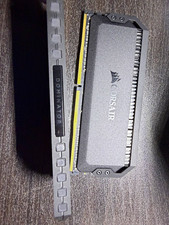
Corsair Dominator Platinum 32GB (2x16GB) DDR4-3200 DIMM ECC CMT32GX4M2C3200C16
$400.00
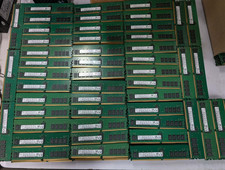
Lot 100 SK hynix 16GB 2Rx8 PC4-23400 DDR4-2933Y ECC Reg Server Memory RDIMM RAM
$9599.00

Major Brand 16GB (2x8GB) PC3-12800U DDR3-1600MHz DDR3-12800 DESKTOP RAM NON-ECC
$29.99
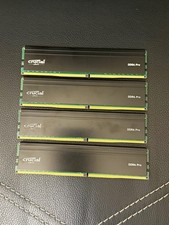
Crucial DDR4 Pro 128GB (4x32GB) DDR4-3200 UDIMM 288-Pin CP32G4DFRA32A.M16FF
$640.00

RAMAXEL Lenovo 32GB LPDDR5X CAMM2 7500MHz Laptop RAM | UNTESTED
$445.00
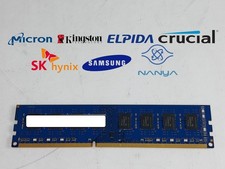
Major Brand 8 GB PC3-12800 (DDR3-1600) 2Rx8 DDR3 Desktop Memory
$14.99

Corsair Vengeance DDR3 8GB 16GB 32GB 1866MHz PC3-14900 Desktop RAM Memory DIMM
$43.00