-
Booting Problem - Knoppix 5.1.1 CD
Hi All,
I am trying to boot Knoppix 5.1.1 CD in my lenovo laptop but not success. Everything goes well until it tries to start session for user knoppix. Finally it halts showing 'Probing/Loading AGP modules...'
My laptop has DVD rom and am trying to boot Knoppix from CD, is this a problem? Am totally new to Linux and have no idea whatsoever. To my surprise, the same CD works well with my Desktop which has CD rom in it.
Please help me in this regard.
Thanks in Advance.
-
Administrator
Site Admin-
At the boot prompt, try typing knoppix noagp
If that doesn't help and if the CD was burnt at high speed, then burning a copy at low speed (4x) might help. One should also have checked the md5 checksum before burning, but since the CD works OK on another system the checksum is likey good (that is different than saying that if a CD boots on one system there is nothing wrong with the CD, high speed burns are well known to work on some systems but not others).
---
Verifying of md5 checksum and burning a CD at slow speed are important.
-
Excellent!! It worked great with knoppix noagp 
To Add:
1. I had checked the md5 cheksum before burning, it was alright.
2. CD was burnt using the lowest speed available (10x) with Nero.
Out of curiosity, though it may sound very silly n asking too much of your time - what exactly is knoppix noagp?
Further, I think it didn't get the compatible driver for the sound device. Any idea where to find it?
Also, I wanted to use WINE on Knoppix. This is mandatory as my wireless ISP has given a software which is compatible only with windows without which I cannot connect to internet. If this is possible, which is the stable version of WINE compatible with Knoppix 5.1.1?
Am very much pleased with the kind of support offered in this forum! This has increased my urge double-fold to shift off from Windows to Linux.
Thanks many, Harry Kuhman.
-
Administrator
Site Admin-

Originally Posted by
MeXYZ
...Out of curiosity, though it may sound very silly n asking too much of your time - what exactly is knoppix noagp?
knoppix is the name of the Linux kernel to load. noagp is a direction to knoppix to avoid doing the AGP test, which is what you said that you were hanging on.
Originally Posted by
MeXYZ
Further, I think it didn't get the compatible driver for the sound device. Any idea where to find it?
No, sorry. I've had good luck with sound with most systems, but did have one old system with a Soundblaster 16 that I never could get sound working right in with any Linux system, let alone Knoppix. Sound is not the cleanest area of software in Linux, and I found that all of the help that I was offered left more questions than answers. One thing that I can suggest, if you want anyone to provide any help on this, post very detailed information about your hardware, No one is going to be able to help much without it.
Originally Posted by
MeXYZ
Also, I wanted to use WINE on Knoppix. This is mandatory as my wireless ISP has given a software which is compatible only with windows without which I cannot connect to internet. If this is possible, which is the stable version of WINE compatible with Knoppix 5.1.1?
I thought wine was on there. But I have pretty low expectations of any windows only wifi device, and have not been able to get wifi working at all on any Knoppix after 4.02. Good luck.
-
Junior Member
registered user
wireless ISP-software without which you cannot connect int.
[/quote]
Also, I wanted to use WINE on Knoppix. This is mandatory as my wireless ISP has given a software which is compatible only with windows without which I cannot connect to internet. If this is possible, which is the stable version of WINE compatible with Knoppix 5.1.1?
Hello,
I'm also nearly a newbie - so I do not exactly understand what is the difference to get to the internet with wireless ISP or be ethernet and DSL-modem.
Have I understood correctly - that you use DSL?
A little hint - maybe it helps - I tested DSL - with DSL-modem per ethernet-connction - with Knoppix 5.1 I had problems I couldn't clear - then I tested Knoppix 5.3.1 and it worked well. (By searching the problem with
5.1.1 I have learned much about the needed configuration files - but in knoppix 5.3.1 I don't need all this)
To configure you have only to use the pinguin-menue (not the K-menue) at the button - there is a selection
"network/internet configuration". This is not the exact menue-text because I am working with
a german language version (here it is "Netzwerk/Internetkonfiguration").
I think this is a Script which helps you to configure the connection.
Wish you much success with Knoppix.
-
Administrator
Site Admin-
If we are talking about wireless connections and special hardware that lacks Linux drivers, I can not be of any help. I can't even get some hardware that other Linux distros work well with to operate under Knoppix.
If we are talking about a wired ethernet connection I may well be able to help, particularly if this is a DSL connecton. While indeed an ISP might come up with some crazy exclusive software for you to use, the most common situation is for an ISP to provide Windows based PPPoE software that works with Windows and a very simple DSL modem. There are two ways to deal with this under Knoppix
- 1) Knoppix does come with PPPoE software, so you can run that PPPoE software and usually just connect through your DSL modem as you would with your Windows system. However, don't recommend this, I suggest that it is much better (and safer) to look at the second option below.
2) There are small very inexpensive devices for home use called routers that are made to connect multiple computers to a single DSL or cable connection. Since they are made to connect to DSL, the router has the ability to log into your DSL account with your user name and password and to take care of the PPPoE protocol for you. That means that you don't need PPPoE software under Windows or under Linux. There are several extra benefits to using a router. It easily allows you to connect multiple computers to the Internet, and to create a small local network. Some also provide for wireless connections to the DSL modem (although I don't want to get any false expectations going that you'll have much luck with wireless under Knoppix, some do, many don't). Very importantly, the router acts as a natural firewall to block many inbound attacks (some even have extra firewall software in them, but any router provides a very useful and important level of "NAT" protection. This is even more important with Windows than Linux, and if you lack a router that might be the reason that your Windows system is no longer working and you are here looking at Knoppix. There is good data that shows a Windows system that is not protected will be, on the average, attacked and compromised in about 4 minutes when directly connected to the Internet. As that is less time than it takes to download the required security patches to try to protect yourself from known Windows vulnerabilities, I absolutely will never run a Windows system on the Internet unless I'm behind a NAT router (I carry one in my travel kit just in case I happen to be somewhere that I would otherwise be directly connected to the Internet). So I strongly suggest that you not concern yourself with the PPPoE software mentioned in 1 above, but rather get an inexpensive router and use that to connect to the internet. With a router, there is generally zero work to do connecting Knoppix to the Internet, I just boot a Knoppix disc on any computer connected to my router, it takes care of all of the network setup automatically during the boot process by DHCP, and I'm safely connected to the Internet as soon as the boot process is finished.
Similar Threads
-
By ashish in forum Hardware & Booting
Replies: 1
Last Post: 03-09-2007, 10:08 PM
-
By jsim1982 in forum Hardware & Booting
Replies: 14
Last Post: 02-26-2006, 12:45 AM
-
By geosan in forum General Support
Replies: 4
Last Post: 11-09-2004, 11:52 PM
-
By jobs in forum General Support
Replies: 4
Last Post: 09-05-2004, 01:52 PM
-
By soar in forum General Support
Replies: 6
Last Post: 01-30-2004, 12:32 AM
 Posting Permissions
- You may not post new threads
- You may not post replies
- You may not post attachments
- You may not edit your posts
-
Forum Rules


MegaRAID 9580-8i8e 16-port 12G SAS/SATA/NVMe 8GB PCIe RAID - 05-50076-00
$1619.30

Broadcom 9600-24i Tri-Mode RAID Controller 4.0 NVMe SAS SATA NEW 05-50111-01003
$639.69

BROADCOM 05-50077-01 PCI-E 4.0 x8 PCI-Express MegaRAID 9560-8i RAID Controller
$714.99

Intel VROC Premium RAID Controller Card PCIe Add-On Module VROCPREMMOD
$265.00
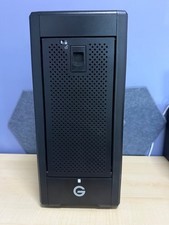
G-Technology G-SPEED Shuttle XL 8-Bay Thunderbolt 3 RAID ENCLOSURE ONLY
$550.00

OWC Mercury Elite Pro Quad 4 Bay RAID Storage Enclosure USB 3.1 Gen 2 No Drives
$149.95

Broadcom LSI 9305-16i 12Gbps SAS-3 PCIe x8 HBA 16-Ports Raid Controller
$64.99
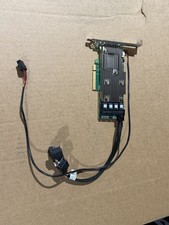
DELL LSI 9460-16i 12Gb/s PCie x8 3.0 SATA/SAS Raid Controller Card - 042PDX
$199.00
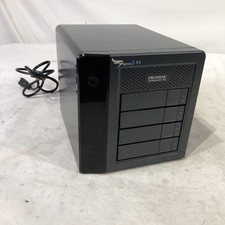
Promise Technology Pegasus2 R4 4Bay Thunderbolt 2 RAID Storage Array 8TB G2U
$169.99
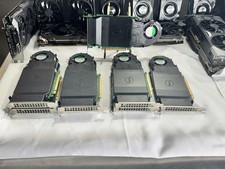
1 Dell Ultra SSD M.2 NVMe PCI-Express x16 Solid State Storage Adapter Card 6N9RH
$59.99



 Reply With Quote