-
Administrator
Site Admin-
If we are talking about wireless connections and special hardware that lacks Linux drivers, I can not be of any help. I can't even get some hardware that other Linux distros work well with to operate under Knoppix.
If we are talking about a wired ethernet connection I may well be able to help, particularly if this is a DSL connecton. While indeed an ISP might come up with some crazy exclusive software for you to use, the most common situation is for an ISP to provide Windows based PPPoE software that works with Windows and a very simple DSL modem. There are two ways to deal with this under Knoppix
- 1) Knoppix does come with PPPoE software, so you can run that PPPoE software and usually just connect through your DSL modem as you would with your Windows system. However, don't recommend this, I suggest that it is much better (and safer) to look at the second option below.
2) There are small very inexpensive devices for home use called routers that are made to connect multiple computers to a single DSL or cable connection. Since they are made to connect to DSL, the router has the ability to log into your DSL account with your user name and password and to take care of the PPPoE protocol for you. That means that you don't need PPPoE software under Windows or under Linux. There are several extra benefits to using a router. It easily allows you to connect multiple computers to the Internet, and to create a small local network. Some also provide for wireless connections to the DSL modem (although I don't want to get any false expectations going that you'll have much luck with wireless under Knoppix, some do, many don't). Very importantly, the router acts as a natural firewall to block many inbound attacks (some even have extra firewall software in them, but any router provides a very useful and important level of "NAT" protection. This is even more important with Windows than Linux, and if you lack a router that might be the reason that your Windows system is no longer working and you are here looking at Knoppix. There is good data that shows a Windows system that is not protected will be, on the average, attacked and compromised in about 4 minutes when directly connected to the Internet. As that is less time than it takes to download the required security patches to try to protect yourself from known Windows vulnerabilities, I absolutely will never run a Windows system on the Internet unless I'm behind a NAT router (I carry one in my travel kit just in case I happen to be somewhere that I would otherwise be directly connected to the Internet). So I strongly suggest that you not concern yourself with the PPPoE software mentioned in 1 above, but rather get an inexpensive router and use that to connect to the internet. With a router, there is generally zero work to do connecting Knoppix to the Internet, I just boot a Knoppix disc on any computer connected to my router, it takes care of all of the network setup automatically during the boot process by DHCP, and I'm safely connected to the Internet as soon as the boot process is finished.
Similar Threads
-
By ashish in forum Hardware & Booting
Replies: 1
Last Post: 03-09-2007, 10:08 PM
-
By jsim1982 in forum Hardware & Booting
Replies: 14
Last Post: 02-26-2006, 12:45 AM
-
By geosan in forum General Support
Replies: 4
Last Post: 11-09-2004, 11:52 PM
-
By jobs in forum General Support
Replies: 4
Last Post: 09-05-2004, 01:52 PM
-
By soar in forum General Support
Replies: 6
Last Post: 01-30-2004, 12:32 AM
 Posting Permissions
- You may not post new threads
- You may not post replies
- You may not post attachments
- You may not edit your posts
-
Forum Rules


Fujinet 1.7.1 Atari 400 800 800XL 130XE 65XE XEGS Assembled, Tested, Working
$99.99

Atari 400 / 800 Computer Memory Module 16K RAM PCB CX853 - Works Perfectly
$18.95

Atari 400 Home Computer System includes Power Cord G2U
$159.99

Vintage 1984: Super Sketch G2300 For Atari Home Computer
$72.00

Atari 400 800 The Communicator II Kit CIB CX488 Modem Cartridge Box
$80.00
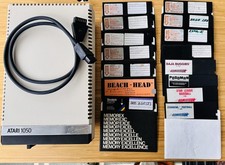
Vintage Atari 1050 Disk Drive w/ SIO Cable & 32 Games/Programs - UNTESTED
$67.76

Atari 1200 XL home computer with original owners guide and power supply power on
$255.00
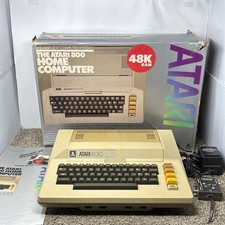
Atari 800 8-bit Computer System Fully Tested 48k With Original Box
$525.00

GreaseWeazle v4 board USB floppy drive adapter Retro All Formats
$35.00

DEFECTIVE Atari 810 Vintage Computer Disk Drive powers on Unit Only Boo G3D
$49.29



 Reply With Quote