

 Reply With Quote
Read the FAQ's at http://www.knoppix.net/wiki/Downloading_FAQ, questions 9-13.


Ok so I am an idiot...I have a pc that was hit by a storm powersurge , nothing seems burnt out but the damn thing is stuck in a startup loop, I was told I maybe able to recover files by booting from a Knoppix boot disc.......ok I have downloaded Knoppix and there is an iso that I imagine you burn on to a cd to make it bootable......only problem is I havent a clue how to do it.....I told you I was an idiot.
please help...............please.
Read the FAQ's at http://www.knoppix.net/wiki/Downloading_FAQ, questions 9-13.
At the top of the Knoppix.net forum's web page there is a link titled "Documentation". Therein lies a great deal of knowledge about how to use Knoppix. See this link : http://www.knoppix.net/wiki/Downloading_FAQ for help on downloading and burning a CD.
Beneath that line of links there is another line of links, the first titled "Search". Click on that to search the forums for posts that might be similar to yours, although I might not recommend "Idiot" as a search term.
There are two acronyms in this business that I use frequently: GIYF, stands for Google Is Your Friend, because if you use Google to search for help you will often find it useful. The other is RTFM, meaning Read The Fine Manual, which implies that one can learn from reading the documentation that is included with a product.
Look over the docs, and let us know how we can help.
Ok... since your on a mission and not on vacation,
1. Download ImgBurn and install it on a XP machine that has a dvd burner.
http://en.wikipedia.org/wiki/ImgBurn
Since you may or may not have gotten the most recent Knoppix... here is a link to the most recent one. (Works better with newer machines)
2. http://www.kernel.org/pub/dist/knopp...8-03-26-EN.iso
3. Open ImgBurn.
4. Tell ImgBurn to open the Knoppix iso file.
5. Click Burn. (It knows what to do.)
6. Label disk as Knoppix 5.3.1
7. Plug in your removable media on the dead machine... (Thumbdrive etc... what you are going to copy files to from dead pc, so Knoppix will make nice icons on the desktop for you to use.)
8. Bootup dead computer with Knoppix in dvd drive.
9. Once in the knoppix Desktop... Click on the "Hard Disk hda1" icon... (Konqueror opens and shows your files)
10. Right Click on the "Hard Disk sda1" icon... and pick "Mount".
11. Right click on the "Hard Disk sda1" icon... and pick "Change Read/Write Mode", say yes to make it writable.
12 Copy your files to removable media, using mouse to drag and drop files.
13. Buy new computer.
 Posting Permissions

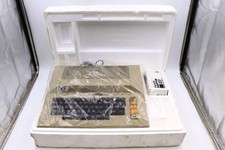
Atari 800 Home Computer Later Variant In Original Styro W/ BASIC CLEAN Untested
$224.99

ATARI XF551 DISK DRIVE WITH AC POWER ADAPTER AND PARALLEL PORT ADAPTER, UNTESTED
$250.00
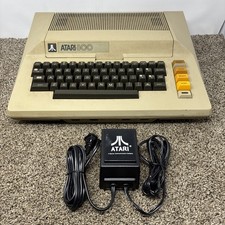
Atari 800 8-bit Computer System Fully Tested 48k READ
$370.00

Happy 1050 Upgrade for Atari 1050 Disk Drive - Solderless Installation - HS/DD
$49.97
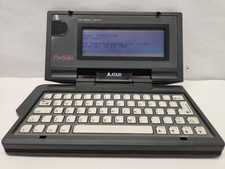
$89.99

Fujinet 1.7.1 Atari 400 800 800XL 130XE 65XE XEGS Assembled, Tested, Working
$99.99
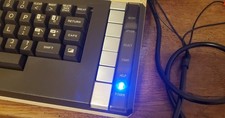
Atari 800 XL 8-Bit Computer W/ Blue LED And S Video A/V Cable
$155.00
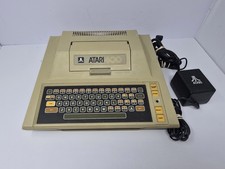
Atari 400 Home Computer System includes Power Cord - Powers On
$159.99
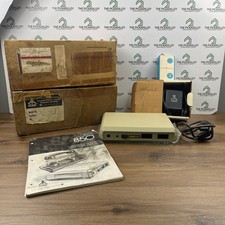
Atari 850 Interface Module Vintage 8-Bit Computer Expansion Serial Parallel Box
$159.95

GreaseWeazle v4 board USB floppy drive adapter Retro All Formats
$35.00