

 Reply With Quote
My system is equipped with SATA DVD and IDE CD drives. Knoppix boots from IDE CD drive, but while trying to boot from SATA DVD, Knoppix gives the same message. SystemRescueCD boots from both drives.


"Can't find KNOPPIX filesystem, sorry"
I'm sure you heard about this message all the time, but I'm getting it, and so far, all my research strongly suggests that it's because I'm using a SATA optical drive (a DVD-RW, to be precise).
Can anyone confirm this? I checked my BIOS and there isn't an option which allows for IDE emulation (someone said this worked for them on another forum).
If it's true that knoppix won't boot off a SATA drive, then does anyone know of any work around for this?
i have triedbut that didn't work.Code:knoppix hdc=cdrom hdc=noprobe
My system is equipped with SATA DVD and IDE CD drives. Knoppix boots from IDE CD drive, but while trying to boot from SATA DVD, Knoppix gives the same message. SystemRescueCD boots from both drives.
Oh dear, this is quite disheartening. Are there any debian-based live distros that will boot from a SATA drive?Originally Posted by OP
This is handy:
http://www.pendrivelinux.com/2007/01...b-knoppix-510/
 Posting Permissions

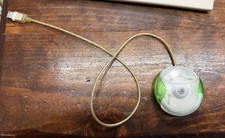
Vintage Apple USB Mouse M4848 Lime Green iMac G3 Hockey Puck - Tested Working
$59.99
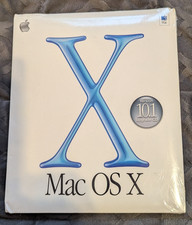
Vintage Apple Mac OS X 10.1 Puma Upgrade CD Box M8621LL/A (2001) Factory Sealed
$22.00

Vintage Apple USB Mouse M4848 Bondi Blue iMac G3 Hockey Puck - Tested Working
$22.99
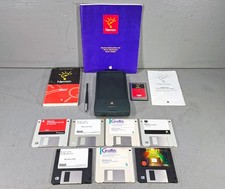
Vintage Apple Newton MessagePad 120 w/ Stylus Flash Card & Software *WORKS*
$99.99
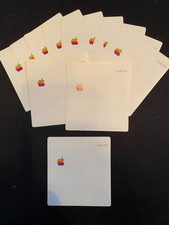
11 Vintage Apple 3.5" Floppy Disc Label
$10.00

Lot of 3 VIntage Apple Computer Rainbow Logo Sticker Decal Macintosh 1980s NOS
$7.00
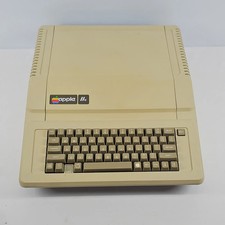
Apple IIe Vintage Personal Computer A2S2064
$199.99

Rare Vintage Macintosh Apple Wooden Disk Storage Box Dovetailed
$69.95

VINTAGE Apple Mac OS X Computer Monitor
$250.00

Vintage Apple Macintosh M1212 Color Display Monitor *Untested*
$69.99