

 Reply With Quote
my guess is a bad filesystem (XP is known to self destruct that way) or possibly the drive has failed wholly or partially.


Windows XP crashed a couple of days ago and after much frustration in trying to re-install and update and repair I still can not boot up Windows XP. Having used Knoppix on an older computer for a friend and being very impressed with the system I turned to Knoppix once again to help me retrieve my files. Unfortunately once loaded Knoppix will not recognise my hard drive and it is nowhere to be seen on the desktop. The drive is a SATA Hard Drive(Seagate) and during boot up from the disk it is recognised by Knoppix initially. Can someone please help me in finding the hard drive.
Cheers

my guess is a bad filesystem (XP is known to self destruct that way) or possibly the drive has failed wholly or partially.
One of my hard drives is only mountable under the very latest Knoppix 5.1.1 DVD. It is a SATA drive with Intel ICH7 Raid Controller. Even though it is a single hard disk system (non-striped) ICH7 controller support is needed. I cannot even access the Hard Drive from an XP SP3 slistreamed CD to reinstall unless the OEM drivers have been integrated. Another solution is to go into the BIOS and downgrade the controller to ATAPI. It's under advanced settings. For OEM PC's, this is usually accessible by a special key combo. If del or F1 gets you into normal SMOS setup, F11 or ESC may get you to the RAID controller menus. This change affects the controller only and will cause no changes to the file system. That's also the answer BTW to re-installing XP. Switch to IDE mode install, and then use Intels's facility to convert the drive to RAID.Originally Posted by darkwater
If possible, you should get Knoppix 5.1.1 to start with. I think it works better on NTFS file system.
On knoppix 5.1.1, all SATA drives will be treated as SCSI drives.
To find your hard disk, try the following command from xconsole
Here is the output of my machine:Code:$ dmesg | grep -i scsi
Look at output line 4 to 6, that is knoppix finds my 1st hard disk as scsi 1 (line 4) and it is a Hitachi HTS54104 drive (line 5), then it is defined as device sda (line6).Code:knoppix@Knoppix:~$ dmesg | grep -i scsi SCSI subsystem initialized Loading iSCSI transport class v2.0-724.<7>ahci 0000:00:1f.2: version 2.0 scsi0 : ata_piix scsi1 : ata_piix scsi 0:0:0:0: Direct-Access ATA Hitachi HTS54104 MB2O PQ: 0 ANSI: 5 SCSI device sda: 78140160 512-byte hdwr sectors (40008 MB) SCSI device sda: drive cache: write back SCSI device sda: 78140160 512-byte hdwr sectors (40008 MB) SCSI device sda: drive cache: write back sd 0:0:0:0: Attached scsi disk sda Failed initialization of WD-7000 SCSI card! scsi2 : SCSI emulation for USB Mass Storage devices scsi 2:0:0:0: Direct-Access Kingston DataTraveler 2.0 1.00 PQ: 0 ANSI: 2 SCSI device sdb: 7856128 512-byte hdwr sectors (4022 MB) SCSI device sdb: 7856128 512-byte hdwr sectors (4022 MB) sd 2:0:0:0: Attached scsi removable disk sdb
So from my case, my hard disk will be "sda". If you have only 1 partition on your hard disk, then the full device name of your hard disk in knoppix is "sda1", otherwise, you will have "sda1", "sda2" so on and so forth depends on how many partitions you have defined on the hard disk.
Since you should have at least one partition on the SATA hard disk, so you must have "sda1" then.
So try to mount the hard disk to the linux file system by entering the following on the xonsole
Here I assume your 1st partition is formatted in NTFS format, otherwise, change the "-t ntfs" switch to something like "-t vfat" if you have it formatted as FAT32.Code:$ sudo mount -t ntfs /dev/sda1 /media/sda1
The above steps work under the assumption that your harddisk is still functioning. But if it really crashed, then no matter what you did, you still cannot get your data back. In such case, you might want to seek help from those hard disk recovery professional, but it will cost you a lot of $$$.
Good luck
Rgds,
Chip
 Posting Permissions


Broadcom LSI 9305-16i 12Gbps SAS-3 PCIe x8 HBA 16-Ports Raid Controller
$64.99

HP controller P3410-69003 NetRAID-1M SCSI 64-bit U160 32MB Cache (PCI)
$359.00
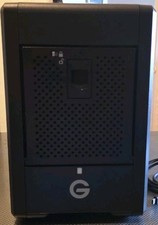
G-Technology 24TB (4x6TB) G-SPEED Shuttle 4-Bay RAID Thunderbolt 3
$900.00
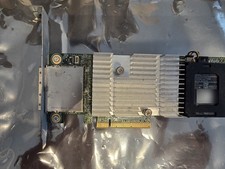
Dell PERC H810 1GB NV Cache External SAS RAID 0VV648 w/ Battery Full Height
$21.99

MegaRAID 9580-8i8e 16-port 12G SAS/SATA/NVMe 8GB PCIe RAID - 05-50076-00
$1619.30

Inspur LSI YZCA-00424-101 12Gbps SAS 3.0 RAID Controller CARD HBA HDD
$14.99

Dell PERC H740p Mini Mono RAID Controller 8GB 0878M 5FMY4 GP6RN
$55.00

LSI 9305-16i SATA SAS 12Gbs Controller card PCIe 3.0 IT-Mode w/SAS SATA cable US
$119.98

BROADCOM 05-50077-01 PCI-E 4.0 x8 PCI-Express MegaRAID 9560-8i RAID Controller
$714.99

Broadcom 9600-24i Tri-Mode RAID Controller 4.0 NVMe SAS SATA NEW 05-50111-01003
$639.69