

 Reply With Quote
I believe you need root for this. Go to Knoppix Menu -> Root Shell, and try crontab.


I have created a persistent disk image on my usb stick and I am trying to setup a cron job for the knoppix user. When attempt to edit the crontab, I get the following errors.
knoppix@Knoppix:~$ crontab -e
/var/spool/cron/crontabs/knoppix: Permission denied
Does anybody know what is the proper permisisons on crontab? Thanks!
Jose
I believe you need root for this. Go to Knoppix Menu -> Root Shell, and try crontab.
I figured I have to pull up a Root Shell but I swear I was able to create a crontab for knoppix user. In fact there is a crontab for the knoppix user. Maybe I was root when I created it. Thanks!
Jose
 Posting Permissions

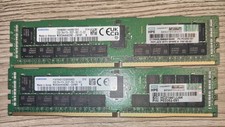
LOT OF 2 (64GB) SAMSUNG 32GB 2RX4 PC4-2933Y-RB2-12-MH1 M393A4K40DB2 RDIMM TESTED
$380.00

Samsung 32GB (1x32GB) PC4-17000 (DDR4-2133) LRDIMM Memory (M386A4G40DM0-CPB0Q)
$120.00

2 in 1 USB 3.0 Card Reader Micro TF card Reader usb adapter High Speed Cardreder
$3.99
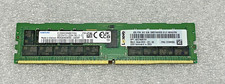
SAMSUNG 32GB PC4-25600R DDR4-3200 2RX4 RDIMM SERVER MEMORY M393A4K40EB3-CWE
$304.99

USB 3.0 Flash Drive 32GB 64GB 128GB Memory Stick Thumb Stick Lot Pack
$826.09

Samsung 96GB LPCAMM2 PC5 9600 FE1 E1 LPDDR5X CAMM2 M561K6LC3CL1-CCV DDR5 Memory
$2150.00
SK Hynix 64GB PC4-2933Y Server Memory DDR4 RAM HMAA8GR7MJR4N-WM
$584.99
Lot of 8x 32GB PC4-2133P-LD0-10 RAM Memory
$900.00

MICRON MTA36ASF4G72PZ-2G6E1 | 32GB PC4-2666V ECC RDIMM Server RAM
$184.95

Microsoft Windows 11 Pro 64-Bit Drive Sealed with Product Key
$34.99