

 Reply With Quote
I think that should be lang=us or perhaps lang=en
but if that doesn't help I don't know what's wrong.
Pete


Hello, I'm trying to start knoppix on my hp pavilion and I can't seem to get it to work!
I put the cd in and turn the coputer on.
It boots up fine and displays the knoppix boot screen.
I enter knoppix lang=eng and press enter
The screen displayes the " You passed an undefined mode number.
I press space to continue
It seems to work fine.
after the autoconfigure bar loads the screen starts blinking a blank black screen.
When it finishes loading knoppix it goes to a screen that displays several horizontal colored bars just flashing all over the screen.
I've tried messing with the resolution but nothing seems to work
Can someone help me please
I think that should be lang=us or perhaps lang=en
but if that doesn't help I don't know what's wrong.
Pete
One question is how you got the knoppix cd - did you buy it or burn it yourself. If you burned it yourself, you have to choose the slowest speed to ensure a good copy.
There's also another cheat you can use: knoppix testcd, which will check the CD data integrity and md5sums.
Good luck, and keep us posted.
Hi,
Try using vga=normal as a cheatcode, I had a similar experience some time ago and that worked. YMMV
Thanks for the responces everyone! I burned the cd myself and it runs perfectly on my laptopOriginally Posted by ndb
I did the knoppix testcd and it said the cd was ok.
Idk It's really wierd.
I have tried the VGA codes and they remove the you have passed an undefined mode number. code but it still malfunctions right after fully loading knoppix
Actually, I don't think that this is a bad CD, but this needs to be responded to. We have seen over and over and over again that a high speed burn can be a problem and that working on one computer is no indication at all that a disc will work when moved to another computer with slightly different optical drive parameters if the burn was done at high speed. If you want the advice of the people here who have gone through this before, then take it when offered. A response that says you burnt the CD yourself but fails to mention at what speed seems to be an indication that you did a fast burn. If so, would it be so hard to do another burn properly? Even if it doesn't resolve this issues (and as I say I don't expect it will), there might be other benefits, such as faster booting speed. And it just might resolve this issue, or some other issue that is likely to come up later if this disc was burnt at high speed.
After the low speed burn doesn't resolve anything and you have said "I told you so", then it's time to look at other things. It seems extremely likely that this is an issue where you'll need to come up with the proper cheat codes to pass at boot time, likely monitor frequencies and resolutions. I suggest that you post both you monitor make and the operational parameters for it (min and max horizontal and vertical scan frequencies and range of acceptable resolutions). Also it might be helpful if we knew what video card was in use (or in the case of a laptop, video chip set). There are cheat codes to force various combinations of scan rates and resolutions. I suggest that you start with something extremely basic, such as 800x600 at 60 hz vertical scan (or even 640x480) and see if you can make that work. Try simple settings like this even if you "know" that your system will support higher and that you will not be happy running at low resolutions or slow scan rates. Once you see Knoppix come up at a simple setting, then you can try varying the boot parameters to approach the setting that you want to use.
" If you want the advice of the people here who have gone through this before, then take it when offered. A response that says you burnt the CD yourself but fails to mention at what speed seems to be an indication that you did a fast burn. If so, would it be so hard to do another burn properly?"
First I would like to say sorry. Because I do appriciate everyones responses! I have no idea what speed I burned it at is why I didn't say.
Also just so everyone knows... I got knoppix to work on my computer so no worries
Actually I don't know how I did it for sure!
I took my computer and rewired it to make sure everything was right and I put the cd in and it boots up fine now
The only code I have to enter is my language code
I'm trying to access my hard drives now so I'm gonna start a new topic for that pretty soon If anyone has advice on that
Thanks again for everyone's time I know I'm just a Novice idiot and I appriciate your help!
Or maybe I'll find an exsisting topic and I won't need to start one!
Lol forgive me
Okay I didn't find anything that covered my specific questions.
Here is the link to my new post.
http://www.knoppix.net/forum/viewtop...=118655#118655
 Posting Permissions


Seagate ST6000NM0115 6TB 256MB 7200RPM 3.5" SATA 6.0Gb/s Enterprise Hard Drive
$159.99
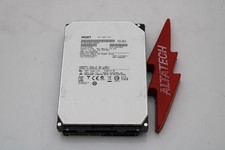
Hitachi HUS726060ALA640 6TB 7.2K SATA 3.5 6G HDD Hard Disc Drive
$109.99

Seagate 14TB Exos X14 7200RPM SATA 6Gb/s 256MB 3.5" Enterprise HDD ST14000NM0408
$354.99

HUS726060ALA640 HGST Ultrastar 6TB SATA 6Gbps 7.2K 3.5" Hard Drive OF21860
$129.99

Hitachi / HGST Travelstar HTS541010B7E610 1TB 2.5" SATA III HDD
$29.99

HGST HUS724040ALA640 4TB 7200 RPM SATA 3.5" Internal Desktop Drive 100% Health
$78.00
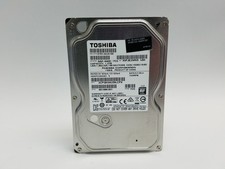
Toshiba DT01ACA100 1 TB 3.5" SATA III 3.5 in Desktop Hard Drive
$24.99

HITACHI ULTRASTAR 2TB 7.2K 6G 3.5INCH SATA HDD HUS724020ALA640 | TESTED WIPED
$34.95

Seagate Exos X16 ST10000NM010G 10TB 7200RPM SAS 12Gb/s 3.5" 512e/4Kn HDD
$199.00
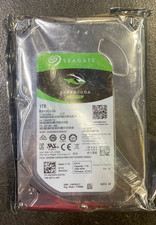
Seagate BarraCuda ST1000DM010 1TB 7200 RPM 64MB Cache SATA 6.0Gb/s Hard Drive
$63.99