-
Junior Member
registered user
Fix NT Loader under Knoppix
Because of failing in installing Debian on my Desktop PC on which the Windows Xp operating system already exists, my computer now crashed,that is, since the MBR sector has been unsuccessfully overwritten, the computer cannt boot of itself. I think there might be something wrong with the Debian Installation DVD or the DVD drive, more chance is the DVD drive,since all the hardwares are new and havnt been tested. My question is how to fix the MBR so that it could still boot Windows Xp, or how to install NT Loader onto the MBR sector under Knoppix? Please notify me ASAP if you guys know the answer. Thanks in advance!
-
Junior Member
registered user
I tried to type the command "sudo testdisk" under the root console, yet the error message was prompted :
testdisk: error while loading shared libraries: libntfs.so.9: cannot open shared object file: No such file or directory
And it's been said that typing in "sudo testdisk" and then typing in "writembr" works to recover the MBR by someone
on another forum, named Computing.Net. Yet the failure on my Knoppix really let me down, does anyone know how
to fix the MBR in another way? or should I download another version of Knoppix to try the same commands under root
console?
-
Senior Member
registered user
If you are certain only the MBR is hosed and the actual windows partition, boot loader and boot.ini configuration files are intact, you can use "install-mbr" (e.g. "install-mbr /dev/hda"). This will re-install a 512-bytes MBR that preserves the existing partitions and chainloads to the partition marked active. I suggest you check what your partitions(s) look like first (e.g. by means of "cfdisk") then run install-mbr (hda for primary IDE master, but possibly sda for newer kernels and/or sata - be careful).
The alternative would be to use an XP install/boot disk, then use the fixmbr and possibly fixboot commands.
What can also happen is that after re-partitioning your HD for installing linux, partitions can occasionnally get renumbered and the boot.ini file needs to be fixed accordingly.
The main thing is not to panic, not reformat/re-install windows in a hurry - if you can see your windows files from live knoppix, chances are the system can be fixed. Been there, done that 
Similar Threads
-
By Ron24 in forum Hardware & Booting
Replies: 3
Last Post: 06-12-2009, 10:20 PM
-
By AgustinCordoba in forum Hdd Install / Debian / Apt
Replies: 5
Last Post: 09-20-2005, 04:43 PM
-
By ramaswamyps in forum Customising & Remastering
Replies: 2
Last Post: 03-09-2005, 03:29 AM
-
By /dash in forum General Support
Replies: 0
Last Post: 04-30-2004, 08:39 PM
-
By iamanewbie in forum Hdd Install / Debian / Apt
Replies: 5
Last Post: 10-24-2003, 12:59 PM
 Posting Permissions
- You may not post new threads
- You may not post replies
- You may not post attachments
- You may not edit your posts
-
Forum Rules


16GB KIT (2x8GB) DDR4 Gamer Desktop RAM PC4 MIXED BRANDS
$65.00
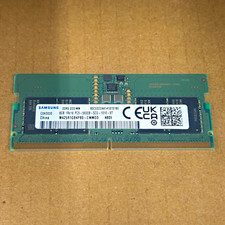
Samsung 8GB (1x8GB) DDR5-5600 PC5-5600B SO-DIMM 262-Pin RAM M425R1GB4BB0- Tested
$95.00

Netac DDR4 32GB 16GB DDR4 3200MHz UDIMM C16 Desktop Internal Memory RAM Kit
$99.99

A-Tech 8GB DDR3 1600 PC3-12800 Laptop SODIMM 204-Pin Memory RAM PC3L DDR3L 1x 8G
$21.68
2x SAMSUNG 32GB DDR4 2RX4 PC4-2933Y SERVER MEMORY M393A4K40CB2-CVFC0 64GB TOTAL
$300.00
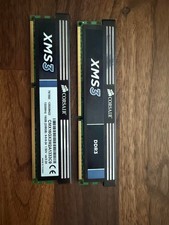
Pair of CORSAIR XMS3 RAM 16GB (2X8GB) 1333MHz (CMX16GX3M2A1333C9)
$65.00

Major Brand 16GB (2x8GB) PC3-12800U DDR3-1600MHz DDR3-12800 DESKTOP RAM NON-ECC
$29.99

MINT Micron Cisco 32GB PC4-2400T DDR4 2Rx4 RDIMM RAM MTA36ASF4G72PZ-2G3 LOT
$159.99
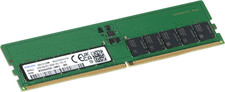
Dell 32GB 2Rx8 DDR5 ECC UDIMM 5600 MT/s
$1199.99

RAMAXEL Lenovo 32GB LPDDR5X CAMM2 7500MHz Laptop RAM | UNTESTED
$445.00



 Reply With Quote