

 Reply With Quote
I have exactly the same problem with Asuscom P-IN100.Some advices?Originally Posted by GdB


Hi all,
I do not succeed in configuring ISDN with Knoppix 3.2. It does work under my SuSE 8.0.
I can see my ISDN-Card with cat /proc/pci.
When I use 'configure ISDN' I get the Red Hat ISDN configurator: I choose my card (ASUS COM ISDNlink), and set the IRQ and the IO as I saw it in /proc/pci. Then I create my provider entry, fill in everything I know, and activate it. However, as soon as I do that, the button 'connect' is greyed out.
When I look into 'dmesg', I see the the hisax module is thrown out, exactly at that moment. If I issue 'modprobe hisax' it is loaded again, I can press the button 'connect', however it immediately returns the error that it cannot connect to the provider (it is so fast it seems that it even did not try to dial...).
When I look again in dmesg, I see the following:
CSLIP: code copyright 1989 Regents of the University of California
ISDN subsystem Rev: 1.1.4.1/1.1.4.1/1.1.4.1/1.1.4.1/1.1.4.1/1.1.4.1 loaded
HiSax: Linux Driver for passive ISDN cards
HiSax: Version 3.5 (module)
HiSax: Layer1 Revision 1.1.4.1
HiSax: Layer2 Revision 1.1.4.1
HiSax: TeiMgr Revision 1.1.4.1
HiSax: Layer3 Revision 1.1.4.1
HiSax: LinkLayer Revision 1.1.4.1
HiSax: Total 1 card defined
HiSax: Card 1 Protocol EDSS1 Id=HiSax (0)
HiSax: Asuscom ISDNLink driver Rev. 1.1.4.1
ISDNLink: defined at 0xec00 IRQ 11
ISDNLink: ISAC version ( 8 ): 2086/2186 V1.1
ISDNLink: HSCX version A: A1 B: A1
ISDNLink: wrong HSCX versions check IO address
HiSax: Card ISDNLink not installed !
ISDN-subsystem unloaded
However my IO address is exactly as I saw it under /proc/pci, and also exactly as it works under SuSE. What is going wrong?
GdB
I have exactly the same problem with Asuscom P-IN100.Some advices?
Hei GdB
Sorry I can't help you with the problem you have with the Asus card, but would like you to know that the Billion HFC-PCI card sets up effortlessly with isdn-config..
regards
Hi Cintra/Boombastic,
Sorry, I totally forgot this thread (look at it, my last posting is one year old!)
I solved the problem: because it is a PCI card is was automatically configured, but for some reason with the wrong type. So what I did is throwing out the hisax module, and load it again with the right parameter:
rmmod hisax
modprobe hisax type=35
modprobe isdn
/etc/init.d/isdn start
Then dial and go...
Be sure you take the right type!
HTH,
GdB
 Posting Permissions

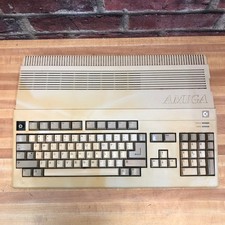
Commodore Amiga 500 Vintage Computer A500 No Power Supply
$249.95

ZuluSCSI Compact RP2040 - an affordable SCSI-2 (and 1) emulator w/ USB-C
$45.00

Pi1541 Zero with Epyx Fastload Hat, Case & 16gb SD for Commodore 64 and 128
$79.99
TerribleFire TF1260 Amiga 1200 Accelerator - 68060 Rev.6 50MHz 128MB RAM + IDE
$499.00
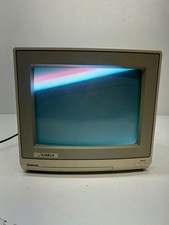
Vtg Amiga Computer Monitor Commodore 13" Screen W/ Power Cord Powers On As Is
$279.95
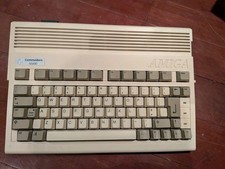
Commodore Amiga 600 Computer w/ PIStorm Framethrower Recapped, Caffeine OS NTSC
$799.99
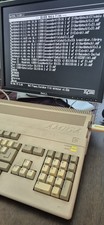
COMMODORE AMIGA 500 WITH GOTEK NTSC,NO PSU ,NO MOUSE ,NO MONITOR ,TESTED
$355.00
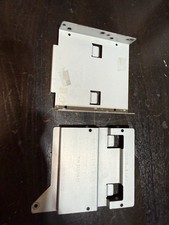
Amiga 3000 Drive Tray/Sled, Commodore A3000 Hard/Floppy
$74.99
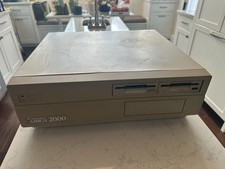
PAL Commodore Amiga 2000 Vintage Computer Works Dual 3.5" NICE READ
$529.00

OPEN BOX - AMIGA Genlock Interface Vintage Video Adapter 1300- GREAT
$329.95