

During the running of a script which partitions, formats and mounts user selected drives, I would like to temporarily disable the "Media KDE Daemon" window(s) which pop up. I do not really want to permanently disable this automount option if I can help it, the rest of the time it is really - really useful.
I have tried the configuration button on one of these pop ups which takes me to the "Configure - KDE Control Module". This appears to let me add pre-selected options.
Alternatively, if anyone is aware in which file the "Always do this for this type of media" is updated to, I could edit directly this to turn this option on or off (hopefully).
Regards,
Will
 Posting Permissions


Samsung DVI to DVI Cable 6 ft Digital Video Interface Audio Video NEW
$30.89

Samsung Galaxy View Tablet 18.4 SM-T670/677A Digitizer 100% Original Oem
$152.99
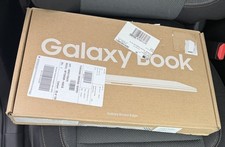
Samsung Galaxy Book4 Edge 15.6” FHD Snapdragon X 16GB 512GB Copilot+
$499.99

Samsung Galaxy Tab Active 3/ 64 gig/WIFI
$85.00

Kids Case for Samsung Galaxy Tab A9+/A9 plus 11 Inch 2023 Case, with Strap, Shoc
$27.99

Samsung JC95-01514A Cover-Side Roller T2 Compatible
$39.00

Samsung JC93-01078A Transfer Roller T2
$89.00

Samsung PC4-2666V 16GB 2Rx8 RAM DDR4 2666MHz M471A2K43CB1-CTD
$59.99
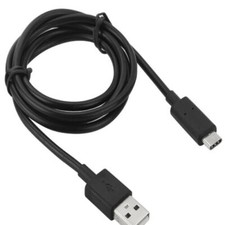
USB C to Type C Cable Fast Charger For Samsung Galaxy S8 S9 S10 Plus Note 10 12
$5.00

QTY 100 Samsung Galaxy Tab Active 4 Pro 10.1” Case, Black
$500.00


 Reply With Quote