-
Saving Configuration Settings
I've downloaded Knoppix onto CD and set it up okay. I struggled to install a shared printer but now have it set up okay. I've also learnt how to adjust the regional settings to UK along with the associated keyboard.
However, if I save the configuration to a USB stick, all that is saved are the printer settings.
I can open up the config settings on boot up using 'Knoppix myconfig=scan' or I can boot up the UK settings using 'knoppix lang=UK', but my first question is how can I do both?
Finally, I would like to do away with the CD and transfer everything to USB stick which will make it easier for my children to use the system. I've found various posts on instruction on how to do this, but is there a way of editing the programme to include the printer and language settings so that all they have to do is insert the USB stick and switch on their PC?
As a 'newbie' I would be grateful of any answers in a "step by step" format.
Thank you in advance for any help from other forum members.
JUST A QUICK UPDATE
Saving the config file to floppy worked just fine - both language and printer setting saved okay. I compared the two files between the USB Stick and Floppy and they are almost exactly the same size. I don't know why, but if I insert the USB stick when the Knoppix boot-up page appears (instead of leaving it it all the time) everthing is fine. I assume it is something related to my bias.
Apologies if I have wasted anyone's time trying to resolve my original question.
-
I can open up the config settings on boot up using 'Knoppix myconfig=scan' or I can boot up the UK settings using 'knoppix lang=UK', but my first question is how can I do both?
Knoppix myconfig=scan lang=UK
Making a USB version is described at:
from within Knoppix (I used this to make the 5.3.1 DVD version on an 8GB key):
http://www.knoppix.net/wiki/Bootable_USB_Key
This also has instructions how to modify syslinux.cfg as part of the process of creating the bootable key so that, in your case, you can add "myconfig=scan lang=uk" to be the default.
from within Windows
for 5.1.1
http://www.pendrivelinux.com/2007/01...b-knoppix-510/
for 5.3.1
http://www.pendrivelinux.com/2008/06...using-windows/
Pete
Similar Threads
-
By tstrickland in forum General Support
Replies: 4
Last Post: 06-12-2005, 04:35 PM
-
Replies: 3
Last Post: 11-16-2004, 02:16 AM
-
By punkpaddy in forum General Support
Replies: 2
Last Post: 12-04-2003, 08:45 AM
-
By ankit in forum Hardware & Booting
Replies: 1
Last Post: 09-14-2003, 03:23 AM
-
By true1ever in forum Ideas
Replies: 3
Last Post: 05-13-2003, 02:27 PM
 Posting Permissions
- You may not post new threads
- You may not post replies
- You may not post attachments
- You may not edit your posts
-
Forum Rules


Kingston 16GB DDR4 3200MHz PC4-3200AA-SA2-12 Laptop RAM SODIMM (HP32D4S2S8ME-16)
$64.99

16GB KIT (2x8GB) DDR4 Gamer Desktop RAM PC4 MIXED BRANDS
$65.00

Netac DDR4 32GB 16GB DDR4 3200MHz UDIMM C16 Desktop Internal Memory RAM Kit
$99.99
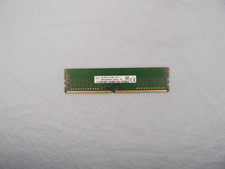
SK Hynix 8GB 1Rx8 PC4-2400T (HMA81GU6AFR8N-UH) DDR4 Desktop ram
$25.99
![[ BULK LOT OF 10 ] UNITS of 8GB DDR4 Laptop RAM SAMSUNG, HYNIX etc. picture](/store/img/g/IKQAAeSwEK9qv9TG/s-l225/-BULK-LOT-OF-10-UNITS-of-8GB-DDR4-Laptop-RAM-SAMSU.jpg)
[ BULK LOT OF 10 ] UNITS of 8GB DDR4 Laptop RAM SAMSUNG, HYNIX etc.
$299.99
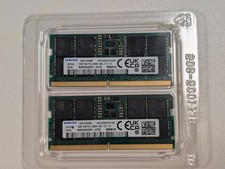
32 GB RAM kit (2 x 16 GB). Original identity: Samsung 32GB (2x16GB) DDR5-6400 PC
$372.10
DATARAM 512GB (8x64GB) 4RX4 PC4-2933Y-L21 (8 sticks of RAM)
$2395.00

MINT Micron Cisco 32GB PC4-2400T DDR4 2Rx4 RDIMM RAM MTA36ASF4G72PZ-2G3 LOT
$155.19
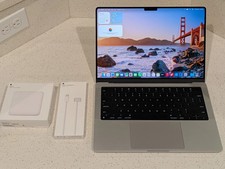
2024 MacBook Pro - 14-inch - M4 Pro - 24GB RAM - 512GB SSD - ''Rеаd dеѕсriрtiоn
$1197.00
pny xlr8 gaming 32gb (2x16gb) ddr4 dram 3200mhz (pc4-25600) cl16 1.35v low
$403.26



 Reply With Quote