-
"Could Not Mount Device" - Question About Hard Dri
I've looked through a lot of posts about this, but none of them seem to match the problem I'm having.
My hard drive crashed last week. The exact same error had happened a year ago with my last hard drive, so I decided to build a new computer. I've built that and it's all fine, but I'd still like a lot of data from my old hard drive. I tried a lot of solutions before, like Partition Table Doctor, EASEUS Data Recovery and Data Rescue PC but none of them worked. I read about Knoppix and decided to give it a try. Firstly, I tried loading it with just my current hard drive. It loaded up fine, and Knoppix opened the drive. Then I turned it off, plugged in my old hard drive, along with my current hard drive and it loaded up fine again. I got to the desktop, yet when I double clicked either hard drive, both of them gave me the following error:
Could not mount device
The reported error was:
And that's it. There was no error below it, it just had that.
I used XP and NTFS on my old hard drive.
If anyone could help then I'd much appreciate it, thanks a lot.
-
Administrator
Site Admin-
First of all, I don't want to get your hopes up. I've had several NTFS partitioned hard drives crash under Windows and Knoppix has been unable to recover files from any of them. But there are many people who have had some luck recovering fiels from crashed windows systems. Unfortunately, this is usually when there are problems with the Windows OS files on the disk that are keeping the disk from booting, not when windows has scrambled the system so bad that even other recovery tools can't get to it.
Before giving up, I would suggest that you read up on two Linux tools that might help you. One is gpart and the other in testdisk. gpart is a utility that can help recover data if the problem isn't that the data is corrupted, but rather that the partition table has been mucked up and so the pointers to the partitions (or other information like the partition type) are corrupt or just missing. It will examine the whole disk and suggest what the partitions should look like (if it can make a determination). testdisk does a number of test but among them is also partition recovery. I generally prefer gpart and find testdisk to be a dumbed down "for dummies" version of the tool, but in this case I might try testdisk. But my actual advice is not not rush to do either, read up on each on the Internet and decide which if either you want to try.
Also I should mention that in some versions of Knoppix, testdisk is bad and will give an error. I don't believe this is the case with the 5.3.1 DVD version, but it was in some of the earlier 5.x CD versions.
If you do manage to see any files my advice is to not write them to another NTFS disk partition with Knoppix. Either save them to a FAT partition or drive, or transfer them across a network to another computer.
Good luck.
-
With testdisk or gpart, do I start up Knoppix, then download them? I'm not 100% sure how I'd install them, as I've never used any version of Linux before.
Thanks for the reply.
-
Oh, I just realised I've already tried testdisk. I'll give gpart a go.
Similar Threads
-
By samizdat in forum General Support
Replies: 1
Last Post: 02-21-2008, 04:39 AM
-
By jcdecode in forum Customising & Remastering
Replies: 0
Last Post: 06-13-2005, 10:01 AM
-
By rioachim in forum Hardware & Booting
Replies: 0
Last Post: 04-17-2005, 01:47 AM
-
By sakiZ in forum General Support
Replies: 9
Last Post: 12-30-2004, 10:34 AM
-
By YuXeL in forum Hdd Install / Debian / Apt
Replies: 0
Last Post: 12-08-2003, 01:48 AM
 Posting Permissions
- You may not post new threads
- You may not post replies
- You may not post attachments
- You may not edit your posts
-
Forum Rules


Vintage Gray AC Power Cable Cord 3-Prong Plug to 3-Prong 3-Slot Connector
$50.00
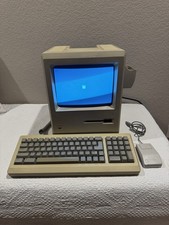
Apple Macintosh Plus 1Mb Vintage Desktop Computer w/ Keyboard & Mouse
$245.00

Vintage HP 21MX 1000 M-Series Minicomputer Chassis Backplane Parts AS-IS
$228.19
NEW* AMD Athlon 4850e 4GB ATI X1050 Win98 XP DOS Multiboot Retro PC w/ 50 Games
$389.00
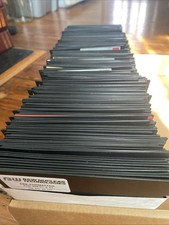
Vintage 1980s 1990s Lot of 175 Used PC Computer 5.25" Floppy Disks IBM
$175.00
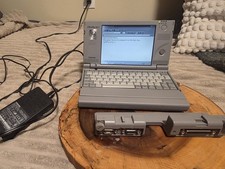
Vintage Toshiba Libretto 70CT Mini Notebook with Port Replicator and 32MB Memory
$320.00
VINTAGE Apple Quantum ProDrive LT 700MB 3.5" OEM Hard Drive SCSI 50pin Mac
$69.99
Apple Lot of 3 Vintage Wired USB Optical Standard Mice - White Black Blue
$21.50

Ast Advantage Adventure 4050D Vintage Retro Computer Great Condition
$199.99

Lot of 2 Vintage Plextor PX-43CS SCSI CD-ROM Caddy Drives + 4 Caddies Used
$55.99



 Reply With Quote