-
Thanks hal8000 for the respons!
I will look into your suggestion and maybe also use apt-get from the command line not using the Synaptic gui.
The remastering process I experienced most successful is:
1. Start Knoppix from the original DVD with a "tohd" alternative, then creating a persistent knoppix.img.
2. Making the kde changes and other software upgrades in that environment.
3. Creating incremental knoppix.img backups along the way to get a smooth fallback.
4. When satisfied with the changes I do a "sudo knoppix-installer" in a terminal window with the "knoppix like from CD alternative".
5. That install brings along the changes and upgrades to the Hd-install.
6. Without ever starting the the Hd install I there make the etc/init.d/knoppix-autoconfig changes (language), the /etc/X11/Xsession.d/45xsession changes (add ".config" and delete "{.kde*,Desktop}" and delete the /etc/X11/xorg.conf file.
7. I then rsync (in the Hd install) /home/knoppix/ with /etc/skel.
8. From this Hd install I make the new master using "mkisofs".
9. If the new compressed Knoppix file gets to big (around 4 Gb) it is split into Knoppix and Knoppix2 (using exclude list and graft points). I believe one may also "mv" out the files intended for KNOPPIX2 if using exclude list and graftpoints gets to "messy". In the case of big files I run the new Knoppix from a DL DVD.
10. I have also experienced that "mkisofs" did not like to work from the reiserfs with the Hd install.
11. In that case I simply created a new source from the Hd install as is done when copying files from the original DVD (according to the remastering WIKI).
12 From the new source I then do the compressing with mkisofs.
It was in step 2 I experienced the problem with upgrading software, that is, in the first orignial environment when no remastering efforts were made.
I upgraded about 4 audio applications, Ice Weasel and Ice Ape and added Mozilla mplayer and Flash plugins for Ice Weasel. That went well. I had to back off any upgrades (order in the upgrading sequence was of no significance) that promised to change (cups functionality - printing I believe) lib*.*- files that contained the letter sequence "cups" or else I got stuck with the Knoppix login prompt. Amarok was such an example, Konqueror another.
Similar Threads
-
By Fatcharlie in forum Networking
Replies: 5
Last Post: 01-10-2007, 08:51 PM
-
By mithereal in forum Customising & Remastering
Replies: 0
Last Post: 06-16-2005, 12:00 PM
-
By stclaus in forum Customising & Remastering
Replies: 0
Last Post: 05-22-2005, 04:49 PM
-
By CallACD in forum Hdd Install / Debian / Apt
Replies: 1
Last Post: 09-17-2004, 04:12 AM
-
By Atoz in forum General Support
Replies: 1
Last Post: 01-14-2004, 08:41 AM
 Posting Permissions
- You may not post new threads
- You may not post replies
- You may not post attachments
- You may not edit your posts
-
Forum Rules

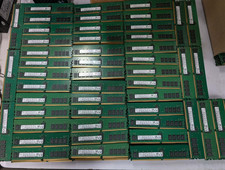
Lot 100 SK hynix 16GB 2Rx8 PC4-23400 DDR4-2933Y ECC Reg Server Memory RDIMM RAM
$9599.00
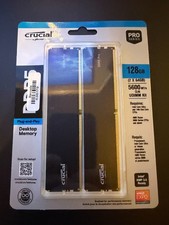
128GB (2x64GB) NEW Crucial Micron DDR5 5600 Desktop RAM UDIMM (CP2K64G56C46U5)
$2085.00

Netac DDR4 32GB 16GB DDR4 3200MHz UDIMM C16 Desktop Internal Memory RAM Kit
$99.99

SK Hynix 32GB 2RX4 PC4-2666V DDR4 RDIMM Server Memory RAM, HMA84GR7AFR4N-VK
$169.95
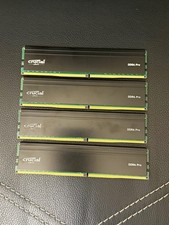
Crucial DDR4 Pro 128GB (4x32GB) DDR4-3200 UDIMM 288-Pin CP32G4DFRA32A.M16FF
$640.00

RAMAXEL Lenovo 32GB LPDDR5X CAMM2 7500MHz Laptop RAM | UNTESTED
$445.00

Major Brand 16GB (2x8GB) PC3-12800U DDR3-1600MHz DDR3-12800 DESKTOP RAM NON-ECC
$29.99

A-Tech 8GB DDR3 1600 PC3-12800 Laptop SODIMM 204-Pin Memory RAM PC3L DDR3L 1x 8G
$21.68

Corsair Vengeance DDR3 8GB 16GB 32GB 1866MHz PC3-14900 Desktop RAM Memory DIMM
$85.00

16GB ( 4X 4GB ) MEMORY DDR3 PC3-10600 1333MHz FOR DELL OPTIPLEX 790 780 990 980
$39.99



 Reply With Quote