-
USB KNOPPIX HARD DRIVE RECOGNITION PROBLEM
I am not sure where to post my question but here it goes.
My laptop boots Knoppix from a 1GB usb stick just fine but when I try to access my internal hard drive (/media/sda1 and /media/sda2), it seems to direct me to the contents of my usb stick (/media/sdb4) which is where all of the Knoppix files have been copied to. I would like to have my usb Knoppix automatically recognize and mount any IDE drives such as internal hard drives, internal cd-burners, internal dvd-burners, etc.
Thanks!
-
Administrator
Site Admin-
Re: USB KNOPPIX HARD DRIVE RECOGNITION PROBLEM

Originally Posted by
d1g1tal_ph3r3t
... when I try to access my internal hard drive (/media/sda1 and /media/sda2), it seems to direct me to the contents of my usb stick (/media/sdb4)...I would like to have my usb Knoppix automatically recognize and mount any IDE drives.....
Knoppix normally recognized IDE drives just fine. But partitions on IDE drives should be seen as hda1, hda5, hdb1, hgb5 and so on, not as sda1 ... . sda1 is a SATA drive partition or a usb drive (maybe a SCSI partition also), not an IDE drive. Is this related to your USB booting at all? What happens if you boot Knoppix from CD or DVD and not from a flash drive? Are there valid uncorrupted partitions for Knoppix to find? And if these questions don't lead you to the answer, you might want to give specific hardware makes and model numbers.
-
Re: USB KNOPPIX HARD DRIVE RECOGNITION PROBLEM
I am not sure if this helps but I have my 1GB Knoppix usb stick partitioned and formatted as a usb/zip. Harry, I read your reply, I am not sure why I am not able to access my internal drive now but I was able to earlier. I was using various mount commands until I seemed to fix my problem and then I issued another mount command and the problem resurfaced. I am about to give up!!!!!
I will boot from a Knoppix cd and see what I find and try to compare some things. I will try to report my findings here later on. Wow, I did not know Linux could be such a pain in the neck to use. I almost want to continue using Windows!!!!
-
Knoppix usb boot - problem with internal SATA drive
Hello all, I have similar problem.
I was able to boot Knoppix 5.1.1 from an USB drive, but the internal SATA hard drive was not mounted correctly by Knoppix. Please help.
During boot, Knoppix did recognize USB drive as /dev/sdb, internal SATA drive as /dev/sda. Now the problem: after booted into Knoppix, mounted USB drive become /dev/sda1, which was wrong. My internal SATA drive's 1st partition could not be accessed, since /dev/sda1 pointed to USB drive. But SATA drive's 2nd partition was OK as /dev/sda2. I could not unmount /dev/sda1 since Knoppix thinks it is in use (it is actually USB, so it is in use!).
I guess there is a bug in Knoppix 5.1.1. If there is a work around, please point me to the right direction. Thanks!
-
Senior Member
registered user
Re: Knoppix usb boot - problem with internal SATA drive
I have been using my USB thumb drive to boot knoppix 5.1.1 for almost a year and I don't seems to have any problem at all.
I found the GUI part is a bit confusing to me so I stick to the command line option all the time.
I notice that when I booted up my knoppix from USB, which formatted as USB/ZIP drive format, it is recognized as /dev/sdb4. (zip drive is drive number 4 all the time). The OS recognizes my single internal drive with 2 NTFS partitions as /dev/sda1 and /dev/sda2.
When X-Windows (KDE) started, I noticed that the three icons on the desktop shown up as Hard Disk [sda1], Hard Disk [sda2] and Hard Disk [sdb4]. And I saw a little green arrow on the lower right hand corner at each icon, which suppose to mean mounted.
Then I open a konsole and try to access it
Code:
knoppix@Knoppix:~$ cd /media/sda1
knoppix@Knoppix:/media/sda1$ ls -l
total 0
Nothing return. So it is not mounted. Then I mount it manually via command line.
Code:
knoppix@Knoppix:/media/sda1$ cd
knoppix@Knoppix:~$ sudo mount -t ntfs /dev/sda1 /media/sda1 -o ro
knoppix@Knoppix:~$ cd /media/sda1
knoppix@Knoppix:/media/sda1$ ls -l
Now I can see my harddisk is mounted as read-only and can access all my data there. I have no problem so far for all my hard disk access. (read or write)
However, one thing I do not understand is the /etc/fstab, I did a snapshot on the /etc/fstab before I mount the sda1 and I did another snapshot after I mount the sda1. I found that both snapshots are identical. Any idea?
To my machine when using the command line, all drives are NOT mounted when it boot up. Not even the USB drive mount point (i.e. /media/sdb4). However, I can access the USB drive via mount point /cdrom.
Knoppix behaves identically as my CD boot up. Just wonder the other two members who have problem did anything special on the USB drive after created it as the boot drive. I follow the exact steps from http://www.knoppix.net/wiki/Bootable_USB_Key to format my USB thumb drive.
My suggestion to this issue is:
Try to boot knoppix from CD instead of USB drive and see how it behave. If it works fine, chances are something went wrong on the USB drive creation and you may want to re-create it again. If the same problem appears with CD boot up, then it is a bug.
Rgds,
Chip
-
Senior Member
registered user
Re: Knoppix usb boot - problem with internal SATA drive
Just got an idea. How about checking your /etc/fstab file, here is what my machine /etc/fstab file looks like:
Code:
knoppix@Knoppix:~$ su

root@Knoppix:/ramdisk/home/knoppix# cat /etc/fstab

/proc       /proc         proc   rw,nosuid,nodev,noexec 0 0
/sys        /sys          sysfs  rw,nosuid,nodev,noexec 0 0
/dev/shm    /dev/shm      tmpfs  rw,nosuid,nodev,noexec 0 0
/dev/pts    /dev/pts      devpts mode=0622              0 0
/dev/fd0    /media/fd0    auto   user,noauto,exec,umask=000    0 0
/dev/cdrom  /media/cdrom  auto   user,noauto,exec,ro    0 0
/dev/hdc    /media/hdc    auto   users,noauto,exec,ro   0 0
# Added by KNOPPIX
/dev/sda1   /media/sda1   ntfs noauto,users,exec,umask=000,uid=knoppix,gid=knoppix 0 0
# Added by KNOPPIX
/dev/sda2   /media/sda2   ntfs noauto,users,exec,umask=000,uid=knoppix,gid=knoppix 0 0
# Added by KNOPPIX
/dev/sdb4   /media/sdb4   vfat noauto,users,exec,umask=000,shortname=winnt,uid=knoppix,gid=knoppix 0 0
Some explainations:
Column 1 is the device name.
Column 2 is the mount point.
Column 3 is the file system type.
Column 4 is the mount option.
Column 5 is the dump freq
Column 6 is the fsck scan order number.
Each column delimited by space.
Make sure the device name and it's corresponding mount point are correct. If not, manually edit it, save the file and reboot.
i.e. /dev/sda1 should map to /media/sda1 etc.
Some hints: for testing purposes, use "default" in column 4 and use zero for column 5 and column 6.
Rgds,
Chip
Similar Threads
-
By skomes in forum Hardware & Booting
Replies: 7
Last Post: 12-08-2006, 05:43 AM
-
By Johnni in forum Hardware & Booting
Replies: 1
Last Post: 09-07-2005, 11:34 PM
-
By dukka in forum Hdd Install / Debian / Apt
Replies: 1
Last Post: 01-28-2004, 07:00 AM
-
By cantlin in forum General Support
Replies: 9
Last Post: 08-04-2003, 12:08 PM
-
By CoolSilver in forum Hardware & Booting
Replies: 7
Last Post: 06-01-2003, 04:38 AM
 Posting Permissions
- You may not post new threads
- You may not post replies
- You may not post attachments
- You may not edit your posts
-
Forum Rules


16GB KIT (2x8GB) DDR4 Gamer Desktop RAM PC4 MIXED BRANDS
$65.00
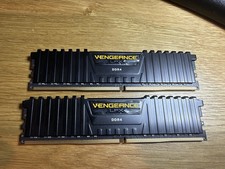
Corsair Vengeance LPX 32GB (2x16GB) RAM DDR4 3200MHz CMK32GX4M2E3200C16
$160.00

Netac DDR4 32GB 16GB DDR4 3200MHz UDIMM C16 Desktop Internal Memory RAM Kit
$99.99

A-Tech 8GB DDR3 1600 PC3-12800 Laptop SODIMM 204-Pin Memory RAM PC3L DDR3L 1x 8G
$21.68
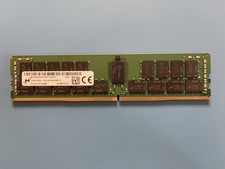
Micron 32GB MTA36ASF4G72PZ-3G2E7 RAM 2Rx4 PC4-3200AA ECC REG Memory
$249.99
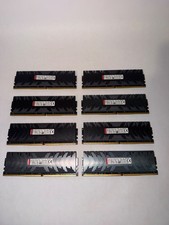
128gb DDR4 Ram Hpyerx HX430C15PB3K8/128 16x8 3000 MHZ CL15 Tested Read DESC
$300.00

MINT Micron Cisco 32GB PC4-2400T DDR4 2Rx4 RDIMM RAM MTA36ASF4G72PZ-2G3 LOT
$159.99

DDR4 Laptop RAM 4GB 8GB 16GB 32GB 2400 2666 3200 Samsung Hynix
$30.00

RAMAXEL Lenovo 32GB LPDDR5X CAMM2 7500MHz Laptop RAM | UNTESTED
$445.00
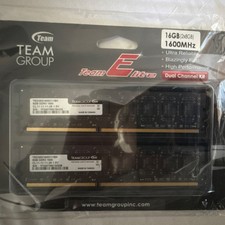
Team Group Team Elite DDR3-1600 DIMM 16GB (2x8GB) 240-Pin Desktop RAM
$35.00



 Reply With Quote