
I've already set anti-aliasing for my fonts, but at least in Konqueror, text is really fuzzy on my laptop. It's like looking through frosted glass. A search for Cleartype in the forums yielded no results. Thanks to all who reply.


I've already set anti-aliasing for my fonts, but at least in Konqueror, text is really fuzzy on my laptop. It's like looking through frosted glass. A search for Cleartype in the forums yielded no results. Thanks to all who reply.
See if this post helps you
http://www.knoppix.net/forum/viewtopic.php?t=29007
there are some great ideas in the tips section.
I also find nimbus sans is a great looking font to use.
Thanks for the link you suggested, hal8000.
Unfortunately, the results were sort of "I'm sorry Dave, I'm afraid I can't do that."
RE: Fonts, I changed the default for anti-aliasing from "System Settings" to "Enabled".
I don't see that choice and, as I mentioned in my original post, I already have anti-aliasing enabled.
RE: sudo dpkg-reconfigure fontconfig-config
Well, I ran that in a Konsole window (I'm obviously running KDE). I wasn't presented with a choice when I got to "the last question, I say NO to Bitmapped font support." Since all I was presented with was an OK button, I just closed the Konsole window because I couldn't say NO. There may have been more after the Bitmapped font support; I don't know.
It seems that the 5.1.1 I'm running from a CD iso works differently than the 5.3.1 on the DVD iso. I'm going to download the DVD iso this weekend.
I now think my problem with fuzzy fonts is that I can't get into the native resolution on my LCD display, viz. 1280x800. When I try the "Display" settings under Control Center/Peripherals, I'm not presented with a choice bigger than 1024x768. Using the cheat code Knoppix "screen=1280x800" doesn't work.
After I get the DVD iso running, I'll have man and other help available, so maybe I'll find something to read that'll tell me how to set my screen to 1280x800.
I haven't looked at the Tips on the forum yet. I've found that searching forums usually yields in excess of 99% irrelevant posts.
It may be a problem with the display driver for your laptop. 1280x800 is widescreen format, my HP laptop also uses this resolution and looked ugly until I installed the i915 driver for the Intel chipset.
What graphics chipset does your laptop use? You may also be able to find some help by searching linux on laptops on google.
I think I have the Intel 945GM chipset, but right now I can't find out how to find that out. It's something I remember but don't know how to find. The best I can come up with in m$info32 is:
Mobile Intel(R) 955XM/945GM/PM/GMS/940GML Express PCI Express
I tried following the advice at http://www.knoppix.net/forum/viewtopic.php?t=26914 but after a whole lot of downloading, I got a bunch of errors. Since I run off a CD, I wouldn't be able to keep the setup for the chipset anyway.
Linux looks like some sort of hardware hell. While I don't like Micro$oft, getting the right driver going is much easier in Window$ than in Linux. I hardly ever have to use a command window in Window$; the first advice I often see in Linux forums is "open a command window." Almost all hardware (except some very Apple stuff) has just the right Window$ driver. When I read about people's problems with hardware in Linux, it seems they usually have to fiddle and twiddle to end up with a only a fraction of the functionality available in Window$ for the same hardware item.
The Knoppix CD was just a pursuit of my curiosity. Linux, like Window$, suffers from idiosyncrasies. (For example, I don't have a floppy drive in my laptop, but get a floppy icon on my KDE desktop.) I'll see how it goes after I download the DVD iso. I didn't intend to make a re-mastered optical disc to boot off of; I just intended to satisfy my curiosity.
Thanks for all your suggestions to date.
 Posting Permissions


Kingston 32GB 64GB 128GB 256GB USB 3.0 Flash Drive Thumb Memory Stick Pen lot
$285.90
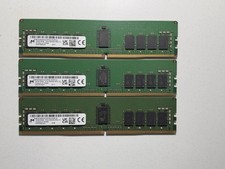
LOT OF 3 Micron 16GB 2Rx8 PC4-3200AA DDR4 ECC Server Memory
$255.00

Microsoft Office 2021 Pro Plus USB for 1PC Windows 10 & 11
$62.50

TF/SD Card Adapter Camera Reader Android Type-c For iPhone17 Pro Max Plusm lot
$573.98

128GB (4x32GB) SK hynix DDR4 PC4-2666V RDIMM ECC Server Ram HMA84GR7CJR4N-VK
$799.00

USB 3.0 Flash Drive 32GB 64GB 128GB Memory Stick Thumb Stick Lot Pack
$826.09

USB 3.0 Micro SD SDHC TF Card Reader Memory Adapter for PC Laptop Camera lot
$3.75
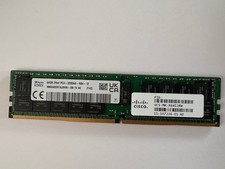
HMAA8GR7AJR4N-XN - SK Hynix 64GB PC4-25600 DDR4-3200MHz Registered ECC DIMM Dual
$493.31

Wholesale 5/10/100PCS 1GB 2GB 4GB 8GB 16GB 32GB USB 2.0 Flash Drive Memory Stick
$378.00
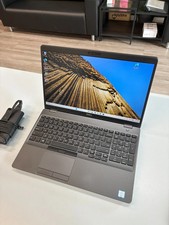
Dell Precision 3541 Laptop i5-9300H 2.4GHz 256GB SSD 16GB RAM Win 11 Pro
$189.99

 Reply With Quote