-
KNOPPIX Live CD downloads not working.
KNOPPIX 5.3.1 Error:
Accessing KNOPPIX DVE at /dev/sr0 ... INS mod/ '/cdrom/KNOPPIX/modules/cloop.ko' : Input/Output Error
Can't find KNOPPIX file system, sorry
I've burned two cd's and two dvd's, lowest possible speed ... both have several files that won't open ... says files may be corrupt.
Can't open /cloop.ko ... says its corrupt
The correct cd is being read, but the files are corrupt.
Tried to mb5summary thing, but it doesn't list the iso files, so can't check 'em.
Jzip won't open several files, including /cloop.ko ... jZip says they are corrupt.
Traced it back to the downloads ... any idea where to download a good copy?
My System:
OS Name Microsoft Windows XP Professional
Version 5.1.2600 Service Pack 3 Build 2600
OS Manufacturer Microsoft Corporation
System Manufacturer System manufacturer
System Model System Product Name
System Type X86-based PC
Processor x86 Family 15 Model 107 Stepping 2 AuthenticAMD ~3114 Mhz
BIOS Version/Date Phoenix Technologies, LTD ASUS M2N32-SLI DELUXE ACPI BIOS Revision 1603, 12/17/2007
SMBIOS Version 2.4
Windows Directory C:\WINDOWS
System Directory C:\WINDOWS\system32
Boot Device \Device\HarddiskVolume1
Hardware Abstraction Layer Version = "5.1.2600.5512 (xpsp.080413-2111)
Total Physical Memory 4,096.00 MB
Available Physical Memory 3.04 GB
Total Virtual Memory 2.00 GB
Available Virtual Memory 1.96 GB
Page File Space 6.36 GB
Page File C:\pagefile.sys
-
Administrator
Site Admin-
Re: KNOPPIX Live CD downloads not working.

Originally Posted by
Pappey
......The correct cd is being read, but the files are corrupt.
Tried to mb5summary thing, but it doesn't list the iso files, so can't check 'em.
What do you mean that you can't check the md5? Every single md5 test program that I've used (and I've tried several) can check an ISO file just fine. The FAQ lists several choices that all work. Perhaps you should post exactly what program that you are trying to check the md5 with and what steps you are taking to get to the point where you think the file can't be checked.
This certainly seems to be the problem. In fact, I would bet money that it is the problem if you ignored the advice to use BitTorrent and instead used the mirrors, which are well know to have corruption issues when downloading to Windows systems. I can assure you that within just a few minutes you can get a program to do the md5 test, run the test, and know for certain if you have bad ISO files or if you are doing something else wrong (although you may have bad md5s and still be doing something else wrong).
Originally Posted by
Pappey
Jzip won't open several files, including /cloop.ko ... jZip says they are corrupt.....
Again, awful good chance that the ISO is corrupt, but what are you trying to do with Jzip? You certainly should not be trying to unpack the ISO file. Just check the md5 and, on the slight chance that it turns out to be OK, burn the ISO to a disc as an image.
-
MD5summer v1.2.0.11
Windows MD5 - Sum Generator
http://www.md5summer.org
I'm probably not using it correctly then. So I'm an idiot.
I thought I'd like to try this KNOPPIX thing, but it may be beyond me.
So say ... I want to burn an image cd ... where would I download it and how would I conduct error checking on the download to ensure its correct?
Easy now ... put it in layman's terms (baby steps).
-
Administrator
Site Admin-
Originally Posted by
Pappey
MD5summer v1.2.0.11
Windows MD5 - Sum Generator
http://www.md5summer.org
I'm probably not using it correctly then. So I'm an idiot.
I thought I'd like to try this KNOPPIX thing, but it may be beyond me.
So say ... I want to burn an image cd ... where would I download it and how would I conduct error checking on the download to ensure its correct?
Easy now ... put it in layman's terms (baby steps).
Since you were stressing that you had burnt at low speed, I had thought that you had already read the downloading faq. But if not, follow the documentation link near the top of this page to find the wiki, and read the downloading faq (there should be a link on the main page that get you to it). This will answer you questions about how to download (stressing BitTorrent) and various programs to check the md5.
md5summer is fine for checking the ISO. User interface isn't perfect, but I've seen worse. Not sure why, but programmers who do md5 code seem to shy away from the normal Windows "standards". To check the md5 you should have a file that already contains the actual known md5 value for the file or file in question. With md5summer there are two options:
1) if the file that you have ends in .md5 then put it in the same directory as the ISO file and start md5summer. Then navigate to that folder in md5summer and select the "verify sums" button at the bottom, check the ISO (and/or any other file listed in the .md5 file). As a way to simplify this, if you associate the md5 extension with md5summer or use the "open with" option and select md5summer, you can just click on the .md5 file and md5summer will start and begin the md5 calculation.
2)if the file that you have does not have an md5 extension but rather a .txt extension or some other extension, then it might not be in the exact form that md5summer needs to use. However, it will be a text file that you can open in any editor, such as notepad. (An md5 file is actually a text file, so you could use this approach with an md5 file too.) In this case, open md5summer and navigate to the folder that the ISO is in. Click the "create sums" button at the bottom of the page. Another window will open that shows all of the files in the folder. Click on the ISO file and then push the "Add" button. Then click OK. The MD5 wiil be calculated, and another window will then open to let you save the value as an md5 file. You might as well save the value, but you can see it and write it down in the window already open. It will be a string of 32 hexadecimal characters. Manually compare this string to the pre-calculated md5 checksum that you downloaded. If they match then the file is exactly the same as what was originally posted. If they don't then the file is corrupt and burning it to disc will result in a coaster.
3) if you don't have a downloaded md5 file to do this test against then there is no point in computing a md5 file for your ISO. I did say that there were two options, not 3.
The Get Knoppix link near the top of this page will give you a link to the torrents for Knoppix. When your current ISO turns out to be corrupt, consider installing any of the popular bittorrent clients, configure your router to allow the bittorrent ports to reach your computer (you are using a router, are you not?), and then download one of the small torrent files and use that to have your torrent client get you the Knoppix package (which includes the ISO, an md5 file and a few other handy files). If you want an English version of Knoppix, be sure to get a version with EN in the name, not DE.
---
Verifying of md5 checksum and burning a CD at slow speed are important.
-
Thanks for the info ... I've got bittorrent downloading ... downloaded a little last night, finishing now.
I'm nervous about the seeding and sharing stuff ... goes against what little I know about security ... but I'm doing it.
Will post again with results.
Again ... thanks.
-
BitTorrent 6.1.2 is at 70% downloaded for KNOPPIX_V5.3.1DVD-2008-03-26-EN, however, I've got the following Logger entries:
[2008-12-04 07:16:45] *** KNOPPIX_V5.3.1DVD-2008-03-26-EN: PIECE 16743 FAILED HASH CHECK
[2008-12-04 07:36:33] *** KNOPPIX_V5.3.1DVD-2008-03-26-EN: PIECE 16542 FAILED HASH CHECK
[2008-12-04 07:36:42] Banned 80.103.177.116:4662
[2008-12-04 07:36:45] *** KNOPPIX_V5.3.1DVD-2008-03-26-EN: PIECE 16835 FAILED HASH CHECK
[2008-12-04 11:06:39] *** KNOPPIX_V5.3.1DVD-2008-03-26-EN: PIECE 27 FAILED HASH CHECK
Should I continue with the download? Will this self correct? Hate to waste more time waiting on something that will tell me this failed.
I edited this post to include anoother (not sure if its the last) logger message.
Can anyone tell me if this download is usable? I don't want to burn another cd to find out this doesn't work. I'll run the md5summer on it to see what it says ... but again, is that even worth it with the error messages saying that certain 'pieces' are suspect?
Can't answer this on my own ... don't know even about it.
Edited again ... ran all the downloaded files through md5summer and all are green (ok) ... so I'm going to risk a disc ... should I burn the dvd version to a dvd or a cd? I thought I read an earlier post to burn it to a cd ... at slow speed ... so that is what I'll do.
Well I didn't do it ... I burned the image at Auto (max) speed and the burn failed:
I 11:40:29 ImgBurn Version 2.4.2.0 started!
I 11:40:29 Microsoft Windows XP Professional (5.1, Build 2600 : Service Pack 3)
I 11:40:29 Total Physical Memory: 3,668,396 KB - Available: 3,143,720 KB
I 11:40:29 Initialising SPTI...
I 11:40:29 Searching for SCSI / ATAPI devices...
I 11:40:29 Found 2 DVD±RW/RAMs!
I 11:43:13 Operation Started!
I 11:43:13 Source File: C:\Documents and Settings\G.P. Bone\My Documents\Downloads\KNOPPIX_V5.3.1DVD-2008-03-26-EN\KNOPPIX_V5.3.1DVD-2008-03-26-EN.iso
I 11:43:13 Source File Sectors: 2,171,297 (MODE1/204
I 11:43:13 Source File Size: 4,446,816,256 bytes
I 11:43:13 Source File Volume Identifier: KNOPPIX
I 11:43:13 Source File Application Identifier: KNOPPIX LIVE LINUX DVD
I 11:43:13 Source File File System(s): ISO9660 (Bootable), Joliet
I 11:43:13 Destination Device: [1:0:0] ASUS DRW-2014L1T 1.02 (E (ATA)
(ATA)
I 11:43:13 Destination Media Type: DVD-R (Disc ID: CMC MAG. AM3) (Speeds: 4x, 8x, 10x, 12x, 16x)
I 11:43:13 Destination Media Sectors: 2,297,888
I 11:43:13 Write Mode: DVD
I 11:43:13 Write Type: DAO
I 11:43:13 Write Speed: MAX
I 11:43:13 Link Size: Auto
I 11:43:13 Test Mode: Yes
I 11:43:13 OPC: No
I 11:43:13 BURN-Proof: Enabled
I 11:43:14 Filling Buffer... (40 MB)
I 11:43:14 Writing LeadIn...
I 11:43:35 Writing Session 1 of 1... (1 Track, LBA: 0 - 2171296)
I 11:43:35 Writing Track 1 of 1... (MODE1/2048, LBA: 0 - 2171296)
I 11:48:37 Synchronising Cache...
I 11:48:56 Cycling Tray after Test Write...
I 11:49:01 Exporting Graph Data...
I 11:49:01 Graph Data File: C:\Documents and Settings\G.P. Bone\Application Data\ImgBurn\Graph Data Files\ASUS_DRW-2014L1T_1.02_THURSDAY-DECEMBER-04-2008_11-43_AM_CMC_MAG._AM3_MAX.ibg
I 11:49:01 Export Successfully Completed!
I 11:49:01 Operation Successfully Completed! - Duration: 00:05:47
I 11:49:01 Average Write Rate: 14,427 KB/s (10.4x) - Maximum Write Rate: 21,652 KB/s (15.6x)
I 11:49:58 Operation Started!
I 11:49:58 Source File: C:\Documents and Settings\G.P. Bone\My Documents\Downloads\KNOPPIX_V5.3.1DVD-2008-03-26-EN\KNOPPIX_V5.3.1DVD-2008-03-26-EN.iso
I 11:49:58 Source File Sectors: 2,171,297 (MODE1/204
I 11:49:58 Source File Size: 4,446,816,256 bytes
I 11:49:58 Source File Volume Identifier: KNOPPIX
I 11:49:58 Source File Application Identifier: KNOPPIX LIVE LINUX DVD
I 11:49:58 Source File File System(s): ISO9660 (Bootable), Joliet
I 11:49:58 Destination Device: [1:0:0] ASUS DRW-2014L1T 1.02 (E (ATA)
I 11:49:58 Destination Media Type: DVD-R (Disc ID: CMC MAG. AM3) (Speeds: 4x, 8x, 10x, 12x, 16x)
I 11:49:58 Destination Media Sectors: 2,298,496
I 11:49:58 Write Mode: DVD
I 11:49:58 Write Type: DAO
I 11:49:58 Write Speed: MAX
I 11:49:58 Link Size: Auto
I 11:49:58 Test Mode: No
I 11:49:58 OPC: No
I 11:49:58 BURN-Proof: Enabled
I 11:49:58 Filling Buffer... (40 MB)
I 11:49:59 Writing LeadIn...
I 11:50:30 Writing Session 1 of 1... (1 Track, LBA: 0 - 2171296)
I 11:50:30 Writing Track 1 of 1... (MODE1/2048, LBA: 0 - 2171296)
W 12:00:43 Failed to Write Sectors 1509024 - 1509055 - Reason: Write Error
W 12:00:43 Retrying (1 of 20)...
W 12:00:43 Retry Failed - Reason: Logical Block Address out of Range
W 12:00:43 Retrying (2 of 20)...
W 12:00:43 Retry Failed - Reason: Logical Block Address out of Range
W 12:00:43 Retrying (3 of 20)...
W 12:00:43 Retry Failed - Reason: Logical Block Address out of Range
W 12:00:43 Retrying (4 of 20)...
W 12:00:43 Retry Failed - Reason: Logical Block Address out of Range
W 12:00:43 Retrying (5 of 20)...
W 12:00:43 Retry Failed - Reason: Logical Block Address out of Range
W 12:00:43 Retrying (6 of 20)...
W 12:00:43 Retry Failed - Reason: Logical Block Address out of Range
W 12:00:43 Retrying (7 of 20)...
W 12:00:43 Retry Failed - Reason: Logical Block Address out of Range
W 12:00:43 Retrying (8 of 20)...
W 12:00:43 Retry Failed - Reason: Logical Block Address out of Range
W 12:00:43 Retrying (9 of 20)...
W 12:00:43 Retry Failed - Reason: Logical Block Address out of Range
W 12:00:43 Retrying (10 of 20)...
W 12:00:43 Retry Failed - Reason: Logical Block Address out of Range
W 12:00:43 Retrying (11 of 20)...
W 12:00:43 Retry Failed - Reason: Logical Block Address out of Range
W 12:00:43 Retrying (12 of 20)...
W 12:00:43 Retry Failed - Reason: Logical Block Address out of Range
W 12:00:43 Retrying (13 of 20)...
W 12:00:43 Retry Failed - Reason: Logical Block Address out of Range
W 12:00:43 Retrying (14 of 20)...
W 12:00:43 Retry Failed - Reason: Logical Block Address out of Range
W 12:00:43 Retrying (15 of 20)...
W 12:00:43 Retry Failed - Reason: Logical Block Address out of Range
W 12:00:43 Retrying (16 of 20)...
W 12:00:43 Retry Failed - Reason: Logical Block Address out of Range
W 12:00:43 Retrying (17 of 20)...
W 12:00:43 Retry Failed - Reason: Logical Block Address out of Range
W 12:00:43 Retrying (18 of 20)...
W 12:00:43 Retry Failed - Reason: Logical Block Address out of Range
W 12:00:43 Retrying (19 of 20)...
W 12:00:43 Retry Failed - Reason: Logical Block Address out of Range
W 12:00:43 Retrying (20 of 20)...
W 12:00:43 Retry Failed - Reason: Logical Block Address out of Range
E 12:04:30 Failed to Write Sectors 1509024 - 1509055 - Reason: Write Error
I 12:04:30 Synchronising Cache...
W 12:04:38 User opted to skip the 'Close Track/Session/Disc' functions.
E 12:04:38 Failed to Write Image!
I 12:04:38 Exporting Graph Data...
I 12:04:38 Graph Data File: C:\Documents and Settings\G.P. Bone\Application Data\ImgBurn\Graph Data Files\ASUS_DRW-2014L1T_1.02_THURSDAY-DECEMBER-04-2008_11-49_AM_CMC_MAG._AM3_MAX.ibg
I 12:04:38 Export Successfully Completed!
E 12:04:38 Operation Failed! - Duration: 00:14:39
I 12:04:38 Average Write Rate: 3,592 KB/s (2.6x) - Maximum Write Rate: 18,642 KB/s (13.5x)
So now it's another DVD at 4x speed ... We'll see.
Looks like this one burned ok ... 4x, Maxell DVD-R 4.7 GB 16X.
-
Administrator
Site Admin-
Originally Posted by
Pappey
I'm nervous about the seeding and sharing stuff ... goes against what little I know about security ... but I'm doing it.
There have been some bogus, infested "I'm better than the real BitTorrent" clients, but BitTorrent itself is safe. You only share the torrent that you are downloading (or explicitly hosting after the download if you choose to). Your other files are perfectly safe.
---
Verifying of md5 checksum and burning a CD at slow speed are important.
-
The download and image burn seemed to work ... My system is booting with the dvd in the tray ... but ...
Now I'm getting and error: No suitable X server found for your card.
I read somewhere about Nvidia drivers ... I'll do look and see what I come up with.
-
Administrator
Site Admin-
BT does it's own checking on the parts of the files as it gets them, if any part isn't perfect it discards it and gets another copy from somewhere else. Thus the errors you saw logged. No a problem, just an indication that BT is doing what it was designed to do. If BT finishes the download you have good copies.
The md5 test isn't needed as much after a BT download, but you have the files and it's a reasonable recheck to do. I did see one case where someone stopped BT as soon as the indicator hit 00% but before BT was really done, andf he did have a bad copy that the md5 would detect. Another nice thing about BT is that in such a case you can just restart BT, it will take a few minutes to check what you have, and then it will quickly fix the download by getting the missing parts.
Low speed burning of the ISO is pretty important for a reliable boot. Absolutely important is making sure that you burn the ISO as an image, lots of people just try to copy the ISO to a disc or extract files from the ISO or take some option to make the disc "bootable" or make some other choice that conflicts with this part of the instructions. I don't know what burning software that you are using so can't be more specific, but this is all covered in detail in the downloading faq.
Since you now seem to have md5summer working, can we assume that your previous ISO downloads were determined to be bad?
---
Verifying of md5 checksum and burning a CD at slow speed are important.
-
Administrator
Site Admin-
Originally Posted by
Pappey
........Now I'm getting and error: No suitable X server found for your card.
I read somewhere about Nvidia drivers ... I'll do look and see what I come up with.
You're getting closer. Don't try to get specific Nvidia drivers. Boot the disc and at the boot prompt type
knoppix xmodule=vesa
and see if that does the trick. If not, read the cheatcodes.txt files that came along with the torrent download for other codes that might help.
---
Verifying of md5 checksum and burning a CD at slow speed are important.
Similar Threads
-
By patelbhavesh in forum Tips and Tricks
Replies: 4
Last Post: 05-11-2007, 05:12 PM
-
By metalfan in forum Laptops
Replies: 1
Last Post: 08-04-2004, 06:11 PM
-
By eadz in forum The Lounge
Replies: 1
Last Post: 06-07-2004, 09:58 PM
-
By bubazoo in forum Hardware & Booting
Replies: 2
Last Post: 11-22-2003, 07:08 AM
-
By bubazoo in forum General Support
Replies: 1
Last Post: 11-21-2003, 10:07 PM
 Posting Permissions
- You may not post new threads
- You may not post replies
- You may not post attachments
- You may not edit your posts
-
Forum Rules


Intel Xeon E5-2699 V4 2.20GHz 55M 22-CORES LGA2011-3 Server Processor 145W SR2JS
$84.49

Dell EMC PowerEdge R440 Xeon silver 4215 2.5GHz 16 GB ram 2x 550W PSU No HDD
$275.00

Dell Precision T5820 950W Workstation 4.00GHz W-2125 No RAM/ GPU/ HDD/ OS
$144.98
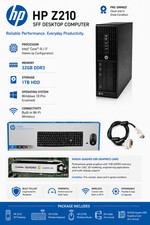
Intel(R) Xeon(R) CPU @ 3.30GHz, 4 Core(s), 32 GB RAM, 1 GB HDD Workstation 3
$145.00
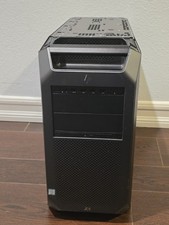
HP Z8 G4 Z8G4 Barebone Workstation w/ Intel Xeon Silver - No HDD No RAM No GPU
$449.99

Matched Pair _ Intel Xeon E5-2698 V4 2.2GHz 20-Core Processor CPU LGA2011 SR2JW
$94.99

Lenovo ThinkStation P520 Intel Xeon W-2123 3.6GHz 900W - NO RAM/ GPU/ HDD/ OS
$189.98

Intel Xeon Gold 6230 2.1 GHz Processor - SRF8W
$29.00

Supermicro 1027GR-TSF 1U Rackmount Server 2x Xeon 2.3GHz 128GB DDR3
$219.99

Intel Xeon Processor E5-2687W V4 SR2NA 3.00GHz Broadwell 160W LGA2011 12-Core
$36.00



 Reply With Quote