-
Kwlan Problems after going to another wifi spot
I get Kwlan was unable to configure wlan interface using iwconfig and Kwlan was unable to Release IP address after I go from one WiFi spot to another. Kwifi starts up at home when I boot my laptop, but does not connect after I get to another wifi spot. The laptop has not been shutdown while in transit. It does not help to turn off Kwifi and start it up again. Kwifi will work if I reboot the laptop.
Maybe I need to know how to release the IP address from the command line?
Dell Latitude CPi 400 MHz PII 256 MB RAM running Knoppix 5.1.1
-
Senior Member
registered user
Re: Kwlan Problems after going to another wifi spot

Originally Posted by
borgward
I get Kwlan was unable to configure wlan interface using iwconfig and Kwlan was unable to Release IP address after I go from one WiFi spot to another. Kwifi starts up at home when I boot my laptop, but does not connect after I get to another wifi spot. The laptop has not been shutdown while in transit. It does not help to turn off Kwifi and start it up again. Kwifi will work if I reboot the laptop.
Maybe I need to know how to release the IP address from the command line?
Dell Latitude CPi 400 MHz PII 256 MB RAM running Knoppix 5.1.1
Don't know what Kwlan does behind the scene, if it translates back to iwconfig command, then it is normal that it cannot reset IP address. iwconfig only deal with wireless setting, i.e. ESSID, channel etc
In order to switch between IP address, you need to use the ifconfig command with the combination of the pump command.
There should be a couple ways iin command line to achieve what you are trying to do. I just give one example anyway. All I'm showing here is a complete clean way to have the job done.
All the steps I mentioned here is command line so you need to type the command in the konsole.
Your wireless device name maybe eth1, eth2 or wlan0. But I use wlan0 for the example below.
1. Stop the wireless device so as to release the IP address from the old wireless network.
Code:
$ sudo ifconfig wlan0 down
2. You can check the network device no longer exist by
3. Now restart the wireless network device
Code:
$sudo ifconfig wlan0 up
4. Force the dhcp from the new wireless environment to generate an IP address to the wlan0 device
Code:
$sudo pump -i wlan0
Now your machine should have a new IP address from the new wireless dhcp. You can check the new IP address by issuing the ifconfig command.
Rgds,
Chip
Similar Threads
-
By frank ross2 in forum Networking
Replies: 2
Last Post: 08-09-2007, 12:58 AM
-
By nnigam in forum Networking
Replies: 0
Last Post: 01-30-2007, 06:05 PM
-
By Arrowx7 in forum General Support
Replies: 10
Last Post: 08-14-2005, 10:43 PM
-
By ecspike in forum Networking
Replies: 2
Last Post: 07-15-2005, 07:28 AM
-
By iD:0t in forum Networking
Replies: 45
Last Post: 02-14-2005, 07:54 PM
 Posting Permissions
- You may not post new threads
- You may not post replies
- You may not post attachments
- You may not edit your posts
-
Forum Rules


Atari 600XL Ultimate collection, 2xQuickshot1, psu Atari Keelog, 13x cart
$699.00

ATARI 800 XL 8-Bit Computer w/ Power Supply
$169.00

DEFECTIVE Atari 810 Vintage Computer Disk Drive powers on Unit Only Boo G3D
$55.24
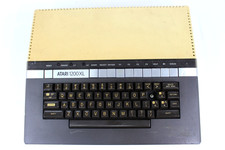
VTG Atari 1200XL Home Computer System 1200 XL ** Tested ** Parts or Repair
$248.75
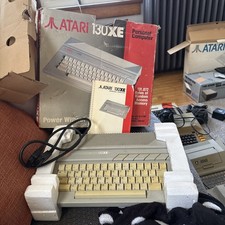
Atari 130XE Personal Computer Desktop w original box/cable/manual
$350.00
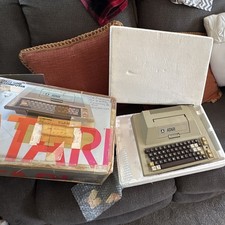
Atari 400 Vintage Home Computer System w/ Original Box MPN Atari 400
$175.00
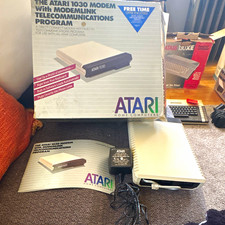
Atari 1030 External Dial-Up Modem 300 bps w/ ModemLink Box Manual Guide
$110.00

Fujinet 1.7.1 Atari 400 800 800XL 130XE 65XE XEGS Assembled, Tested, Working
$99.99

Atari 400 Computer System console with Power Supply TESTED and Working
$160.00
Vintage Atari 1200XL Home Computer System - NO Power Supply - UNTESTED
$224.98



 Reply With Quote