-
Not able to connect to Interent in Knoppix
I have a dell Optiplex 755, with a intel 82566DM 2gig network card, but I cannot connect in knoppix. I am using V5.1.0. Every time I try to configure the card, I get an error stating that there is no card detected. I know I have one. I can connect in windows XP safemode to the iinternet. I am wondering why I cannot connect in Knoppix. Any help would be GREATLY appreciated. I am brand-spanking new to KNOPPIX, so detailed instructions would be great. I, however, am not a newbie to windows. I am very literate in XP. Thanks.
-
Senior Member
registered user
Looks as though your NIC uses the e1000 kernel module.
Open the terminal then type:
su
then post the output of the follwoing commands please:
ifconfig
dmesg | grep eth
-
Can u give me a step-by-step procedure? What isa "terminal"? Sorry to sound so dumb, but this si my first time on Knoppix. Thanks Again.
-
Senior Member
registered user
a terminal is a "dos prompt" or, command prompt, it can also be called commandline, terminal, xterm, aterm, cli... it is a place where you can give the computer commands via text input.
just click on an icon that looks like a blank monitor, type the commands he gave and give the output here.
I will give a step by step on first command then just give what you should type, enter at end of each command by the way and the "(space)" is NOT to be typed, it is just to indicate a space in the text.
Code:
lsmod | grep (space) e1000
Code:
dmesg | grep (space) eth
the | before grep is NOT minor L or capital i, but what you get with US layout (and Swedish, Finnish and Norwegian) when you hold alt key and press the < key, it is called pipe.
if you get a line with e1000 with the first command proceed to the next, if not, ask what next.
then you type what did you get?
if you got a line with something like
you are close, put all output here and we will try helping further.[/code]
-
I cannot copy and paste the text to any application as it wont let me, so I am going to write it out here.
lo link encap: local loopback
inet addr: 127.0.01 mask: 255.0.0.0
inet6 addr: ::1/128 scope: host
UP LOOPBACK RUNNING MTU: 16436 metric:1
RX packets: 12 errors: 0 dropped: 0 overruns: 0 frame: 0
TX packets: 12 errors: 0 dropped: 0 overruns: 0 carrier: 0
collisions: 0 txqueuelen: 0
rx bytes: 600 (600.0b) TX bytes: 600 (600.0 b)
-
Senior Member
registered user
OK, try the command
Code:
sudo modprobe e1000
then try
Code:
dmesg | grep (space) eth
again
if you get a new line AND get adress automaically in Windows try
Code:
sudo (spcae) pump (space) -i (space) eth0
otherwise ask here again
-
new 5.3.1 installed to hd so ya know im new
cant do anything tryd to get program synaptic says su wrong or something an in my words im tellin not shure what i did wrong i set my user name an user pass then root pass an i an i know them both but i cant do anything help pls o an i cant get on the inter net on wireless i was able to apt-get b43-fwcutter an its on so i should be ok i got a linksysg an thats what it needs but i cant get on an the stuff in here wont let me set the card an im soooooo lost help plz...
Similar Threads
-
By asdvj in forum Networking
Replies: 4
Last Post: 11-23-2009, 12:23 AM
-
By DavidMitchell in forum Networking
Replies: 5
Last Post: 08-16-2006, 07:49 PM
-
By FelixDzerzhinsky in forum Networking
Replies: 12
Last Post: 06-14-2006, 06:23 PM
-
By SlashX1896 in forum MS Windows & New to Linux
Replies: 6
Last Post: 11-26-2005, 06:01 AM
-
By RyNe in forum General Support
Replies: 1
Last Post: 11-01-2003, 10:05 PM
 Posting Permissions
- You may not post new threads
- You may not post replies
- You may not post attachments
- You may not edit your posts
-
Forum Rules


Lenovo ThinkPad E14 Gen 2 Laptop 14” HD Ryzen 5 16GB RAM 512GB SSD Win 11 Pro
$334.99

Lenovo ThinkPad L15 Gen 3 15.6" 16GB, Thunder Black
$241.50

Lenovo ThinkPad E14 Gen 3 Laptop 14” FHD AMD Ryzen 5 16GB RAM 512GB SSD Win 11
$374.99

Lenovo ThinkPad L15 Gen 3 15.6" 16GB, Thunder Black
$241.50

Lenovo Legion 5 Gaming 15.1" WQXGA OLED 165Hz Core i9-14900HX 16GB 1TB RTX 5070
$1469.00

Lenovo ThinkPad T14 Gen 1 14" AMD Ryzen 5 16GB 256GB SSD
$219.99

Lenovo ThinkPad X13 Gen 1 i5-10310U 16GB 512GB SSD Touch Win 11 Pro Good
$222.99

Lenovo - IdeaPad Slim 3i 15.3" 2K Touchscreen Laptop - Intel Core 7 350 2026 ...
$679.99

Lenovo ThinkPad T14s Laptop 14” Laptop Core i5 8GB RAM 256GB SSD Windows 11 Pro
$249.99
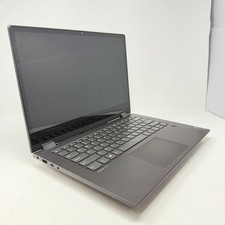
Lenovo IdeaPad Flex-14API Laptop 14" AMD RYZEN 7 [email protected] 12GB RAM 512GB SSD
$220.15



 Reply With Quote