-
Default myconf=scan and post startup command file
First of all, I am a newbie. There, I said it.
I am using Knoppix v5.1.1 CD.
First, I would like to customise/remaster the existing CD image so that the boot default is to 'Try to find "knoppix.sh" automatically' without having to type the 'myconf=scan' command every time I boot.
Secondly, in this same new CD image, I would like to have a post startup command file invoked automatically. By post startup, I mean after Everything has finished starting.
For consistency sake, this post startup command file should be in the same /device/partition/directory that the 'myconf=scan' command found the 'knoppix.sh' file in. Through some programmatic method, I assume that the location of the 'knoppix.sh' that was used is stored or can be retrieved.
Using this /device/partition/directory information, I would want a command sequence that would say 'IF 'POST STARTUP COMMAND FILE' EXISTS, THEN RUN FILE'.
With these two options, I hope that I (and others) will to be able to use this CD image in multiple ways without having to re-customise it again.
Can I get some feedback on this please?
Very simple instructions and on-line examples are GREATLY appreciated.
Thanks.
-
Senior Member
registered user
Heres the remastering howto:
http://www.knoppix.net/wiki/Knoppix_Remastering_Howto
Its about 18 A4 pages. There's no way you can acheive what you want to do, you need about 3 years minimum experience, and be fa,iliar with the command line, bash, linux partitions and devices.
Auto running a command, can be acheived by placing a script in /home/knoppix/.kde/Autorun as its the default window manager, which will involve remastering the CD and working in the chroot environment.
To use the parameters myconf=scan involves working with the minirt.gz file expanding this file and working with linuxrc, as I said its not easy even for an accomplisehed linux user but you can start with the howto.
Hope that helps
-
There's no way you can acheive what you want to do?
hal8000,
Thank you very much for your reply to my requests.
I will look at the remastering howto link that you provided and try to learn how to do that.
You stated 'There's no way you can acheive what you want to do'. Can you please elaborate on what you mean?
I want to make 'myconf=scan' the boot default and I want to run a post startup command file automatically. Can you (or anyone) please explain which of these two requests cannot be done and/or what makes it so difficult to do?
Thank you for the help.
-
Senior Member
registered user
Re: There's no way you can acheive what you want to do?

Originally Posted by
longlostname
hal8000,
Thank you very much for your reply to my requests.
I will look at the remastering howto link that you provided and try to learn how to do that.
You stated 'There's no way you can acheive what you want to do'. Can you please elaborate on what you mean?
Thank you for the help.
Hi, the rest of my sentence stated that you needed a minimum of 3 years experience working with linux. In your first post one you stated
youre a newbie, this is no job for a beginner and thats why I recommended a minimum period of 3 years. The howto explains what to do,
but you need the experience first, as its complicated and you need to know exactly what youre doing.
How much experience of working wih linux do you have?
Have you worked with the terminal before or in bash?
This is a pre-requisite for following any procedure.
Do you know which keys are tilde, hash, pipe and backtick for example?
Can you use the editor vi or emacs or nano?
You must be able to do all the above just to follow the howto.
-
Re: There's no way you can acheive what you want to do?
hal8000,
Thank you for your follow-up.
Most of my experience is with almost all of the different flavors of Windows and DOS. My experience with Linux is sporadic and limited. I truly prefer a GUI text editor and refuse to use VI. My experience with bash is carry over from DOS batch files and on-line bash tutorials. I have an programming background, just not with linux/shells.
This is what I have been able to collect so far:
************************************
From the O'Reilly reference, I have found that you can put a knoppix.sh into your CD burn and it will execute each time you boot:
//////////////////////////////////////
http://www.oreillynet.com/sysadmin/b...out_remas.html
Remaster Knoppix without Remastering
You can even burn a knoppix.sh script to a Knoppix CD provided all of the other files remain the same. Put the knoppix.sh file and any tarballs it needs into the KNOPPIX directory on the CD and it will execute the script when it boots.
//////////////////////////////////////
So, I have quickly thrown together the following knoppix.sh to be put into the \KNOPPIX directory of my new Knoppix CD burn. I am uncertain of the syntax having not yet tried it, but I feel that you will get the idea of what I am trying to accomplish. It will check each hard drive for a knoppix.sh file and if it does find one, it will execute it and exit the procedure.
\KNOPPIX\knoppix.sh
-------------------------------------
#!/bin/sh
if [ -e /media/hd1/knoppix.sh ]
then
. /media/hd1/knoppix.sh
exit
fi
if [ -e /media/hd2/knoppix.sh ]
then
. /media/hd2/knoppix.sh
exit
fi
if [ -e /media/hd3/knoppix.sh ]
then
. /media/hd3/knoppix.sh
exit
fi
if [ -e /media/hd4/knoppix.sh ]
then
. /media/hd4/knoppix.sh
exit
fi
if [ -e /media/hd5/knoppix.sh ]
then
. /media/hd5/knoppix.sh
exit
fi
if [ -e /media/hd6/knoppix.sh ]
then
. /media/hd6/knoppix.sh
exit
fi
exit
-------------------------------------
From the Linux Journal, they describe the ways to save/create the knoppix.sh and configs.tbz files:
//////////////////////////////////////
Remaster Knoppix without Remastering
http://www.linuxjournal.com/article/10075
To run saveconfig, click K→Knoppix→Configure→Save Knoppix Configuration or type saveconfig in a terminal.
//////////////////////////////////////
This will save the configs.tbz and knoppix.sh to the root directory of one of the hard drives so that they can be found at boot time by the \KNOPPIX\knoppix.sh command file.
How does it look so far?
Thanks for your help.
-
Senior Member
registered user
OK, I see what you are trying to do. In your script:
#!/bin/sh
if [ -e /media/hd1/knoppix.sh ]
then
. /media/hd1/knoppix.sh
exit
fi
--snip--
Two small errors:
1) mount point are /media/hda1 not hd1
2) ./media/hda1/knoppix.sh executes this line from the current directory, remove the leading period and it will execute ok, however
You dont need to write this, follow the remaster instructions but expand /boot/isolinux
simply rewrite the isolinux.cfg
line with your boot parameters scan=myconf and append your knoppix.sh shell script and your remaster should work
Similar Threads
-
Replies: 4
Last Post: 11-18-2006, 07:09 PM
-
By FlameWeasel in forum Customising & Remastering
Replies: 0
Last Post: 11-24-2005, 05:08 PM
-
By Harry Kuhman in forum Ideas
Replies: 13
Last Post: 02-24-2005, 05:16 PM
-
By calbee in forum General Support
Replies: 1
Last Post: 02-18-2004, 09:32 PM
-
By nighty in forum General Support
Replies: 1
Last Post: 10-16-2003, 02:25 PM
 Posting Permissions
- You may not post new threads
- You may not post replies
- You may not post attachments
- You may not edit your posts
-
Forum Rules


USB 3.0 Flash Drive 32GB 64GB 128GB Memory Stick Thumb Stick Lot Pack
$826.09

TF/SD Card Adapter Camera Reader Android Type-c For iPhone17 Pro Max Plusm lot
$288.19
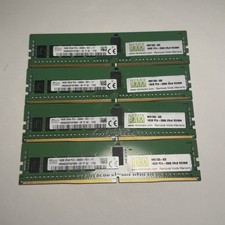
Lot of 4 16GB SK Hynix HMA82GR7AFR8N-VK 2RX8 DDR4 PC4-2666V RDIMM Server Memory
$374.99
SK hynix 32GB PC4-25600 DDR4-3200 Memory - HMAA4GR7AJR8N-XN
$189.99

Sandisk 16GB 32GB 64GB 128GB Cruzer Blade Flash Drive Memory Stick USB Lot Pack
$175.90
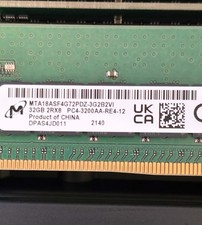
MTA18ASF4G72PDZ-3G2B2 MICRON 32GB (1X32GB) 2RX8 PC4-3200AA MEMORY
$348.00

Sandisk 32GB 64GB 128GB 256GB Cruzer Glide Flash Drive USB 2.0 Memory Lot
$201.78

Kingston 32GB 64GB 128GB 256GB USB 3.0 Flash Drive Thumb Memory Stick Pen lot
$285.90
Lot Of 4 NEW SAMSUNG 16GB PC4-2933Y-RC2-12-DC1 Memory
$299.00

Micro SD Adapter To SD HC SDHC Memory Card Adapter Reader NEW
$1.39



 Reply With Quote