

 Reply With Quote
Did you confirm the MD5 checksum of the ISO file before burning it?


A friend told me of Knoppix and that it can be used to help salvage my drive. Being new to Linux, I have read a lot on the other threads pertaining to this issue but have not been able to find a solution (could be I just missed it.)
I have a Celeron 2.9 with 2 Gb ram with a Radeon card.
Initially hung immediately at the Starting udev... message. Read about burning slower and tried that. Got a little further than that when reburned (x8 was slowest option.)
Recieved several error messages then.
First one was: udevd-event[2666]: run_program: '/sbin/modprobe' abnormal exit
This error message was followed by about another 10 messages saying the same thing with failed at the end (and different event numbers.)
I have tried:
1. boot: knoppix vga=0
2. boot: knoppix acpi=off pnpbios=off noapic noapm Helpful for laptops
3. boot: knoppix vga=0 debug -b 3 Using this boot command will cause Knoppix to pause at various stages in the boot process. Just type 'exit' at each shell prompt to move on to the next stage. You will know that you are at the final stage when typing 'exit' does not do anything. If you get that far, type 'init 5' to go into graphics mode.
4. boot: failsafe debug -b 3 That will do the same as the previous boot command, except turn off most of the hardware detection.
All of these methods hung at the "Starting udev....." message.
Don't know if its relevent or not but when #3 and #4 hung, the caps lock indicator and the scroll lock indicator were flashing.
These were the commands given in the tips & tricks area about failure to boot at http://www.knoppix.net/wiki/Cheat_Codes
Has anyone come up with a solution or am I SOL on saving any of my data off the drive????
darrmik
Did you confirm the MD5 checksum of the ISO file before burning it?
---
Verifying of md5 checksum and burning a CD at slow speed are important.
Yep, used winMd5Sum to confirm sum.
I had the same problem. I found that it eventually continues to boot if you give it a minute or two. Using dmesg after it did boot, it looks like kernel ethernet module r8169 crashed. An easy option to try on a dual-core system is 'nosmp', which can help make a flaky driver more reliable.
You can also skip udev with "noudev" at the kernel boot prompt. Most things work without udev.
Thanx for the reply Joekrahn. One of the times I actually left the machine all night thinking that I had not let it go long enough. Never did anything and I had to kill it.
The suggestion of "noudev" worked to a point. The first time I tried it, the boot process past the udev point (skipped it) and ran a bunch of what looked like dos, and then hung with these messages
.
.
.
.
Code: 02 85 c0 75 26 2b 0d 00 44 52 c0 ... (There were 64 hexadecimal sets.)
EIP:[<c011b490>] kmap_atomic+0x78/0x8c SS:ESP 0068:f79cdc44
<0> Kernal panic - not syncing: Fatal exception in interrupt
The second time I tried to boot the cd (thinking that the first was a fluke) the "dos" like text kept scrolling. Began to look like it was simply repeating the same text. It eventual hung aswell.
Any other suggestions???
darrmik
I had similar results, except that my hang was temporary, probably rescued by the "dev_watchdog" module (about 3 minutes). Essentially, it is a kernel bug, or hardware interface problem. If it is a module, you can try to keep it disabled. Are there any hints of a module insertion, or hardware usage (i.e. disk I/O) before the oops message? You might be able to scroll with shift and page up/down keys. If there is no obvious single device or module casing the crash, you can also try BIOS related kernel options like noapic. Also try nohwsetup, which might keep the problem hardware from being activated.Originally Posted by darrmik
If all of that fails, you can try setting the BIOS to disable some hardware, or other "failsafe" settings like slower disk I/O.
One other thing: try [re]running the disk checksum.
I tried SLAX instead of KNOPPIX and had no hardware issues. SLAX is much smaller, easily fits on a USB thumb drive, and should have all of the tools you need for recovery work. In general KNOPPIX is a much more complete system, but is not as up-to-date as some other Live-Linux systems.
If you are working on disk recovery, the best approach is to clone the disk content to a new driver, then work on file recovery using the new drive. There are some tools for this that try to read the good parts of the disk first, such as dd_rescue. SLAX has add-on modules, so you will need the "ddrescue" module.
Here is an example of recovery using dd-rescue.
 Posting Permissions


Lenovo ThinkPad L13 Yoga Touch Laptop 13.3” Core i5 8GB RAM 256GB SSD Win 11 Pro
$239.99

Lenovo ThinkPad L15 Gen 3 15.6" 16GB, Thunder Black
$241.50

Lenovo ThinkPad E14 Gen 2 Laptop 14” HD Ryzen 5 16GB RAM 512GB SSD Win 11 Pro
$334.99

Lenovo ThinkPad E14 Gen 3 Laptop 14” FHD AMD Ryzen 5 16GB RAM 512GB SSD Win 11
$374.99

Lenovo Legion 5 Gaming 15.1" WQXGA OLED 165Hz Core i9-14900HX 16GB 1TB RTX 5070
$1469.00

Lenovo ThinkPad T14 Gen 1 14" AMD Ryzen 5 16GB 256GB SSD
$219.99
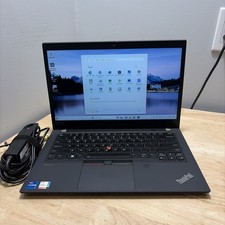
LENOVO THINKPAD T14 GEN 2i CORE I7-11165G7 2.8GHZ 16GB 256 SSD WCAM WI1 CORD
$245.00

Lenovo ThinkPad X13 Gen 1 i5-10310U 16GB 512GB SSD Touch Win 11 Pro Good
$222.99

Lenovo ThinkPad T14s Laptop 14” Laptop Core i5 8GB RAM 256GB SSD Windows 11 Pro
$249.99

Lenovo ThinkPad L15 Gen 3 15.6" 16GB, Thunder Black
$241.50