

 Reply With Quote
Can you show us the result of the following three commandsOriginally Posted by skidoosh
Code:ls /mediaCode:dmesg | grep hdRgds,Code:dmesg | grep sd
Chip


My Windows Vista keeps giving me an error with my kernel32.dll file and it will not let me log in, so I wanted to use my Knoppix 5.3 CD to back up the files on my harddrive so I can reinstall Vista brand new.
I thought I had been able to access my Harddrive through Knoppix before when I used it (I remember seeing hda1 on the desktop.) When I used my Knoppix CD this time, my harddrive does not show up. I do not know why and I could not mount it (I do not understand this very well, but I did not see any other hda in the mount list besides Knoppix.)
I think Knoppix does not detect my harddrive and I do not know how to make it do this. (I do not know how to find what kind of harddrive I have either.)
I tried to research how to fix this but I did not find much. I tried a lot of different mount commands but none worked.
If more information is needed just let me know what and I will try and find it, thanks for your time.
[size=1]
knoppix@Knoppix:~$ lspci -v
00:00.0 Host bridge: Intel Corporation 82945G/GZ/P/PL Memory Controller Hub
Subsystem: Sony Corporation Unknown device 81e7
Flags: bus master, fast devsel, latency 0
Capabilities: <access denied>
00:01.0 PCI bridge: Intel Corporation 82945G/GZ/P/PL PCI Express Root Port (prog-if 00 [Normal decode])
Flags: bus master, fast devsel, latency 0
Bus: primary=00, secondary=01, subordinate=01, sec-latency=0
I/O behind bridge: 00002000-00002fff
Memory behind bridge: 8c200000-8c2fffff
Prefetchable memory behind bridge: 0000000080000000-0000000087ffffff
Capabilities: <access denied>
Kernel driver in use: pcieport-driver
Kernel modules: shpchp
00:1b.0 Audio device: Intel Corporation 82801G (ICH7 Family) High Definition Audio Controller (rev 01)
Subsystem: Sony Corporation Unknown device 81e7
Flags: bus master, fast devsel, latency 0, IRQ 21
Memory at 8c300000 (64-bit, non-prefetchable) [size=16K]
Capabilities: <access denied>
Kernel driver in use: HDA Intel
Kernel modules: snd-hda-intel
00:1c.0 PCI bridge: Intel Corporation 82801G (ICH7 Family) PCI Express Port 1 (rev 01) (prog-if 00 [Normal decode])
Flags: bus master, fast devsel, latency 0
Bus: primary=00, secondary=02, subordinate=02, sec-latency=0
I/O behind bridge: 00001000-00001fff
Memory behind bridge: 8c100000-8c1fffff
Capabilities: <access denied>
Kernel driver in use: pcieport-driver
Kernel modules: shpchp
00:1c.2 PCI bridge: Intel Corporation 82801G (ICH7 Family) PCI Express Port 3 (rev 01) (prog-if 00 [Normal decode])
Flags: bus master, fast devsel, latency 0
Bus: primary=00, secondary=03, subordinate=03, sec-latency=0
Memory behind bridge: 8c400000-8c4fffff
Capabilities: <access denied>
Kernel driver in use: pcieport-driver
Kernel modules: shpchp
00:1c.3 PCI bridge: Intel Corporation 82801G (ICH7 Family) PCI Express Port 4 (rev 01) (prog-if 00 [Normal decode])
Flags: bus master, fast devsel, latency 0
Bus: primary=00, secondary=04, subordinate=04, sec-latency=0
Memory behind bridge: 8c500000-8c5fffff
Capabilities: <access denied>
Kernel driver in use: pcieport-driver
Kernel modules: shpchp
00:1d.0 USB Controller: Intel Corporation 82801G (ICH7 Family) USB UHCI Controller #1 (rev 01) (prog-if 00 [UHCI])
Subsystem: Sony Corporation Unknown device 81e7
Flags: bus master, medium devsel, latency 0, IRQ 20
I/O ports at 3080 [size=32]
Kernel driver in use: uhci_hcd
00:1d.1 USB Controller: Intel Corporation 82801G (ICH7 Family) USB UHCI Controller #2 (rev 01) (prog-if 00 [UHCI])
Subsystem: Sony Corporation Unknown device 81e7
Flags: bus master, medium devsel, latency 0, IRQ 19
I/O ports at 3060 [size=32]
Kernel driver in use: uhci_hcd
00:1d.2 USB Controller: Intel Corporation 82801G (ICH7 Family) USB UHCI Controller #3 (rev 01) (prog-if 00 [UHCI])
Subsystem: Sony Corporation Unknown device 81e7
Flags: bus master, medium devsel, latency 0, IRQ 18
I/O ports at 3040 [size=32]
Kernel driver in use: uhci_hcd
00:1d.3 USB Controller: Intel Corporation 82801G (ICH7 Family) USB UHCI Controller #4 (rev 01) (prog-if 00 [UHCI])
Subsystem: Sony Corporation Unknown device 81e7
Flags: bus master, medium devsel, latency 0, IRQ 16
I/O ports at 3020 [size=32]
Kernel driver in use: uhci_hcd
00:1d.7 USB Controller: Intel Corporation 82801G (ICH7 Family) USB2 EHCI Controller (rev 01) (prog-if 20 [EHCI])
Subsystem: Sony Corporation Unknown device 81e7
Flags: bus master, medium devsel, latency 0, IRQ 20
Memory at 8c304400 (32-bit, non-prefetchable) [size=1K]
Capabilities: <access denied>
Kernel driver in use: ehci_hcd
00:1e.0 PCI bridge: Intel Corporation 82801 PCI Bridge (rev e1) (prog-if 01 [Subtractive decode])
Flags: bus master, fast devsel, latency 0
Bus: primary=00, secondary=05, subordinate=05, sec-latency=32
Memory behind bridge: 8c000000-8c0fffff
Prefetchable memory behind bridge: 0000000088000000-000000008bffffff
Capabilities: <access denied>
00:1f.0 ISA bridge: Intel Corporation 82801GB/GR (ICH7 Family) LPC Interface Bridge (rev 01)
Subsystem: Sony Corporation Unknown device 81e7
Flags: bus master, medium devsel, latency 0
Capabilities: <access denied>
Kernel modules: iTCO_wdt
00:1f.1 IDE interface: Intel Corporation 82801G (ICH7 Family) IDE Controller (rev 01) (prog-if 8a [Master SecP PriP])
Subsystem: Sony Corporation Unknown device 81e7
Flags: bus master, medium devsel, latency 0, IRQ 18
I/O ports at 01f0 [size=8]
I/O ports at 03f4 [size=1]
I/O ports at 0170 [size=8]
I/O ports at 0374 [size=1]
I/O ports at 30b0 [size=16]
Kernel driver in use: PIIX_IDE
00:1f.2 RAID bus controller: Intel Corporation 82801GR/GH (ICH7 Family) SATA RAID Controller (rev 01)
Subsystem: Sony Corporation Unknown device 81e7
Flags: bus master, 66MHz, medium devsel, latency 0, IRQ 219
I/O ports at 30c8 [size=8]
I/O ports at 30e4 [size=4]
I/O ports at 30c0 [size=8]
I/O ports at 30e0 [size=4]
I/O ports at 30a0 [size=16]
Memory at 8c304000 (32-bit, non-prefetchable) [size=1K]
Capabilities: <access denied>
Kernel driver in use: ahci
00:1f.3 SMBus: Intel Corporation 82801G (ICH7 Family) SMBus Controller (rev 01)
Subsystem: Sony Corporation Unknown device 81e7
Flags: medium devsel, IRQ 19
I/O ports at 3000 [size=32]
Kernel driver in use: i801_smbus
Kernel modules: i2c-i801
01:00.0 VGA compatible controller: ATI Technologies Inc RV370 5B60 [Radeon X300 (PCIE)] (prog-if 00 [VGA controller])
Subsystem: Sony Corporation Unknown device 0005
Flags: bus master, fast devsel, latency 0, IRQ 16
Memory at 80000000 (32-bit, prefetchable) [size=128M]
I/O ports at 2000 [size=256]
Memory at 8c200000 (32-bit, non-prefetchable) [size=64K]
Expansion ROM at 8c220000 [disabled] [size=128K]
Capabilities: <access denied>
Kernel modules: radeonfb
02:00.0 Ethernet controller: Intel Corporation 82573V Gigabit Ethernet Controller (Copper) (rev 03)
Subsystem: Sony Corporation Unknown device 81e7
Flags: bus master, fast devsel, latency 0, IRQ 218
Memory at 8c100000 (32-bit, non-prefetchable) [size=128K]
I/O ports at 1000
Capabilities: <access denied>
Kernel driver in use: e1000
Kernel modules: e1000
05:01.0 Multimedia video controller: Internext Compression Inc iTVC16 (CX23416) MPEG-2 Encoder (rev 01)
Subsystem: Sony Corporation Unknown device 813d
Flags: bus master, medium devsel, latency 64, IRQ 21
Memory at 88000000 (32-bit, prefetchable) [size=64M]
Capabilities: <access denied>
Kernel driver in use: ivtv
Kernel modules: ivtv
05:05.0 FireWire (IEEE 1394): Texas Instruments TSB43AB23 IEEE-1394a-2000 Controller (PHY/Link) (prog-if 10 [OHCI])
Subsystem: Sony Corporation Unknown device 81e7
Flags: bus master, medium devsel, latency 32, IRQ 17
Memory at 8c004000 (32-bit, non-prefetchable) [size=2K]
Memory at 8c000000 (32-bit, non-prefetchable) [size=16K]
Capabilities: <access denied>
Kernel driver in use: ohci1394
Kernel modules: ohci1394
Can you show us the result of the following three commands
Code:ls /mediaCode:dmesg | grep hdRgds,Code:dmesg | grep sd
Chip
Turns out I do not need Knoppix after all, I used sfc /scannow using my Vista disc and it let me start up so I was able to backup my files. Althought I am still not completely sure why it was not working, once I finish backing up and reformatting I will try again and see if my harddrive can be detected. (Windows XP could not detect my Harddrive either so I think it may be a hardware issue.)
If your vista disc can recognize your harddrive but not XP. Then it is not a hardware problem. Most likely your system has those new SATA drive controller that XP is too old to recognize.
Microsoft is pushing really hard on the Vista, so they no longer support the XP and no more device driver will be provided by them.
On the other hand, hardware manufacturer only provides driver for Vista. Very often the case on the new mother board for the Gigabit ethernet card. A lot of user experienced the same difficulty when they try to use XP instead. The solution is to buy a network card with xp driver comes with it and install it on the machine in order to have network connection.
However, you may try your luck to go to the manufacturer web site and see if they provide driver for the xp or even linux.
Rgds,
Chip
 Posting Permissions


Vintage Apple Extended Keyboard II M3501 Mechanical ADB - Tested & Working
$54.99

Apple Mac OS9 Cloth Banner Think Different 64 x 24 inches NEW ORIGINAL Vintage
$99.99

Vintage Apple Macintosh IIsi Computer, Monitor, Keyboard & Mouse Complete Setup
$199.99
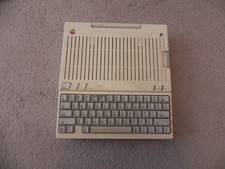
Apple IIc Home Computer Vintage Model A2S4100 Retro Computer Untested
$149.00
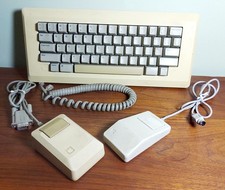
Vintage APPLE Computer Keyboard M0110 and Mouse LOT M0100 & Desktop Bus
$129.00
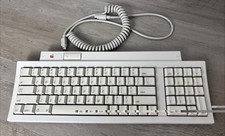
Vintage Apple Keyboard II M0487 ADB Keyboard w/ Coiled Cable 🍎
$44.99
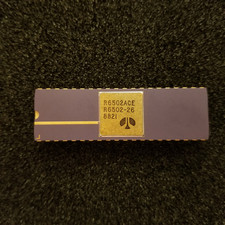
Vintage Apple I 6502A CPU: Kim 1, Pet, = (Synertek MOS), Unused, gold Ceramic
$299.99
Vintage Apple IIc Scribe Printer Accessory Kit See Photos
$25.73
VINTAGE Apple PowerBook G3 Lombard M5343 400MHz 192MB Working Mac OS X Bundle
$299.00

Apple cloth fabric banner iBook tangerine orange New Old Stock Vintage
$99.00