
i installed knoppix to a partitino (with boot loader to the partition and not the mbr) but still knoppix keeps installing its own boot loader whici i dont want . is there a switch pls as i used sudo knoppix-installer after booting the livecd


i installed knoppix to a partitino (with boot loader to the partition and not the mbr) but still knoppix keeps installing its own boot loader whici i dont want . is there a switch pls as i used sudo knoppix-installer after booting the livecd
When you use sudo knoppix-installer you must install as Debian style, then you get a chance of where to install grub. You can choose
not to install grub and on multiboot linux systems edit grub or lilo on the controlling system
yup i selected debian style and the only thing it asked me was whether install it to mbr or root of partition. even though i did select root of partition it still installed grub and took over my pcs existing boot loader .
 Posting Permissions


Intel Core i7-3770K 3.5 GHz Processor
$39.00

INTEL CORE I7-870 SLBJG 2.93GHZ LGA1156 4 CORE CPU PROCESSOR
$23.00

INTEL CORE I9-10940X X-SERIES PROCESSOR | 3.30GHZ | SRGSH
$179.99
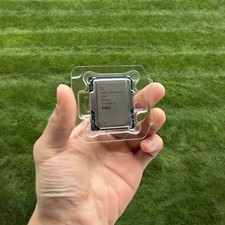
Intel Core Ultra 7 265K 3.9GHz LGA 1851 Processor
$249.99

AMD Ryzen 5 5500 Processor ( read Description)
$59.00

Intel Core i5-12500T SRL5W 2GHz 18MB 6 Core Socket LGA1700 Desktop CPU Processor
$114.99

Intel Core i7-9700 Octa-Core 3 GHz Desktop Processor LGA 1151
$79.99

Intel i7-8700 Coffee Lake 3.2GHz 6-Core Max Turbo 4.6GHz Processor
$67.99
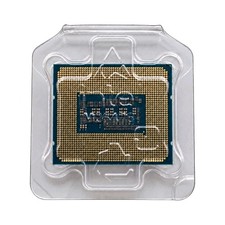
Intel Core i7-14700KF 20-Core 3.4GHz LGA1700 33MB Cache CPU SRN3Y
$310.00

PS5 Over Heating Problem Solver 1.5 Grams Liquid metal thermal paste CPU, GPU
$15.99

 Reply With Quote