

 Reply With Quote
When you use sudo knoppix-installer you must install as Debian style, then you get a chance of where to install grub. You can choose
not to install grub and on multiboot linux systems edit grub or lilo on the controlling system


i installed knoppix to a partitino (with boot loader to the partition and not the mbr) but still knoppix keeps installing its own boot loader whici i dont want . is there a switch pls as i used sudo knoppix-installer after booting the livecd
When you use sudo knoppix-installer you must install as Debian style, then you get a chance of where to install grub. You can choose
not to install grub and on multiboot linux systems edit grub or lilo on the controlling system
yup i selected debian style and the only thing it asked me was whether install it to mbr or root of partition. even though i did select root of partition it still installed grub and took over my pcs existing boot loader .
 Posting Permissions


Samsung 2.5" 870 EVO SSD SATA III 250GB 500GB 1TB Internet Solid State Drive Lot
$100.00

Samsung 1TB SSD BM91H 1TB (MZ-VMA1T00) Internal SSD M.2
$135.00

Samsung 860 EVO 250GB SSD MZ-76E250 2.5" SATA III Solid State Drive -
$36.99

Western Digital Blue 3D NAND 500GB Internal 2.5" SSD - WDS500G2B0A
$49.99

Netac 2TB 1TB 512GB 256GB Internal SSD 2.5inch SATAIII Solid State Drive lot
$549.00
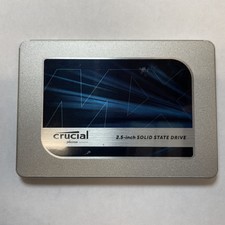
Crucial MX500 1TB 2.5" SATA III Internal SSD CT1000MX500SSD1
$99.99

Fanxiang 1/2/5/10Pcs 2.5'' SATA SSD Lot 1TB 2TB 4TB 512GB 256GB TLC Internal SSD
$129.99

Fanxiang 256GB 512GB 1TB 2TB 4TB SSD Lot 2.5'' SATA Internal Solid State Drive
$42.99

Netac 120GB 256GB 1TB 2TB Internal SSD 2.5'' SATAIII 6Gb/s Solid State Drive lot
$119.99

Intel Solid-State Drive DC S3500 Series 240GB Internal 2.5" (SSDSC2BB240G4P) SSD
$29.99