

 Reply With Quote
When you use sudo knoppix-installer you must install as Debian style, then you get a chance of where to install grub. You can choose
not to install grub and on multiboot linux systems edit grub or lilo on the controlling system


i installed knoppix to a partitino (with boot loader to the partition and not the mbr) but still knoppix keeps installing its own boot loader whici i dont want . is there a switch pls as i used sudo knoppix-installer after booting the livecd
When you use sudo knoppix-installer you must install as Debian style, then you get a chance of where to install grub. You can choose
not to install grub and on multiboot linux systems edit grub or lilo on the controlling system
yup i selected debian style and the only thing it asked me was whether install it to mbr or root of partition. even though i did select root of partition it still installed grub and took over my pcs existing boot loader .
 Posting Permissions


(New) AMD Ryzen 7 5700X 8 Core 16 Thread AM4 Unlocked 3.4 GHz CPU OEM Tray
$169.99

Intel Core i9-9900K SRG19 3.60GHz 16MB 8-Core LGA1151 B Grade CPU Processor
$175.00
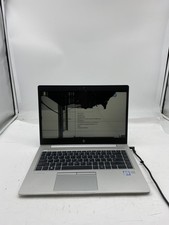
HP EliteBook 840 G5 Laptop Intel Core i5 7200U 8GB RAM – No HDD
$64.00

AMD Ryzen 7 7700X 8-Core, 16-Thread Unlocked Desktop Processor
$250.00
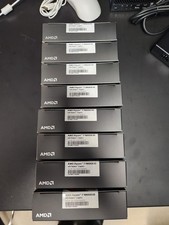
AMD RYZEN 7 9800X3D 8-Core, 16-Thread Desktop Processor
$399.00
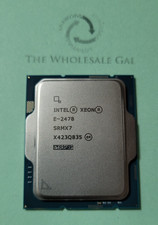
Intel Xeon E-2478 2.8Ghz 24MB Cache 8 Core FCLGA1700 Server Processor CPU SRMX7
$599.95

AMD Ryzen 5 PRO 4650GE 100-000000153 6-Core 3.30GHz 8MB AM4 CPU Processor
$59.99

AMD Ryzen 7 9700X 8-Core 16-Thread 40MB Cache Socket AM5 9000 Series Processor
$245.99

Dell T7810 Workstation 8-Core 2.40GHz E5-2630 v3 No RAM GPU HDD OS
$259.98

Dell OptiPlex 5070 SFF i7-9700 (8-Core) 3.0GHz 16GB 256 SSD Windows 11
$250.00