

I have a tftpboot server setup that I use to install linux, mainly CentOS.. But I would like to add a knoppix live CD to my tftp server so I can use it to diagnose PCs on the network in case the CD/DVD ROM is bad/etc.. And besides... I think it would be cool to have it on the network anyways..And now that I've messed with it for a few days I'm bound and determined to get it working.. Just to say I got it working.. even if I never use it.
In my /tftpboot/pxelinux.cfg/default file I added this line(granted Ive gone through several variations on these lines but this is what I have currently)
LABEL knoppix
KERNEL knoppix/boot/isolinux/linux
APPEND ramdisk_size=100000 init=/etc/init lang=us apm=power-off vga=791 initrd=knoppix/boot/isolinux/minirt.gz nomce loglevel=0 quiet BOOT_IMAGE=knoppix frominitrd
I have my knoppix file located at /tftpboot/knoppix and the entire CD 5.1 is under the knoppix directory as is on the CD, so linux and minirt.gz are in /tftpboot/knoppix/boot/isolinux/
When I get to my boot menu I type knoppix and it loads the linux and minirt.gz, then it looks like it's scanning /dev for media then spits out:
can't find knoppix file system, sorry
dropping you to a limited shell
What is the correct format in my default file to get it to find the knoppix "cd"??
thanks!
 Posting Permissions


IBM Power 8 S822L Server 8247-22L POWER8 Enterprise 256GB RAM 2x 00KV626 CPU
$999.99
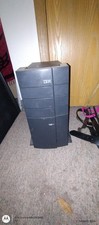
$400.00

Lot of 2 IBM blade center Type H chassis 8852
$559.00

IBM 7915 AC1 M4 E27R704 Server Intel 2650V2 32GB RAM NO HDD w/ 2x 750w PSU
$200.00

IBM 4262 SYSTEM x3200 Tower - HDD Wiped, NO OS
$80.00

IBM SYSTEM X3500 M3 SERVER 7380AC1 TOWER Server XEON E5620 8GB RAID SEE NOTES
$108.92
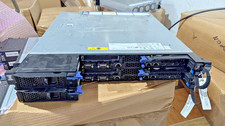
IBM iDataPlex dx360 M4 with 4× Xeon E5-2680 v2, 128 GB RAM, 2× QLogic
$149.00
IBM Power 710 Express 8231-E2B 2U Rack Server POWER7 3.0GHz 32GB DDR3 No HDD
$429.99

IBM QRadar xx29 2x Xeon E5-2650v4 2x 900W PSU M5120 12x 3.5" Bay Server No RAM
$149.99

IBM System X3650 M3 Server Xeon E5620 2.4 GHz 16 GB Ram Raid M5015 No OS No HDD
$87.96


 Reply With Quote