-
PhotoRec data recovery help needed
Hi, I have a customer's XP hard drive that crashed. It won't reboot, and Knoppix shows that all that is left is an empty Windows folder, Recycle Bin and System Volume Information. All other folders are missing in action.
Anyhow, I'm tasked with recovering "tons" of photos and writings. First I want the photos. I tried PhotoRec, and following a tutorial it seemed to be finding them. It was saving them to the ramdisk - and after it was done there were some folders on the desktop called recup_.dir.1 . They had a lock on them and I couldn't move them or copy them to a HD or flash drive.
When setting up PhotoRec, I get to a page that says: "Do you want to save recovered files in /ramdisk/home/knoppix/ ? [Y/N].
The next line says "To select another directory, use the arrow keys. I don't see my devices - only Desktop, tmp, etc. So I'm stumpted.
I want to save them to either sdb1 or hda6, but I don't see that option. How can I do this?
I would certainly appreciate any help here. I tried several Windows based data recovery progs., but they cannot see the drive.
Right now I'm using an old Compact Flash card as a test "corrupted drive" until I get the process down.
Thanks,
Packrat1947
-
Senior Member
registered user
When using Photorec you are running as root, this is why you see a padlock on the drive.
Open a terminal type the following lines (enter at the end of each line)
su
chown -R knoppix:knoppix Desktop/recup_.dir.1
The above should change owner and group of all files to knoppix and allow you to copy them to your usb drive.
You can also try ntfsundelete
Open a terminal
su
apt-get update
apt-get install ntfsprogs
mkdir /home/knoppix/recovered
ntfsundelete -p100 -m '*jpg' -u /home/knoppix/recovered
this will create a folder called recovered. Seek out all jpg files that are 100% recoverable
and undelete them to the recovered folder
-
Hi Hal,
Thanks for the reply.
This is where I am. I downloaded the Windows XP version, and it is running as I type. I expirimented on my old Compact Flash card and worked out how to save to other directories.
One has to use the left and right arrow keys to drill to the desired location. Pressing the left arrow key several times takes me to the listing of all drives.
Right now it is reporting it will take about 40 hours. I hope it is not stuck.
But I will try your take ownership method. I have had drives in here that only Knoppix and Slax could see. Ubuntu was blind in this respect.
I have fan blowing on the drive, and hopefully things will work out OK.
Cheers,
Packrat1947
Similar Threads
-
By andyp in forum MS Windows & New to Linux
Replies: 2
Last Post: 01-11-2008, 04:36 PM
-
By mustjustbe in forum MS Windows & New to Linux
Replies: 0
Last Post: 06-10-2007, 03:32 AM
-
By Metallo in forum General Support
Replies: 18
Last Post: 05-04-2007, 02:10 PM
-
By jf1976 in forum Customising & Remastering
Replies: 0
Last Post: 02-16-2006, 06:10 PM
-
By comfortably numb in forum MS Windows & New to Linux
Replies: 2
Last Post: 11-20-2005, 09:09 AM
 Posting Permissions
- You may not post new threads
- You may not post replies
- You may not post attachments
- You may not edit your posts
-
Forum Rules

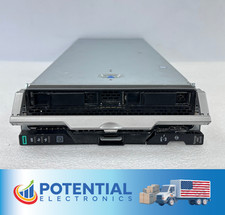
HPE Synergy 480 Gen10 Blade Server BAREBONES NO CPU, RAM OR HDD 🚚
$140.00
NEW DELL TRUSTED PLATFORM MODULE TPM 2.0 POWEREDGE T430 T630 G13 SERVERS K98XH
$225.00

Dell PowerEdge M640 Blade Barebone Server Dell P/N: HHB006 Tested Working
$149.99

Dell PowerEdge M630 Blade Server 2x Xeon E5-2680 v4, 2F3MP , 4GDP5 ,R10KJ ,JVFVR
$96.60

NETAPP HCI NAF-1701 SuperMicro Server 4X BLADE H410C 8X GOLD 5120 4 NODE SERVER
$1499.97

Dell PowerEdge FX2 FX2s Server 10GbE CMC Blade Enclosure Chassis
$274.99

Dell PowerEdge VRTX 2.5"x25 Bay Blade Enclosure 4x1600W + 4X M640 (4X Blades)
$1599.99
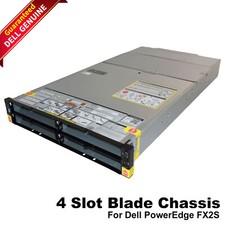
Dell PowerEdge FX2 FX2s Server 10GbE CMC Blade Empty Chassis XJ6VP
$149.99

Supermicro 938-16 16-LFF MicroCloud SuperServer 5038MR-H8TRF *No Blade Servers*
$159.99
NEW DELL TRUSTED PLATFORM MODULE TPM 2.0 POWEREDGE R730 SERVER M48YR RXW6R K98XH
$225.00



 Reply With Quote