-
Administrator
Site Admin-
md5 - yes, check that out as well. It's discussed in the documentation.
As a complete Linux newbie the first time I burned a disk I did find that I had to read up a bit particularly as I wasn't familiar with ISO / CD burning, md5s ... or even BitTorrent (yes, I had to read up about BT and play around a bit with it first before it worked for me)! But none of that was Linux's fault.
-
Senior Member
registered user
Chances are
1. you download a zip file from a site other than the official site. (delete the file right away because it may contain harmful virus, since the official site only provide iso image files for downloading)
2. Windows is lying to you and try to fool you that you get a zip file instead of iso file.
Now, before you jump to a conclusion what was happening. You need to find out what is the name of your downloaded file. For example, if you get a zip file, it will have a file extension ".zip" but instead if you get an iso file, the last part of the file (i.e. extension) will be ".iso"
Unfortunately, windows by default, hide the extension part of the filename from the user. Don't ask me why, they just don't want their user know what the full file name is.
In order to see the full filename, you have to configure the windows explorer to tell you the true file name (or the full file name).
Here are the steps to do that:
Open windows explorer ==> go to the folder which contains your downloaded knoppix file ==> from the tool bar ==> click tools ==> then select Folder Options ==> click the View tab ==> find the line "Hide extensions for known file types" ==> the check box in front of the line is checked ==> uncheck this line ==> click Apply ==> click OK
Now you should be able to see the true full file name.
If the file name is knoppix_blah_blah_blah.zip, then delete the file and download it again from the official site.
If the file name is knoppix_blah_blah_blah.iso, then move on to get ready to the next step.
Before you burn your downloaded iso image file to a cd disc, you may want to double check if the downloaded file is Ok. No funny thing happened during download time so that the file is actually corrupted.
This is what the other user mentions about the md5 checksum. You run a md5 checksum program against the downloaded file and it will generate a md5 checksum for you. Then you double check the answer with the md5 check sum file on the download site. If they match, then you have a good image. Else delete the file and download again.
However, for me, I burn my first downloaded knoppix ISO file without went through the md5 check sum. Instead, I use a 700 MB CD/RW disc. I can always reuse the disc if the image is corrupted.
To burn the iso image file to the cd, you need a cd burner and a cd burning software.
On Windows I use Nero. The step should be pretty standard across difference burning software.
In Nero, I open up Nero, the Nero Smart Start window kicks off. I place my mouse pointer over the various icons in Nero until I find the "Copy and Backup", then I select "Burn Image to Disc".
Then another window popup and I direct it to find my iso file. Then I click "Open". Under the "Burn Compilation" window, I select the "Burn" tab, On the action area, I select Write and Finalized CD.
The last thing I did was click on the "Burn" button and Nero then started to burn the image to the cd.
Rgds,
Chip
-

Originally Posted by
Harry Kuhman
And I told you how to find those instructions in the wiki... .
Wiki was no help here.
Originally Posted by
Harry Kuhman
As to that balloon saying it is a zip file, that is very troubling. This is exactly why I tried to get you to fix your copy of Windows and turn off the "feature" that hides the file extensions. If it really is a zip file then it is quite worthless. However, the official torrent does not deliver a zip file, it delivers an ISO file and several other tiny support files. If you are using the same torrent as found by the "Get Knoppix" link at the top of this page then it must be delivering an ISO file...
The box is unchecked--no change.
The Link is the same one at top of page.
Originally Posted by
Harry Kuhman
Also check the last modified dates of the files to see if your "uncompression" program made any changes to the files.
Downloaded 3x (CD and DVD)--Always labeled a zip file. No ISO to work with.
That's M$ for you.
-
Administrator
Site Admin-
Originally Posted by
iDev
The box is unchecked--no change.
The Link is the same one at top of page.
Downloaded 3x (CD and DVD)--Always labeled a zip file. No ISO to work with.
That's M$ for you.
While I certainly blame M$ for the idiotic hiding of the file extension, I can't see how to blame them for this.
If you are using the same torrent as reached by the Get Knoppix link near the top of this page then it has to be an ISO file, not a ZIP file.
I can't understand what you mean when you say "no change". Are you saying that file extensions are still not showing? If that is what you mean then you didn't apply the change or you did something else wrong. If you mean that the system changed but now it clearly shows a .ZIP extension on the end of the file name, well at least that is a change. But I would find it hard to understand.
If you really do have a ZIP extension (which I still doubt) then something on your system is renaming the file, and that is not problem that can be blamed on M$ (at least not directly) or on Linux, Knoppix or the torrent (not at all). Rename it back, do the md5 test, and if the md5 is good burn the CD or DVD as explained in the downloading FAQ.
-
Administrator
Site Admin-
Any chance you went to the wrong wiki rather than the one on this site itself? 
-
Senior Member
registered user
Originally Posted by
iDev
Downloaded 3x (CD and DVD)--Always labeled a zip file. No ISO to work with.
Guys, I think we provided too much info that flooded him. Let's do it one step at a time before we move on to give any comment. Please DO NOT provide any feedback until iDev can answer the following question.
iDev, Can you tell us the full name of your downloaded file please?
Rgds,
Chip
-
Originally Posted by
chip.ling
Originally Posted by
iDev
Downloaded 3x (CD and DVD)--Always labeled a zip file. No ISO to work with.
Guys, I think we provided too much info that flooded him. Let's do it one step at a time before we move on to give any comment. Please DO NOT provide any feedback until iDev can answer the following question.
iDev, Can you tell us the full name of your downloaded file please?
Rgds,
Chip
CD Version: KNOPPIX_V5.1.1CD-2007-01-04-EN.iso
DVD Version: KNOPPIX_V5.3.1DVD-2008-03-26-EN.iso
The names suggest they are iso files, but Windows doesn't seem to be treating the files as such.
-
Administrator
Site Admin-
Originally Posted by
iDev
CD Version: KNOPPIX_V5.1.1CD-2007-01-04-EN.iso
DVD Version: KNOPPIX_V5.3.1DVD-2008-03-26-EN.iso
The names suggest they are iso files, but Windows doesn't seem to be treating the files as such.
Thay are ISO files.
How "windows treats" them depends entirely on what program you use to manipulate them. As I already tried to explain, some programs including the one you installed for zip files "hijack" other extensions, and what that program does with a file extension is up to it. In your case the program likes to uncompress, so it tries to uncompress and extract from any extension it knows. If you assign the iso extension to a different program, one that burns ISO files to discs, or just use the burning program to burn the ISO file, then you can burn a disc. You don't need to change what program "owns" the ISO extension, just like many programs can edit a .txt file, many programs can open and use an ISO file. Many programs can deal with .wav or .mp3 files, some just do playback, some let you edit and create. What windows does by default when you click on a file of any extension type depends of what program has claimed ownership of the extension, but you can choose to use it with other programs.Windows itself knows nothing at all about ISO files until you load software that recognizes the extension, there is nothing built into windows to recognize .iso files (although it does recognize many other extensions).
Now once again I suggest that you follow the documentation link near the top of this page are read the downloading faq for detailed burning information. If you ask specific questions we may be able to help. If you just post back that you didn't understand anything then I certainly don't have any more help to offer.
If you have not yet done so, I still suggest that you fix windows so it does not hide files extensions from you. No good ever comes from Windows hiding this information.
-
Senior Member
registered user
So the next step is to use any CD/DVD burning program to burn the image to the disc.
Use the "burn image to disc" option and make sure you finalize the session.
Rgds,
Chip
Similar Threads
-
By Hyype in forum MS Windows & New to Linux
Replies: 2
Last Post: 04-17-2005, 10:04 AM
-
By keeris in forum General Support
Replies: 3
Last Post: 09-13-2004, 09:53 PM
-
By tup34 in forum The Lounge
Replies: 3
Last Post: 05-01-2004, 06:23 PM
-
By Wishmaster in forum General Support
Replies: 8
Last Post: 08-24-2003, 03:36 AM
-
By frankino in forum General Support
Replies: 1
Last Post: 06-06-2003, 06:51 PM
 Posting Permissions
- You may not post new threads
- You may not post replies
- You may not post attachments
- You may not edit your posts
-
Forum Rules

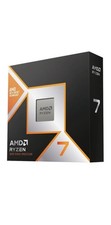
*Brand New-Factory Sealed* AMD Ryzen 7 9850X3D 8-Core 5.6GHz AM5 00-100001973WOF
$419.99

OPNsense Firewall 8-Core Atom C3758 4GB DDR4 RAM 64GB SSD 8x 1Gbe QAT AES-NI VPN
$95.00
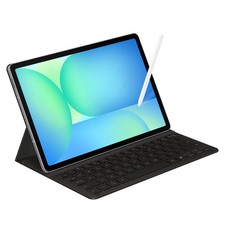
Samsung Galaxy S10 10.9" FE 128GB WiFi Tablet SM-X520NZACXAR S-Pen Keyboard 2025
$299.00
Dell OptiPlex 5050 SFF Core i5-7500, 8GB RAM, 256GB SSD, Win11 PRO Up
$89.00
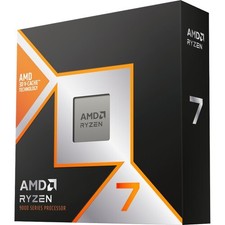
*Brand New-Factory Sealed* AMD Ryzen 7 9850X3D 8-Core 5.6GHz AM5 00-100001973WOF
$429.00
Dell - XPS 13.4" 3K Touchscreen Laptop - Intel Core 5 Series 3 320 2026 - 8GB...
$599.99
Intel Core Ultra 7 270K Plus 24 cores (8 P-cores + 16 E-cores)
$269.99

AMD Ryzen 7 9800X3D 8-Core 16-Thread AM5 Zen 5 Desktop Processor NEW
$395.00
AMD Ryzen 7 5800XT 8-Core, 16-Thread Unlocked Desktop Processor
$179.99

Clear Touch Interactive Module CTI PCMOD PC55 ST i5 6core,8GB DDR4,256GB SSD NEW
$225.00



 Reply With Quote