-
Boot and then No Boot
I downloaded and burned Knoppix 5.1.0. I put it in my Sony Vaio Desktop to retrieve files because my computer continuously restarts. Anyway, the CD worked at first, but when I clicked on the 2 Hard Disks that showed up, nothing happened. I tried zipping and emailing the hard disk but then the computer froze. I have to restart the computer and since then, the CD - and any following CDs I burned - does not work. Was the CD corrupt to begin with if I nothing happened when I clicked on the Hard Drives? Not sure where to go from here. Any help would be greatly appreciated. Thanks you!
-
Administrator
Site Admin-
Re: Boot and then No Boot

Originally Posted by
darzinger
I downloaded and burned Knoppix 5.1.0. I put it in my Sony Vaio Desktop to retrieve files because my computer continuously restarts. Anyway, the CD worked at first, but when I clicked on the 2 Hard Disks that showed up, nothing happened. I tried zipping and emailing the hard disk but then the computer froze. !
If you were unable to open the hard disk partitions (not the hard disks themselves, which is different), then it is unclear how you were able to zip them. Also, unless they were very small partitions I don't think you wold have had enogh memory to zip a partition to, and most mail servers will not allow attachments anywhere near the size I expecting we are talking about. So I'm not at all surprised that this didn't work, but it is so imposable it might help to know better exactly what you did here.
Originally Posted by
darzinger
I have to restart the computer and since then, the CD - and any following CDs I burned - does not work.
This is very strange, If the CD booted once it should boot again, no matter what is or isn't on the hard disk. Did you completely power down the computer and restart it? Could you give us better details of what happens? Does the CD spin? Does the booting start but not succeed, ore does it not start to boot at all? Have you rechecked to BIOS and confirmed to boot order? You might try going into the BIOS and resetting it, and then set the boot order and try booting again.
-
Re: Boot and then No Boot
Hmm.. I clicked on the Hard Disk icon and nothing happened. I think I right-clicked on it and chose to zip it. I also tried to open the 2 browsers, Konquerer and Iceweasel, to no avail.
When I put the CD in, the computer shows a blank, black screen with a blinking ' _ ' . The CD is rather quiet with a repetitive "err" noise. I don't really hear any spinning as before. I thought maybe the CD-ROM was damaged but when I put in the Sony Vaio Recovery Disk, it worked after showing the blinking ' _ ' for awhile. So when I put in the Knoppix CD, it has the blinking cursor for awhile and then goes into the screen that asks if I wanted to go into Safe Mode, Safe Mode with Networking, Safe Mode with Command, Last Settings That Worked, or Start Windows Normally. Anything I choose results the Windows Logo and the Loading Bar. This is then followed by a flash of the Blue Screen with the error (It's a Registry File Failure error STOP: C000021 .
.
I did completely power down and then restart. Also, I cannot get a BIOS screen to confirm the boot order. I try F8, F10, F2, F3... all the F's actually.
-
Administrator
Site Admin-
The BIOS screen is most often reached by pressing (and sometimes holding) DEL as booting starts, although some systems are indeed different.
I can't account for why the CD will no longer boot, but I also can't understand how you could zip an entire Windows partition with the relatively small Knoppix RAM disk and unwritable disk partitions. The bestI can offer is still to reset the BIOS, then be sure that the CD is in the boot order before the hard disk, and try to get the Knoppix CD to boot, but I have to say that the feedback we are getting sure doesn't make much sense.
---
Verifying of md5 checksum and burning a CD at slow speed are important.
Similar Threads
-
By merrik in forum Customising & Remastering
Replies: 4
Last Post: 11-17-2005, 12:11 AM
-
By cli168 in forum Hdd Install / Debian / Apt
Replies: 3
Last Post: 06-20-2005, 03:57 AM
-
By Particle in forum Hdd Install / Debian / Apt
Replies: 1
Last Post: 01-19-2005, 03:25 PM
-
By helios17 in forum General Support
Replies: 7
Last Post: 11-27-2004, 06:27 AM
-
By mswarbrick in forum Customising & Remastering
Replies: 6
Last Post: 04-18-2003, 12:30 AM
 Posting Permissions
- You may not post new threads
- You may not post replies
- You may not post attachments
- You may not edit your posts
-
Forum Rules


Dell 6P85J 4TB ST4000NM0063 7.2k 6Gb/s 3.5” SAS SED Hard Drive with Tray
$39.99

Western Digital HUS726T4TAL5204 4TB 7.2K SAS 12Gb/s 3.5" 512e HDD NetApp X375A
$64.00

Seagate Barracuda ST1000DM003 1 TB SATA III 3.5 in Desktop Hard Drive
$23.99

Seagate ST8000NM0075 Enterprise Capacity 3.5 HDD 8TB SAS Hard Drive 8TB EXOS
$184.99

Dell ST6000NM0034 1HT27Z-150 NWCCG 6TB SAS 3.5 7.2K ENTERPRISE SERVER DRIVE
$68.99

Seagate ST3000NM0005 HDD 3TB SATA 6Gb/s 7.2K 3.5" 512 b/s
$59.00

Toshiba 14TB MG07 MG07ACA14TEY 7.2K RPM SATA 6Gb/s 512e 3.5" Enterprise HDD
$339.00
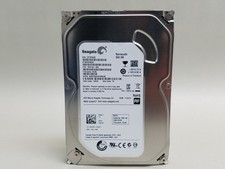
Seagate Barracuda ST500DM002 500 GB SATA III 3.5 in Desktop Hard Drive
$14.99

HGST Ultrastar HUS726040AL5210 4TB 7200RPM SAS 12Gb/s Enterprise HDD
$41.00

Tested WD Ultrastar DC HC520 12TB 7.2K RPM SATA 6Gb/s 3.5" HDD HUH721212ALN600
$239.99



 Reply With Quote