

 Reply With Quote
Try this link:
http://www.pendrivelinux.com/usb-knoppix-510/
Let me know if its a successful install


Hi guy's. I have Knoppix 3.4 saved to my USB PenDrive and as far as I know everything went well. I can boot from the PenDrive and Knoppix appears with the boot prompt. But.....when I try to boot it just tells me it cannot find the kernel. I cannot tell you how frustrating this is and I would love to know how I can change things. Is there a way in which I can slot the kernel into it from some place else? I chose version 3.4 because I particularly like it. Incidentally I did install version 5.1 but got the self same response. Can't find the Kernel. Where are the kernels going to? Hope some kind member can help me get up and running. Regards Grandad Walt
Try this link:
http://www.pendrivelinux.com/usb-knoppix-510/
Let me know if its a successful install
Hi Hal8000. Many thanks for coming in there to help out. Did you know that I had actually done this download, twice before, but this time.......this time it worked and when I rebooted I had Knoppix 5.1 clear and beautiful. I am amazed!
So this problem is well and truly solved. Only one fly in the ointment. I set up my e-mail and slotted some favourites into Konquerer. Changed the background to suit my taste. Thought right now. Lets save my config so that I do not have to do it all again. No way would knoppix let me save my config or make a persistent knoppix partition on the pen drive. Is there an answer to this I wonder? Many thanks though from one very happy bunny. Grandad Walt.
I dont think it is designed to work like that Walt.Originally Posted by grandad
The knoppix install on a pen drive installs in knoppix mode, therefore any changes you make will not be permanently saved, but are re read from /etc/skel
If you do a hard drive install of knoppix (knoppix-installer as root) then you get 3 choices, beginner, knoppix style and Debian style. The knoppix style works just like the CD in live mode, no changes are made, and Debian style lets you make a permanent install.
Once again you must know what youre doing when you install knoppix on a hard drive, which is why its not recommended for any beginner. However if you feel confident at the command line, can use vi, nano or emacs, can edit grub menu.lst and /etc/fstab you are probably ready to take the plunge for a hard drive install.
Most distros solve all these issues for you, but you have to fine tune knoppix yourself, Klaus Knopper designed it as a live system.
I'm pretty sure the USB install is designed to emulate the live cd. There is a section about it in knoppix hacks,I have the same book,
but never read that chapter
Hope that helps
 Posting Permissions


Broadcom LSI 9305-16i 12Gbps SAS-3 PCIe x8 HBA 16-Ports Raid Controller
$64.99

Broadcom 9600-24i Tri-Mode RAID Controller 4.0 NVMe SAS SATA NEW 05-50111-01003
$639.69

9300-8i LSI SAS3008 8-Port 12Gb PCIe IT mode ZFS FreeNAS unRAID 2*SFF-8643 US
$49.50

Intel VROC Premium RAID Controller Card PCIe Add-On Module VROCPREMMOD
$265.00
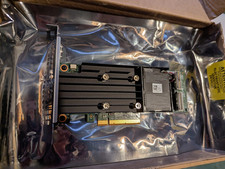
Dell PERC H755 8GB NV 12Gb/s Pci-e RAID controller card 29XMF Full Height
$899.00

OWC Mercury Elite Pro 2 Bay RAID Enclosure with USB 3.2 for Dual 3.5 inch HDDs
$87.99

LSI 9260-8i 512MB SAS SATA 8-port PCI-E 6Gb RAID Controller Card US
$29.88
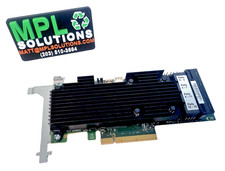
LSI Oracle 9361-16i 16-Port 12Gb SAS PCIe RAID Controller 7332895
$77.97

CalDigit VR minin 2 Portable Raid Storage On The Go
$75.00
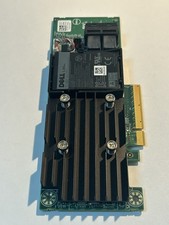
Dell 01M71J PERC H740P 12Gbps PCI-E SAS RAID Controller 1M71J
$70.00