

 Reply With Quote
Upon boot typed in:
knoppix home=/dev/sda1/knoppix.img
Thanks to the guy (I didn't get his online name) who offered it..appreciate it.


This has happened with 2 different DVDs. One from the Linux Bible and One from Knoppix hacks. It works great the first time, but any boot after that is cannot find the DVD/CD player. I can see it searching, their is a rolling file sda, sda2, hda,etc. then a "Knoppix cannot find filesystem" shows up...I've tried it on different computers and both disc do the same thing. This are not downloads these are disk that came with the book? Any help will be greately appreciated. I already tried BIOS, as one person in this forum suggested as it worked for them, but did not work for me..
Upon boot typed in:
knoppix home=/dev/sda1/knoppix.img
Thanks to the guy (I didn't get his online name) who offered it..appreciate it.
The above worked the first time but after I got out of Knoppix and rebooted it did not work the second time..if anyone does find an answer let me know..thanks
knoppix home=scan
should find your persistant image, if that is what youre trying to do.
If you are booting from the CD and getting this message, its probably down to dirty optics.
The knoppix CD's are heavily compressed and contain approx 2G onto a single 700M CD rom,
as such the CD/DVD drive must focus perfectly on the disc.
Try using an audio cd player lens cleaner (one with small soft brushes that wipe the laser), Ive used
these several times with success to clean the laser, alternative is a can of compressed air sold to blow
dust away.
You can alo try cleaning the knoppix CD, make sure there are no scratches, dust or fingerprints.
HTH
I've actually got two CD's from two different books that give the same error. one from the Linux Bible and one from Knoppix Hacks. So its factory CD's not anything I downloaded. Also, in both cases it worked the first time but never again. During boot before I get the 'can't find file system' message it does like a spin, going through all of the hard drive names, sda, sda1, hda, hda1, etc...and then stops and gives that error message. It's like it can't find the CD ROM.
As we discussed in a previous thread, you seem to be using pretty old versions of Knoppix. If you have an SATA optical drive then either get a more current copy of Knoppix or check your BIOS and see if there is any option for "legacy support" that you can enable or disable in your BIOS for the optical drive, or do both.
 Posting Permissions


Cisco Nexus N9K-C92160YC-X 48P 25GbE SFP28 6P QSFP+/QSFP28 PE Switch
$439.00

Cisco WS-C3650-12X48UR-L 48-Port Stackable Layer 3 8x10G SFP+ Port Switch
$129.99

Cisco Catalyst C9130AXI-B WiFi 6 802.11ax Wireless Access Point Brand New
$101.99

Cisco Acacia DP04QSDD-E25-840 400G QSFP-DD Coherent DCO Transceiver Module
$699.99

Cisco | N3K-C3232C | 32-Port 100G QSFP Network Switch W/ 2x PSU, 2x Power Cords
$205.00

CISCO Services Router C891F-K9, Grade B, SKU 16188
$24.94

Cisco Catalyst WS-C2960X-48FPD-L 48-Port Gigabit Managed PoE+ Ethernet Switch
$69.99
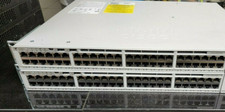
Cisco C9200-48P-E Cisco POE Network Switch
$749.99

Cisco Catalyst WS-C2960+24TC-S 24-Port Gigabit Managed SFP Switch
$39.99
CISCO INDUSTRIAL SWITCH IE-3100-8T2C-E New
$1049.00