

 Reply With Quote
The howto was wrote at the time of knoppix 3.4. It is ok for knoppix 5.11 and 5.31 but I believe there have been many changes in Knoppix 6 distribution.
You may be better off starting with 5.31 or 5.11 to remaster


I'm trying to remaster the 6.0.1 version of Knoppix using the steps outlined in the Howto. Steps 10-13 describe copying files from the /cdrom directory. However, that directory does not exist. Do I still need to copy those files? Have them moved?
http://www.knoppix.net/wiki/Knoppix_Remastering_Howto
Thanks
The howto was wrote at the time of knoppix 3.4. It is ok for knoppix 5.11 and 5.31 but I believe there have been many changes in Knoppix 6 distribution.
You may be better off starting with 5.31 or 5.11 to remaster
You will find the directory by entering "mount" and look for your cdrom device. In my case it is /dev/hdc and is mounted to /mnt-system. This is the directory you are looking for.Originally Posted by bbeck
which is the appropiate mkisofs code to compress the KNOPPIX 6.0.1 image?
I have tried without success:
mkisofs -R -U -V "KNOPPIX.net filesystem" -publisher "KNOPPIX www.knoppix.net" \
-hide-rr-moved -cache-inodes -no-bak -pad /mnt/hda1/knx/source/KNOPPIX \
| nice -5 /usr/bin/create_compressed_fs - 65536 > /mnt/hda1/knx/master/KNOPPIX/KNOPPIX
mkisofs -input-charset ISO-8859-15 -no-split-symlink-components \
-no-split-symlink-fields -R -l -U -V "KNOPPIX.net filesystem"\
-P "KNOPPIX www.knoppix.net" -hide-rr-moved -cache-inodes -pad \
/mnt/hda1/knx/source/KNOPPIX \
| create_compressed_fs - 65536 > /mnt/hda1/knx/master/KNOPPIX/KNOPPIX
With the following code I have had limited success:
mkisofs -input-charset ISO-8859-15 -no-split-symlink-components \
-no-split-symlink-fields -R -l -U -V "KNOPPIX_FS" \
-p "KNOPPIX www.knoppix-es.org" -hide-rr-moved -cache-inodes \
-m /mnt/hda1/knx/source/KNOPPIX/opt \
-m /mnt/hda1/knx/source/KNOPPIX/usr/local \
-m /mnt/hda1/knx/source/KNOPPIX/usr/NX \
-m /mnt/hda1/knx/source/KNOPPIX/usr/src \
-m /mnt/hda1/knx/source/KNOPPIX/usr/share/doc \
-m /mnt/hda1/knx/source/KNOPPIX/usr/share/info \
-m /mnt/hda1/knx/source/KNOPPIX/usr/share/man \
-m /mnt/hda1/knx/source/KNOPPIX/usr/share/games \
-pad /mnt/hda1/knx/source/KNOPPIX \
| create_compressed_fs - 65536 > /mnt/hda1/knx/master/KNOPPIX/KNOPPIX
The final compressed file is approximately 60MB lighter.
Before start the compression it show errors on some files
This is an example:
Using X-Debian-Screen-Savi006.desktop for /var/lib/menu-xdg/applications/menu-xdg/X-Debian-Screen-Saving-activate_screensaver_(previous).desktop (X-Debian-Screen-Saving-enable_xscreensaver.desktop)
When create the live CD, the first change I notice is that not the background image of a writer
will I have to use a partition etc4? When?
I use the following command (more or less the command from the remastering howto) on my normal desktop machine (I use my desktop machine for the remastering process...):
It shows the same messages for all filenames longer then 32 (31?) characters. But if I mount the cd image, the long file names are there. So I assume, mkisofs only informs about the usage of some Rock Ridge extensions for long file names and this is more an information or a warning then an error message. So far I have not seen any problem with the resulting real knoppix cd (the one after compression and second cd image generation).[/code]Code:mkisofs -R -U -V "KNOPPIX.net filesystem" \ -input-charset iso8859-15 \ -publisher "KNOPPIX www.knoppix.net"\ -hide-rr-moved -cache-inodes -pad \ -o knoppix.iso.$$ \ source/KNOPPIX
Would anyone like to volunteer writing an update relevant to the current version as I haven't had a chance to explore this yet? They could do directly on the wiki itself or PM it to me for posting. I would really appreciate it.The howto was wrote at the time of knoppix 3.4. It is ok for knoppix 5.11 and 5.31 but I believe there have been many changes in Knoppix 6 distribution.
I'll have a go but it may take a few weeks as I'm pretty busy lately both at home and at work. Will check wiki in case someone else has updated then if not I'll pm the doc to you in html format as per original format.
following zaphod remasterise knoppix 6.0.1 coments with the englinsh languaje knoppix.net and I have no problem, only in Nº 13 steep I have to change by:
cd /mnt-system && find . -size -10000k -type f -exec cp -p --parents '{}' /mnt/hda1/knx/master/ \;
I want to remasterise knoppix 6.0.1 to add spanish languaje, because only brings english and german
I made a precarius translate to spanish of files *.mo de ADRIANE and I got the most of the *.mo in spanish of Lxde and the rest of programs
I paste in:
/mnt/hda1/knx/source/KNOPPIX/usr/share/locale/es/LC_MENSSAGES/
The problem is that I cant get knoppix start in spanish (knoppix lang=es) because when you start the menu, dialogues, and programs are in English
After a lot of failiure attemps I decided paste the *.mo files in spanish to /mnt/hda1/knx/source/KNOPPIX/usr/share/locale/de/LC_MENSSAGES/ directory
I made a copy, restart the PC, wrote knoppix lang=de and Bingo!!! the programs and menu are in spanish and other things in german. I reboot the computer, put Adriane lang=de and bingo!!! Adriane is in spanish
My question is: Kowns some body what packages I have to install or what files I have to modify for add spanish languaje to knoppix 6.0.1?
finally: Zaphod, thanks for your prompt response, know that the message is an information or a warning and not a error, leaves me calmer
greetings......
I can not translate the main menu of LXDE. You can tell where, .mo file for this.
Thanks in advance!
Hellow Nicholas, there are many ways to get the files *.mo
1 You can download the LiveCD from lenny Lxde:
h t t p :// cdimage.debian.org/debian-cd/5.0.0-live/
h t t p :// cdimage.debian.org/debian-cd/5.0.0-live/i386/iso-cd/debian-live-500-i386-lxde-desktop.iso
run it and take the *.mo files you need
2 On this page you can find the *.po files
h t t p :// w w w .debian.org/international/l10n/po/
*The command to convert the files *.po to *.mo would be:
msgfmt file_name.po > file_name.mo
3 you can translate the files *.mo
* The command to convert the files *. mo to *.po would be:
msgunfmt file_name.mo < file_name.po
Greetins .....
 Posting Permissions


Kingston 32GB 64GB 128GB 256GB USB 3.0 Flash Drive Thumb Memory Stick Pen lot
$285.90
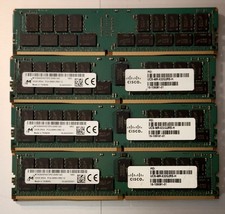
(LOT of 8) Samsung 32GB 2Rx4 PC4-2666V-RB2-12 DDR4 Cisco Server RAM Tested 100%
$1299.99

SMART(Micron)SafeStor 32GB(1X32GB) 1RX4 NN4-3200AA(DDR4) HPE Server Memory
$159.98

Wholesale 5/10/100PCS 1GB 2GB 4GB 8GB 16GB 32GB USB 2.0 Flash Drive Memory Stick
$489.96
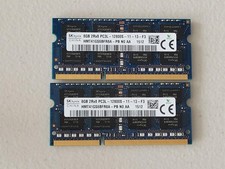
16GB Total of SK hynix PC3L-12800S 2 sticks of 8GB each = 16GB Laptop Memory
$27.95

USB 3.0 Flash Drive 32GB 64GB 128GB Memory Stick Thumb Stick Lot Pack
$826.09

Server Memory: Samsung 32GB 4DRx4 PC4-2133P ECC LRDIMM DDR4 M386A4G40DM0-CPB
$124.95
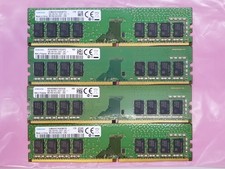
Samsung 32GB (4x8GB) DDR4 1Rx8 PC4-2400 288 Desktop RAM Memory M378A1K43CB2-CRC
$94.95

TF/SD Card Adapter Camera Reader Android Type-c For iPhone17 Pro Max Plusm lot
$573.98

Micro SD Adapter To SD HC SDHC Memory Card Adapter Reader NEW
$1.39