-
Re: knoppix 6.0.1 Remastering

Originally Posted by
fedemos
which is the appropiate mkisofs code to compress the KNOPPIX 6.0.1 image?
I have tried without success:
mkisofs -R -U -V "KNOPPIX.net filesystem" -publisher "KNOPPIX www.knoppix.net" \
-hide-rr-moved -cache-inodes -no-bak -pad /mnt/hda1/knx/source/KNOPPIX \
| nice -5 /usr/bin/create_compressed_fs - 65536 > /mnt/hda1/knx/master/KNOPPIX/KNOPPIX
Before start the compression it show errors on some files
This is an example:
Using X-Debian-Screen-Savi006.desktop for /var/lib/menu-xdg/applications/menu-xdg/X-Debian-Screen-Saving-activate_screensaver_(previous).desktop (X-Debian-Screen-Saving-enable_xscreensaver.desktop)
I use the following command (more or less the command from the remastering howto) on my normal desktop machine (I use my desktop machine for the remastering process...):
Code:
 mkisofs -R -U -V "KNOPPIX.net filesystem" \
    -input-charset iso8859-15 \
    -publisher "KNOPPIX www.knoppix.net"\
    -hide-rr-moved -cache-inodes -pad \
    -o knoppix.iso.$$ \
    source/KNOPPIX
It shows the same messages for all filenames longer then 32 (31?) characters. But if I mount the cd image, the long file names are there. So I assume, mkisofs only informs about the usage of some Rock Ridge extensions for long file names and this is more an information or a warning then an error message. So far I have not seen any problem with the resulting real knoppix cd (the one after compression and second cd image generation).[/code]
Similar Threads
-
By cbismuth in forum Customising & Remastering
Replies: 1
Last Post: 11-09-2005, 01:41 PM
-
By sluce in forum Hardware & Booting
Replies: 0
Last Post: 07-04-2004, 12:15 AM
-
By Alexxx in forum Customising & Remastering
Replies: 3
Last Post: 02-24-2004, 08:02 PM
-
By hanx in forum Customising & Remastering
Replies: 1
Last Post: 09-02-2003, 05:31 AM
-
By eadz in forum Customising & Remastering
Replies: 26
Last Post: 01-29-2003, 06:18 AM
 Posting Permissions
- You may not post new threads
- You may not post replies
- You may not post attachments
- You may not edit your posts
-
Forum Rules


Netac DDR4 32GB 16GB DDR4 3200MHz UDIMM C16 Desktop Internal Memory RAM Kit
$99.99

A-Tech 8GB DDR3 1600 PC3-12800 Laptop SODIMM 204-Pin Memory RAM PC3L DDR3L 1x 8G
$21.68

16GB KIT (2x8GB) DDR3 Gamer Desktop RAM PC3 MIXED BRANDS VIPER VENGEANCE FURY
$10.00

Major Brand 16GB (2x8GB) PC3-12800U DDR3-1600MHz DDR3-12800 DESKTOP RAM NON-ECC
$29.99

DDR4 Laptop RAM 4GB 8GB 16GB 32GB 2400 2666 3200 Samsung Hynix
$66.00

Samsung 16GB LPCAMM2 PC5 7500 DDR5 LPDDR5X CAMM2 M561K1LC4DM0-CCTGM RAM Memory
$189.00
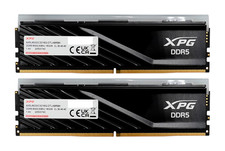
ADATA XPG Lancer Blade RGB 32GB (2x16GB) DDR5-6000 CL30 Desktop RAM Black
$429.94
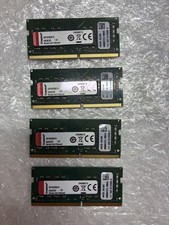
Kingston KCP432SS8/16 16GB DDR4 SDRAM Memory Speed 3200 MHz - Lot of 4
$209.00

NEW IN BOX - Corsair Vengeance RGB 32gb (2x16gb) DDR6200 CL36 CMH32GX5M2B6200C3
$550.00

Micron 32GB 1x32GB DDR5 5600 CL46 ECC Unbuffered SO-DIMM MTC20C2085S1TC56BD1
$399.00



 Reply With Quote