

 Reply With Quote
If you have downloaded an ISO, why are you trying to do the first command to turn it into an ISO?


If I download an .iso to my Desktop and want to burn it so that it will boot.
First move it to my /home directory.
$ sudo mkisofs -o home.iso /home {to create a ISO9660 Image}
$ isoinfo -d -i home.iso {when I did this it said Hierarchical File}
cdrecord -v -eject home.iso {burn to cd rom}
It worked before but not now so I'm trying to figure out what I did wrong this time..I've read over the instructions quite a few times.
If the command's are good then it was a bad download?
Thanks in advacne
If you have downloaded an ISO, why are you trying to do the first command to turn it into an ISO?
---
Verifying of md5 checksum and burning a CD at slow speed are important.
If you want to know if you have a good download, check the md5 checksum.Originally Posted by rtrahan
If you just want to get a good download, use the BitTorrent protocol instead of a mirror and be sure to let the download finish (don't stop it manually as soon as you see the 100% figure).
---
Verifying of md5 checksum and burning a CD at slow speed are important.
 Posting Permissions

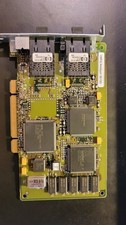
Compaq 242506-001 Netelligent 100 FDDI DAS Fiber SC PCI Network Adapter Vintage
$249.00

Vintage HP 21MX 1000 M-Series Minicomputer Chassis Backplane Parts AS-IS
$228.19
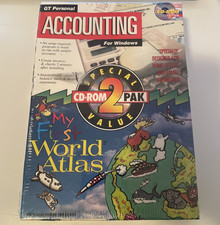
Vintage Personal Accounting & Essential Office 2 CD-ROM PAK For Windows 3.0
$114.00
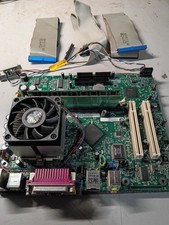
vintage Gateway motherboard, socket 370 1ghz cpu, 256mb ram, cables, power switc
$69.99
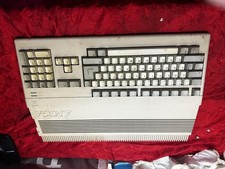
Amiga Commodore A500 - Untested-For Parts or Repair - Vintage
$200.00

Original Vintage Old Style STANDARD Black CD Jewel Case (Heavy Duty) 90g Lot
$316.95
Vintage Intel C3405 white ceramic gold with chip carrier. Never used working
$44.99
Apple IIe Vintage Computer A2S2064 Powers On Apple II Untested For Parts/repair
$149.99

Lot of 2 Vintage Plextor PX-43CS SCSI CD-ROM Caddy Drives + 4 Caddies Used
$55.99

VINTAGE COLLECTIBLE Comp USA Maxtor 20 GB 3.5 Inch EIDE Hard Drive NEW SEALED
$500.00