-
accessing hard drive problem
hi, I am newto knoppix and am using it to get files from my hard drive. After successfully downloading and running knoppix, i discovered the only thing on the desktop was my documents, and after entering that i found my hard drive but i keep getting an error message when trying to open it, it says unable to mount file system, and that its an unknown error, any help would be greatly appreciated, also in configuration my umask =222, i read in another foruim that info may be helpful,
thanks,
Mark
-
Administrator
Site Admin-
Re: accessing hard drive problem

Originally Posted by
markiemark
... i discovered the only thing on the desktop was my documents, and after entering that i found my hard drive but i keep getting an error message when trying to open it, it says unable to mount file system, a.... also in configuration my umask =222,.
Mark,
I have no idea what umask=222 is, have never heard it mentioned as far as I know. Do you need it? Can you run Knoppix without it?
Unfortunately, while Knoppix can very often recover files when Windows has it's all-too-common failure to boot problems, and can sometimes even read a disk that Windows claims can't be read, Windows is quite capable of destroying a disk so completely that not only can't it get at the data but Knoppix can't get at it either. This may have happened to you and there might not be much that you can do. I myself have three such drives that Windows decided to destroy on 3 different occasions.
However, since you say that the partition or partitions are not even showing up on the desktop, another common Windows problem is that it destroys the partition table in the master boot record (MBR), but the partitions themselves are OK and could be open if only the OS knew where they were. Fortunately, Linux has some tools that can inspect a drive and try to repair the partition table for you.
The first tool is gpart. I'm not going to write a full chapter on it here, but search the web for gpart or read the man page for it (type man gpart into a shell). The man page should give you enough information to run gpart and see if it can recover your partition table.
The other tool is testdisk. Again a search for testdisk and Linux should find you a lot of information and there is a man page for it. I generally avoid testdisk, it gives less control and is more of a "for dummies" tool, but it reportedly will do the job.
Good luck.
Similar Threads
-
By kaplan71 in forum Hdd Install / Debian / Apt
Replies: 0
Last Post: 07-20-2007, 03:20 PM
-
By tecnoL in forum MS Windows & New to Linux
Replies: 3
Last Post: 04-10-2007, 11:56 AM
-
By cli168 in forum MS Windows & New to Linux
Replies: 4
Last Post: 06-17-2005, 11:03 PM
-
By nico.g in forum Hardware & Booting
Replies: 9
Last Post: 03-19-2005, 06:04 PM
-
By matthew629 in forum MS Windows & New to Linux
Replies: 1
Last Post: 12-16-2004, 04:50 AM
 Posting Permissions
- You may not post new threads
- You may not post replies
- You may not post attachments
- You may not edit your posts
-
Forum Rules

Nanya NT32GA72D4NFX3K-JR 32GB 2Rx4 PC4-3200AA K25 DDR4 RDIMM RAM Server Memory
$199.99
SK hynix 16GB (2x8GB) DDR4 SDRAM PC4-2133P 288-Pin DIMM HMA41GU7AFR8N-TF
$65.00

SMART(Micron)SafeStor 32GB(1X32GB) 1RX4 NN4-3200AA(DDR4) HPE Server Memory
$159.98

TF/SD Card Adapter Camera Reader Android Type-c For iPhone17 Pro Max Plusm lot
$288.19
HYNIX 64GB (1X64GB) 2RX4 PC4-3200AA DDR4 SERVER MEMORY
$600.00
32GB Micron MTA36ASF4G72PZ-3G2E2UI PC4-3200AA-RB2-12 DDR4 Server Memory | Tested
$435.00
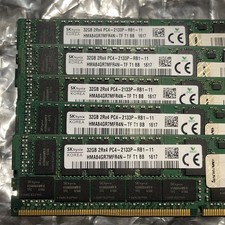
LOT OF 4 SK Hynix 32GB DDR4-2133 PC4-2133P 2Rx4 Server RAM RDIMM
$600.00
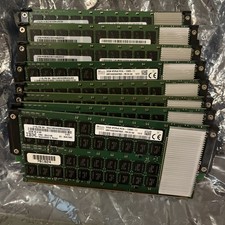
LOT OF 8 MICRON 32GB 4GX72 DDR3 SERVER RAM MTA40ALF4G72MDZ-1G6E4B40B
$700.00

Dell 16GB PC4-21300 (DDR4-2666) Memory (SNPPWR5TC16G)
$89.99
Micron 8GB DDR4 3200MHz PC4-3200AA ECC RDIMM RAM (MTA9ASF1G72PZ-3G2E2
$30.00



 Reply With Quote