-
Senior Member
registered user
Automount error
Hi all,
I'm using knopping 6.0.1 as a live user (installed on a sd-card). Initially things worked fine but now the auto mount of the volumes won't function. When I try to open a volume it messages: unable to mount device. Also "Error org.freedesktop.Hal.Unknown faillure". What can I do to resolve this?
Thanks for any help.
-
Senior Member
registered user
Looks as though the install has been altered or modified on your SD card.
You may be able to mount manually with:
mount /dev/sda1 /media/sda1
You will have to check or create the mount point if it doesnt exist and replace sda1 with relevant partition.
If Hal is not functioning and a reboot fails, it may be easier to install to the SD card again.
Hope that helps
-
Senior Member
registered user
I did a new install using the sd card, but the problem remains. I will try to do an install using some other sort of flash media.
Similar Threads
-
By vijirin in forum Customising & Remastering
Replies: 1
Last Post: 09-09-2005, 02:55 PM
-
By Halcyon-X12 in forum Hardware & Booting
Replies: 11
Last Post: 12-30-2004, 12:39 AM
-
By ElChef in forum Hdd Install / Debian / Apt
Replies: 1
Last Post: 10-12-2004, 02:48 AM
-
By andrei in forum General Support
Replies: 7
Last Post: 08-12-2003, 05:01 AM
-
By Tech1 in forum Hdd Install / Debian / Apt
Replies: 1
Last Post: 07-31-2003, 04:45 AM
 Posting Permissions
- You may not post new threads
- You may not post replies
- You may not post attachments
- You may not edit your posts
-
Forum Rules


INTEL XEON E5-2680V4 SR2N7 2.40GHZ CPU
$11.00

Dell EMC PowerEdge R440 Xeon silver 4215 2.5GHz 16 GB ram 2x 550W PSU No HDD
$275.00

Dell Precision Tower 7810 Xeon E5-2630 v3 @ 2.40GHz , 32GB Ram, NO HDD, NO OS
$239.99

Dell Precision T7820 2x Xeon Silver 4114 2.20GHz 950W No RAM GPU HDD 4x SATA
$350.48

Dell Precision T5820 Workstation 3.70GHz W-2135 No RAM/ GPU/ HDD/ OS
$179.98

Intel Xeon E5-2699 V4 2.20GHz 55M 22-CORES LGA2011-3 Server Processor 145W SR2JS
$84.49

Intel Xeon E5-2690 v4 SR2N2 14 Core 2.6GHz 35MB LGA2011-3 CPU *km
$15.99
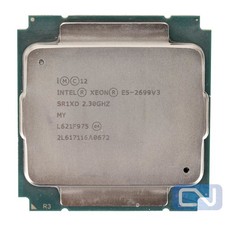
Intel Xeon E5-2699 v3 18 Core 2.3 GHz 45MB SR1XD LGA 2011-3 B Grade
$15.95

DELL Precision T3420 | Xeon 1240v6 | 525GB SSD |16GB RAM |Nvidia GPU |Win11
$149.00

Dell Precision T5820 950W Workstation 4.00GHz W-2125 No RAM/ GPU/ HDD/ OS
$144.98



 Reply With Quote