-
Junior Member
registered user
As peterwurf mentioned in his post that the boot screen offers a place to enter the persistent overlay
size and just put in a number i.e. 1024 without a suffix i.e. MB. You have to enter the number rather
quickly or the boot screen progresses. Took me a few tries to get it figured out also. 
Similar Threads
-
By penticton in forum Hardware & Booting
Replies: 1
Last Post: 07-27-2009, 05:03 PM
-
By Chris_K in forum General Support
Replies: 2
Last Post: 03-31-2009, 10:01 PM
-
By omaha64 in forum General Support
Replies: 8
Last Post: 02-16-2008, 10:58 AM
-
By rspiteri in forum Hdd Install / Debian / Apt
Replies: 1
Last Post: 04-07-2007, 01:54 PM
-
By ilovelinux98 in forum General Support
Replies: 0
Last Post: 04-15-2006, 09:44 PM
 Posting Permissions
- You may not post new threads
- You may not post replies
- You may not post attachments
- You may not edit your posts
-
Forum Rules


Dell Precision T5820 Workstation 3.70GHz W-2135 No RAM/ GPU/ HDD/ OS
$179.98

Dell EMC PowerEdge R440 Xeon silver 4215 2.5GHz 16 GB ram 2x 550W PSU No HDD
$275.00

Dell Precision Tower 7810 Xeon E5-2630 v3 @ 2.40GHz , 32GB Ram, NO HDD, NO OS
$239.99

Dell Precision T1700 Workstation Intel Xeon 16G Ram 256GG SSD Nvidia 600 Win 10
$109.99

Intel Xeon E5-2699 V4 2.20GHz 55M 22-CORES LGA2011-3 Server Processor 145W SR2JS
$84.49

Dell Precision T7820 2x Xeon Silver 4114 2.20GHz 950W No RAM GPU HDD 4x SATA
$354.48
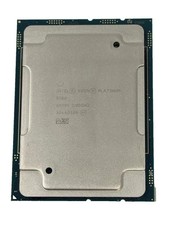
Intel Xeon Platinum 8268 2.9GHz 24-Core FCLGA3647 Processor | SRF95
$119.99

Intel Xeon E3-1230 v3 SR153 3.3GHz Quad Core LGA 1150 CPU Processor
$14.49

Intel Xeon Phi 5110P 60-Core 1.053GHz Coprocessor
$50.00

HP Z440 Workstation TWR Xeon E5-1603 v3, 8GB RAM, NVS310, SB1570, NO SSD/OS #95
$89.99



 Reply With Quote