-
Microknoppix 6.1? USB boot w/ persistent image
Greetings -- I am somewhat new to Linux, so I apologize if my question comes across as simplistic.
I want to use Knoppix as an alternate-boot OS on a company Windows machine, and I have successfully installed Knoppix 6.1 on a USB key. Each time I boot up, the system asks how much I want to set aside for my personal customization - which I presume is the same as using a persistent image.
I specify a value, but then I never see the system write any of my customizations (e.g. screen resolution) to the USB key.
When I boot form the USB key do I need to enter any command line options to properly create the space for the customized install and then save to this image?
Thanks in advance.
Richard in Pennsylvania, USA
-
same issue here (using knoppix adriane on SDHC card in my eee-pc 701 Asus netbook)
what do you write by the way for this persistent data size? If I would like to get 200MB space, should I type :
200 (--> this triggers a reaction : message in german, seems stucked)
200MB (--> this allows to boot, but the same way as if I just pressed ENTER with nothing written : no persistence)
something else?
I guess the problem is to use an sdhc card in my netbook, probably knoppix has no superuser rights to write on it??
-
Junior Member
registered user
no ability to get persitent image
as rdcuff, is my problem
Each time Knoppix 6.1 boots from USB key it is as a new live system (yes - safe and correct) but in old systems we had ability to same email etc settings to prevent lot of time wasted on each set up & when using same computer we had ability to save image to windows HD or floppy disc to use knoppix as a second system.
How to save persistent image of Knoppix 6.1
any help
-
Unbelievable!
Six months and no help/solution on this issue!?!?!
Sorry guys. I came here with the exact same question.
-
Saving settings and data on USB stick
When you first boot Knoppix 6 from USB, a screen tells you no file exists yet to retain your settings or files on the boot stick. It asks if you want to create an image file to do that, and if so to enter the size of the file.
What the screen doesn't tell you is how to enter the size. The answer is, a number, with nothing before or after it. The script will create the file with that number of Megabytes.
Also, you have to do it very quickly, or the script will jump ahead without capturing your input. Be ready to enter the file size and press enter as soon as the screen appears.
You can then save bookmarks, install applications etc on your boot disk.
I am finding Knoppix 6 works well on a eeepc 701 
-
I have been struggling with this all day. This note seems to have the answer for me, however, doesn't quite seem to work this way for me. In particular, I got Knoppix 6.2 working on my pc from dvd. I then ran the 'install knoppix to flash disk' from the 'preferences' menu. This worked well and now I can boot/start the system without the dvd but with a usb key only. However, I am still trying to find a way to save my configuration setttings (so that my email and desktop etc is still in tact next time I start up Knoppix).
As the note here says from peterworf, when I first boot knoppix from the usb I should have been prompted to create an image file - I do not believe I was prompted for this. So, what can I do at this point. Thank you for any assistance/advice you can provide. Thank you.
Moderators note: Unfortunately, due to a log processing error, the account that this post was made from was deleted. It now shows as posted by "Guest". The original poster, "jaxson" is being contacted and hopefully will rejoin us, but unfortunately this post is orphaned. It remains posted and hopefully someone can assist jaxson.
-
Junior Member
registered user
As peterwurf mentioned in his post that the boot screen offers a place to enter the persistent overlay
size and just put in a number i.e. 1024 without a suffix i.e. MB. You have to enter the number rather
quickly or the boot screen progresses. Took me a few tries to get it figured out also. 
Similar Threads
-
By penticton in forum Hardware & Booting
Replies: 1
Last Post: 07-27-2009, 05:03 PM
-
By Chris_K in forum General Support
Replies: 2
Last Post: 03-31-2009, 10:01 PM
-
By omaha64 in forum General Support
Replies: 8
Last Post: 02-16-2008, 10:58 AM
-
By rspiteri in forum Hdd Install / Debian / Apt
Replies: 1
Last Post: 04-07-2007, 01:54 PM
-
By ilovelinux98 in forum General Support
Replies: 0
Last Post: 04-15-2006, 09:44 PM
 Posting Permissions
- You may not post new threads
- You may not post replies
- You may not post attachments
- You may not edit your posts
-
Forum Rules

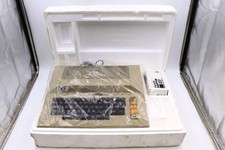
Atari 800 Home Computer Later Variant In Original Styro W/ BASIC CLEAN Untested
$224.99

ATARI XF551 DISK DRIVE WITH AC POWER ADAPTER AND PARALLEL PORT ADAPTER, UNTESTED
$250.00
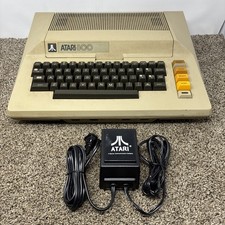
Atari 800 8-bit Computer System Fully Tested 48k READ
$370.00

Happy 1050 Upgrade for Atari 1050 Disk Drive - Solderless Installation - HS/DD
$49.97
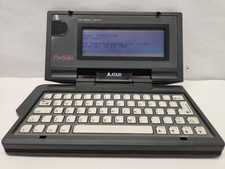
Vintage Atari Portfolio
$89.99

Fujinet 1.7.1 Atari 400 800 800XL 130XE 65XE XEGS Assembled, Tested, Working
$99.99
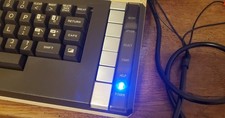
Atari 800 XL 8-Bit Computer W/ Blue LED And S Video A/V Cable
$155.00

A8PicoCart Multicart for Atari 800xl /65xe / 130xe / XEGS
$16.95
Atari 850 Interface Module Vintage 8-Bit Computer Expansion Serial Parallel Box
$159.95

GreaseWeazle v4 board USB floppy drive adapter Retro All Formats
$35.00



 Reply With Quote