

 Reply With Quote
Above problem solved.
Please refer to latest few mails of below thread.
http://www.knoppix.net/forum/viewtopic.php?t=29302
Thanks and Regards,
Julian Chan


I have a working MS Windows hardware system. Networking connection is as below:
PC (onboard Realtek RTL-8139/8139C/8139C+) --> Ethernet cable --> one of the 4 LAN ports of the D-link DIR665 router --> Ethernet cable from WLAN port of D-link 665 to the WLAN port of the cable modem which connects to the ISP).
I have never been serious about Linux in the past and knows very little about Linux. I have wanted to give Linux/Knoppix 5.3.1 a try 6 months back but never has happen until two (2) weeks back.
I took out the DVD purchased 6 months ago, immediately I booted the working hardware system with it. The very first thing I did was starting up iceweasel web browser hoping to enjoy internet surfing. To my disappointment, system failed to access outside world. To this regard, I had performed the followings:
1. Checking the LAN port at PC end found the little green and amber light of the LAN port were not ON at all. This revealed the port has not been enabled, activated or is mal-function. Reboot the hardware system with Windows proved the PC LAN port is functioning (eliminating problem caused by faulty hardware).
2. I have performed various commands (suggestions from Knoppix Forum on similar problem) like Dmesg, Lsmod, lspci, ifconfig –a…., all these commands suggested eth0 is existed and driver 8139t00 is also present. The only trouble is that Netcardconfig on eth0 failed to receive DHCP response every time it is run.
3. Disconcerning the network problem, I was able to installed Knoppix 5.3.1 onto HDD with “knoppix-installer” command successfully. Of course, I was eager to try out the HDD environment but only found the same problem.
I have been googling the last one week hoping to find solution(s) on above but failed. In my humble opinion, Knoppix 5.3.1 (which I have) at system BOOTING is:
1. able to detect Realtek RTL-8139/8139C/8139C+ (display at boot time)
2. but not able to “INITIALIZE” (or “ACTIVATE”) the LAN port
- Since the hardware is not properly INITIALIZED, therefore, NETCARDCONFIG or like commands will have no
effect on the hardware (LAN port).
Lastly, to ensure DVD contents are intact , I have boot the DVD with "knoppix testdvd" cheat code but found checksum on all software are matched with release base.f
I hope someone is knowledgeable to guide me out of this fraustration.
Thanks and Regards,
Julian
Above problem solved.
Please refer to latest few mails of below thread.
http://www.knoppix.net/forum/viewtopic.php?t=29302
Thanks and Regards,
Julian Chan
 Posting Permissions

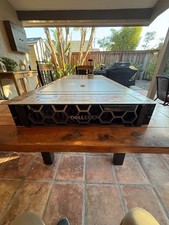
Dell PowerEdge R750 2x Xeon Gold 6326 96GB 12x1.92TB SSD H755 Win 2022
$4999.00

Dell EMC PowerEdge R440 Xeon silver 4215 2.5GHz 16 GB ram 2x 550W PSU No HDD
$275.00

Microsoft Windows Server 2025 Standard 64Bit 16 Core-50 CALs DVD With Key Sealed
$49.99

867959-B21 HPE ProLiant DL360 G10 CTO Server W/ 2x 865414-B21 1x 840140-001
$245.00

Gigabyte 4U AI Server 10x Nvidia GPU 2x Xeon Gold 6150 36 Core 2.7GHz DDR4 RAM
$1625.00

Dell PowerEdge C4130 1U AI GPU Server | 2x E5-2680 v3 | 32gb Ram | 2x 1600W
$409.99

Dell EMC PowerEdge R740 8 Bay Server w/ 32GB RAM 2x GOLD 6132 2x 1600W PSU H730p
$499.88

Dell PowerEdge R730XD 28 Core Server 2X Xeon E5-2680 V4 H730 32GB RAM No HDD
$378.93

Dell EMC VxRail E560F 10-SFF 2*Gold 6230R 2.1GHz No RAM HBA330 iDrac Ent Server
$349.99

Microsoft Windows Server 2025 Standard 64Bit 16 Core-50 CALs DVD With Key Sealed
$94.95