-

Originally Posted by
r917g
Not sure exactly what you mean, but using PCMan File Manager, I tried right clicking on the HDD to unmount it prior to re-booting, but it stays the same.
If I set up the USB stick during boot up to have a segment to store a persistent image, I can not then access the HDD. So I then have to wipe the USB stick, boot up using a CD, edit the Syslinux.cfg file to replace lang=eng with lang-uk (to set up the correct keyboard for my laptop) and then "Install KNOPPIX to a flash disk" again.
Sorry for the late response.
Well from what I've read of your issue, you and I don't have exactly the same problem. I'm not sure what your setup was, but my hdd has xp installed and after creating a persistent file I could no longer access the files from that ntfs partition. However, if your other partition is not formatted to NTFS then I'm not sure if ntfsmount would work for you (I could be wrong).
You could try simply:
Code:
$su root
$mkdir /mnt/"name_of_mount" (no quotes)
$mount /dev/"local_hdd" /mnt/"name_of_mount"(for me it was sda1, also no quotes)
Just make sure you unmount the device by unmounting from pcman or:
Code:
$umount /mnt/"name_of_mount"
Hope this helps 
Similar Threads
-
Replies: 9
Last Post: 10-28-2008, 09:46 AM
-
By Viveck in forum Laptops
Replies: 0
Last Post: 10-04-2007, 05:14 PM
-
By blahzik in forum Networking
Replies: 1
Last Post: 09-28-2005, 04:00 AM
-
By misterp in forum Hdd Install / Debian / Apt
Replies: 3
Last Post: 02-29-2004, 03:34 AM
-
By cookiepuss in forum Customising & Remastering
Replies: 3
Last Post: 08-11-2003, 04:22 AM
 Posting Permissions
- You may not post new threads
- You may not post replies
- You may not post attachments
- You may not edit your posts
-
Forum Rules


Vintage Apple Macintosh Plus Desktop Computer - M0001A
$150.00

Vintage Apple Monitor IIc 9" Green Monochrome 06/1985 A2M4090 October 1984 Stand
$275.00

Vintage Apple II Avant-Garde Creations Super Shape Draw And Animate 1981
$295.00

Rare Vintage Macintosh Apple Wooden Disk Storage Box Dovetailed
$69.95

LARGE LOT Vintage Apple Macintosh Mouse Cables Accessories SCSI etc - UNTESTED
$80.00
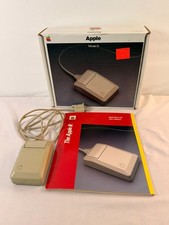
Vintage Apple Mouse IIc A2M4015 Original Box Manual Foam Tested Working NOS
$114.99

Vintage Apple Macintosh 128K 512K Carrying Case Rainbow Logo Excellent Cond
$140.00

Retro Vintage Apple M0110A Compact Wired Mechanical keyboard for Macintosh Plus
$64.95

Vintage Apple Multiple Scan 15av Display Monitor M4681
$299.99

Apple cloth fabric banner iBook bondi blue orange NOS Vintage
$99.00



 Reply With Quote