-
Hello all. Just booted knoppix from cd and everything seems to be in order. However, I cannot get online. It just says connot find mozilla.org or google.com etc. Any suggestions or help would be appreciated. Thanks.
-
Administrator
Site Admin-
I don't have an answer for you, because you didn't give us anything to go on. Let me point out several
things that were wrong with your first post:
You didn't post in the networking forum (I've moved the post for you).
You didn't start a new thread for a new problem. (I've split your post out into a new thread).
You picked a discussion that had nothing to do with your problem to post in, one about IRC, and one that had been inactive for about 5 years at that! The subject had nothing to do with your problem, and anyone not interested in IRC wasn't even likely to look at it. Those who did look expecting a discussion on IRC would likely be unhappy about your "response" in that thread as well, and some likely will not be happy they got an e-mail that there was a response to a thread they were participating in when you had nothing to say on the subject.
Although you must have looked at old posts, you didn't look at all of the existing posts in the networking section from people who are have reported what seems to be a similar problem or followed any of the advice they were given.
You told us nothing at all about your Internet connection. We don't know if you have Dial up or DSL or cable or something. We don't know if you have a router and a local network. We don't know if you might have firewall issues. We don't even know what hardware you are on, if you are trying to connect on a normal wired NIC or are expecting that a wireless NIC is going to work for you.
-
Junior Member
registered user
But probably he wants
netcardconfig
It's available via the "start" bar or by typing
netcardconfig
In a shell.
I wanted to add to comment to this post because I find the new netcardconfig dialog to be quite clumsy compared to the old one. I get significant (three second) timeouts between each setting when I enter them manually. When I try to run it from a shell via Alt-F1, it starts up and I can use the Tab key to toggle between DHCP and manual settings but once I hit enter it doesn't proceed with any key combination I found.
This is merely an annoyance of course, but it is a bit of a drag.
Similar Threads
-
By Sebastian99 in forum Networking
Replies: 0
Last Post: 04-18-2008, 08:03 PM
-
By eslamgm in forum Networking
Replies: 0
Last Post: 10-05-2006, 03:49 PM
-
By naw77 in forum Networking
Replies: 1
Last Post: 08-26-2005, 11:36 PM
-
By degates in forum Networking
Replies: 1
Last Post: 04-13-2005, 11:24 AM
-
By gill1109 in forum Networking
Replies: 2
Last Post: 07-28-2003, 05:20 AM
 Posting Permissions
- You may not post new threads
- You may not post replies
- You may not post attachments
- You may not edit your posts
-
Forum Rules


Western Digital HUS726T4TAL5204 4TB 7.2K SAS 12Gb/s 3.5" 512e HDD NetApp X375A
$64.00
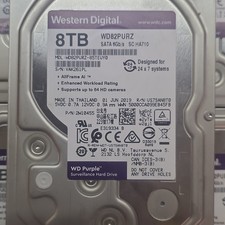
Western Digital Purple 8TB Internal Desktop Surveillance Hard Drive (WD82PURZ)
$130.00

HGST Ultrastar HUS726040AL5210 4TB 7200RPM SAS 12Gb/s Enterprise HDD
$41.00

HDD 3.5" SATA Hard Drive with Windows 10/Win 11 64x Installed Legacy
$35.00

Dell ST6000NM0034 1HT27Z-150 NWCCG 6TB SAS 3.5 7.2K ENTERPRISE SERVER DRIVE
$68.99

Seagate Barracuda ST1000DM003 1 TB SATA III 3.5 in Desktop Hard Drive
$23.99
Toshiba MG03ACA400 4TB 7200 RPM SATA 6.0Gb/s 3.5" Enterprise HDD (V6313)
$61.56

Seagate ST3000NM0005 HDD 3TB SATA 6Gb/s 7.2K 3.5" 512 b/s
$59.00

Seagate ST8000NM0075 Enterprise Capacity 3.5 HDD 8TB SAS Hard Drive 8TB EXOS
$184.99

DELL 2TB Enterprise HDD (7200RPM, 3.5", SATA III, 128MB Cache) HUS722T2TALA600
$49.95



 Reply With Quote