

 Reply With Quote
have you tried "knoppix xmodule=vesa"?


I have problems to boot Knoppix on my notebook.
I am pretty sure that the reason is the default video driver.
I encountered a similar problem with GParted LiveCD.
A workaround in Gparted LiveCD was to select "Run Forcevideo" and select the VESA driver.
Is something similar possible in Knoppix ?
If yes: Which command is necessary at the boot prompt (which is successfully displayed)?
Alternatively is there a way to add an additional video driver into the ISO image of Knoppix?
My notebook and video card is:
Samsung X20 Notebook (XVM 1730 V)
with 128MB Intel Graphic Media Accelerator GMA 900
with Chipset Intel 915GM/GMS resp Intel 82915GM
Thomas
have you tried "knoppix xmodule=vesa"?
This works !!!Originally Posted by 40below
Thank you
 Posting Permissions

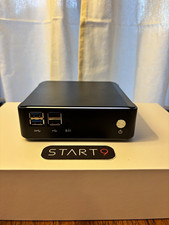
Start9 Server Pure 32GB 4TB Intel i7 Node StartOS — Box + PSU
$699.00

1U Open Source Router Firewall X10SLH-N6-ST031 E3-1240 V3 6x 10GB Ethernet 16GB
$350.00
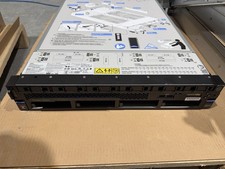
IBM Power 9 Linux L922, 2x6-Core CPU / No RAM / 2 x 1400W PSU / Rails - 9008-22L
$607.44
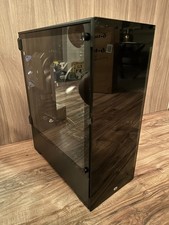
Proxmox Linux VM VPS Xeon Server /w 512GB RAM 28TB HDD for Virtual Machine Cloud
$1647.00

1U Open Source Router Firewall 6x 10GB Ethernet X10SLH-N6-ST031 E3-1240 V3 32GB
$429.00

Toshiba Magnia SG20 VPN Linux server Web server (No HDD, *Read*) -
$60.00
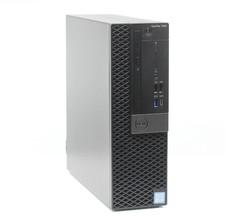
Ubuntu 26.04 Linux Desktop PC, 6-Core i5, up to 32GB RAM + 2TB SSD, Dell 7060
$369.99
Microsoft SQL Server 2025 Standard 48 Core Unlimited User CALs CoA Authentic
$298.88

Microsoft SQL Server 2025 Standard 32 Core Unlimited User CALs CoA Authentic
$388.00

Ubuntu Desktop 26.04 LTS “Resolute Raccoon” – 64‑bit USB SHA256 Verifyed
$15.48
