-
mapping physical device to eth0
Hi, I'm running knoppix on my HP nc8000 laptop.
How can I tell what physical connection eth0 refers to?
The problem is one of the programs I am using in knoppix can only us eth0, so it will attempt to use eth0 every single time.
Unfortunately, I have no idea if eth0 is actually the wired connection (which is what I want).
Basically, I need to be able to tell which physical network devices are mapped to eth0, eth1, etc.
From there, I will then disable the modules that I do not want (wireless, etc.).
Any ideas?
Thanks.
qin__23
Similar Threads
-
By andrew1 in forum MS Windows & New to Linux
Replies: 6
Last Post: 12-02-2006, 03:24 AM
-
By bayamon in forum Customising & Remastering
Replies: 0
Last Post: 10-12-2004, 07:34 PM
-
By SuD in forum Hardware & Booting
Replies: 2
Last Post: 06-08-2004, 10:27 PM
-
By ramu_i in forum General Support
Replies: 1
Last Post: 07-18-2003, 04:33 PM
-
Replies: 1
Last Post: 01-23-2003, 03:38 PM
 Posting Permissions
- You may not post new threads
- You may not post replies
- You may not post attachments
- You may not edit your posts
-
Forum Rules


Dell 6P85J 4TB ST4000NM0063 7.2k 6Gb/s 3.5” SAS SED Hard Drive with Tray
$39.99

Western Digital HUS726T4TAL5204 4TB 7.2K SAS 12Gb/s 3.5" 512e HDD NetApp X375A
$64.00

Toshiba DT01ACA100 1 TB 3.5" SATA III 3.5 in Desktop Hard Drive
$24.99

Seagate Barracuda ST1000DM003 1 TB SATA III 3.5 in Desktop Hard Drive
$23.99

Dell ST6000NM0034 1HT27Z-150 NWCCG 6TB SAS 3.5 7.2K ENTERPRISE SERVER DRIVE
$68.99

Seagate ST3000NM0005 HDD 3TB SATA 6Gb/s 7.2K 3.5" 512 b/s
$59.00

Toshiba 14TB MG07 MG07ACA14TEY 7.2K RPM SATA 6Gb/s 512e 3.5" Enterprise HDD
$339.00
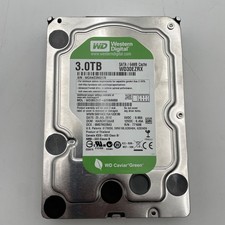
Western Digital WD Caviar Green WD30EZRX 3TB 3.5" 5400RPM SATA III Hard Drive
$45.04

Seagate ST8000NM0075 Enterprise Capacity 3.5 HDD 8TB SAS Hard Drive 8TB EXOS
$184.99

HGST Ultrastar HUS726040AL5210 4TB 7200RPM SAS 12Gb/s Enterprise HDD
$41.00



 Reply With Quote