

 Reply With Quote
Fixed my own problem, for some reason after creating the persistent file, there was not ntfs mount driver. ran this in root terminal:
mkdir /mnt/c
ntfsmount /dev/sda1 /mnt/c
Learn something new everyday.


I've recently created a live cd of knoppix 6 and installed to a 2GB SD media card. So far everything has worked just about flawlessly, except when I make it persistent, for some reason I can no longer access my local HDD; it gives me the err msg "org.freedesktop.hal.device.volume.unknownfail ure" unable to mount device, after I reboot. It does not give this error with the live disk or if I don't create a save file. I've gone through some authorization but still have not had any luck. halp plz
Fixed my own problem, for some reason after creating the persistent file, there was not ntfs mount driver. ran this in root terminal:
mkdir /mnt/c
ntfsmount /dev/sda1 /mnt/c
Learn something new everyday.
As a relative novice to Knoppix, I've struggled for days to get earlier versions to boot properly off a USB Stick. Having come across 6.01 yesterday, I thought I had at last found an answer.
However, I've had exactly the same problem as you, but having tried your remedy, I get the following when I type in the second line.
Access is denied because the NTFS volume is already opened. The volume maybe already mounted, or another software may use it which could be identified for example by the help of the "fuser" command. You can use force option to avoid this check, but this is not recommended and may lead to date corruption. Mount Failed.
Has anyone any ideas please?
I get this err msg after I've mounted the local hdd, then shut down or reboot without using the umount command; what works for me is booting to the hdd 2 times, then remounting using ntfsmount.
Also, make sure you are selecting the correct device from /dev, if you're selecting the usb stick that is running knoppix 6, I believe it will give you that err msg.
Hope this helps.
also, I'm trying to make a script that will mount and unmount when you need instead of putting in the command every time, will post that when I get it correct
Not sure exactly what you mean, but using PCMan File Manager, I tried right clicking on the HDD to unmount it prior to re-booting, but it stays the same.
If I set up the USB stick during boot up to have a segment to store a persistent image, I can not then access the HDD. So I then have to wipe the USB stick, boot up using a CD, edit the Syslinux.cfg file to replace lang=eng with lang-uk (to set up the correct keyboard for my laptop) and then "Install KNOPPIX to a flash disk" again.
I just booted up with 6.0.1 and got the same message as the original poster.
Before I go to the LX terminal (root terminal) and initialize the hard drive per instructions...
1) I wanted to check and make sure I wouldn't somehow damage my XP files on the drive.
2) I'm pretty sure I have a boot virus as my hard drive is practically new. I got the blue SoD once before my laptop stopped booting.
3) My objective is to diagnose a boot problem on my PC and hopefully recover some files I need from it.
I have threatened to leave the Gates Plan on numerous occasions. This may be the last straw.
Thanks in advance.
b.line
Sorry for the late response.Originally Posted by r917g
Well from what I've read of your issue, you and I don't have exactly the same problem. I'm not sure what your setup was, but my hdd has xp installed and after creating a persistent file I could no longer access the files from that ntfs partition. However, if your other partition is not formatted to NTFS then I'm not sure if ntfsmount would work for you (I could be wrong).
You could try simply:
Just make sure you unmount the device by unmounting from pcman or:Code:$su root $mkdir /mnt/"name_of_mount" (no quotes) $mount /dev/"local_hdd" /mnt/"name_of_mount"(for me it was sda1, also no quotes)
Hope this helpsCode:$umount /mnt/"name_of_mount"
1) Mounting your HDD shouldn't have any affect on your XP files, just make sure you properly unmount it before rebooting (you may get a disk check type thing if you forget to unmount. But, I've forgotten to unmount plenty of times and have had no problems getting into XP afterwards)
2)If you're getting BSOD and boot issue's I'd recommend testing some hardware, IE: memory/harddrive.
3)One of the many beauties of Knoppix is if you can mount the device and access the files, you can recover what you need
 Posting Permissions

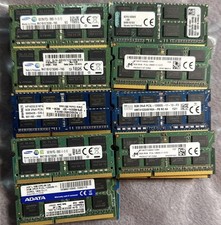
Lot 43 Mixed Brands Micron MT16KTF1G64HZ-1G6N1 8GB 2Rx8 PC3L-12800S-11-13-F3 RAM
$649.99

Netac DDR4 32GB 16GB DDR4 3200MHz UDIMM C16 Desktop Internal Memory RAM Kit
$99.99
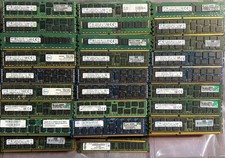
Mixed Lot of 248 SAMSUNG 8GB 2Rx4 PC3-10600R DDR3 M393B1K70CH0-CH9Q5 Server RAM
$1999.99

A-Tech 8GB DDR3 1600 PC3-12800 Laptop SODIMM 204-Pin Memory RAM PC3L DDR3L 1x 8G
$21.68

Major Brand 16GB (2x8GB) PC3-12800U DDR3-1600MHz DDR3-12800 DESKTOP RAM NON-ECC
$29.99
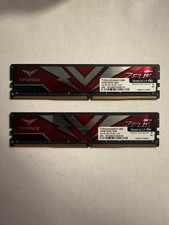
TEAMGROUP T-Force Zeus 64GB (2x32GB) DDR4 2666MHz PC4-21300 Desktop RAM Kit
$199.99

Micron MTA18ASF2G72PDZ 128GB (8x16GB) RAM DDR4 3200MHz
$899.99
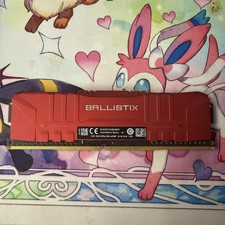
Ballistix 8GB 3200 MHz DDR4 DRAM Desktop Gaming
$40.00

Micron 32GB 1x32GB DDR5 5600 CL46 ECC Unbuffered SO-DIMM MTC20C2085S1TC56BD1
$399.00
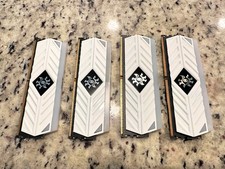
ADATA XPG Spectrix White RGB AX4U320038G16-BW41 32GB DDR4 matching set of 8GB
$149.99